Definition and Meaning of Form Online
The term "form online" refers to any document or template that can be completed and submitted electronically through a digital platform. These forms can vary significantly in purpose and complexity, ranging from simple personal data entry to intricate government applications. The transition from paper-based to online forms offers numerous advantages, primarily in terms of convenience and efficiency. The flexibility of accessing and completing forms online means users can fill out these documents from anywhere with an internet connection, often reducing processing time and errors associated with manual entry.
Online forms are integral to a wide array of sectors including healthcare, finance, education, and government services. They facilitate transactions, registrations, and submissions by providing user-friendly interfaces that guide users through the required input fields. These forms often include capabilities to validate data entries, ensuring that users submit accurate and complete information before proceeding.
How to Use the Form Online
Using an online form entails several steps, typically beginning with accessing the form through the entity’s website or platform that provides it. For instance, government agencies may host their forms on official websites, while private sector forms might be found on company domains such as DocHub. The user must first navigate to the appropriate section of the website where the form is hosted.
- Access the Form: The form can be accessed either directly by entering its specific URL or by navigating the site menus.
- Follow Instructions: Each form usually comes with a set of instructions detailing how to complete it. This can include guidance on the type of information needed as well as any supporting documents that might be required.
- Fill Out the Form: Users must provide the necessary information, generally by filling in text boxes, selecting options from dropdown menus, and checking applicable boxes.
- Review and Validate: Before submission, it’s essential to review the completed form for accuracy. Many platforms offer real-time validation that flags errors or omissions.
- Submit the Form: Once confirmed, the form is submitted via the platform's submission button. Some systems allow the user to save a copy or receive a confirmation of successful submission.
Steps to Complete the Form Online
Completing an online form involves meticulous attention to detail, ensuring every step is accurately followed for flawless submission:
- Registration/Login: Some platforms require users to register or log in to access and submit forms.
- Choose the Correct Form: Identify and select the specific form required for your purpose.
- Understand Requirements: Read any accompanying instructions or guidelines, checking for specific eligibility criteria or document requirements.
- Complete Mandatory Fields: Enter all required information in the designated fields, ensuring accuracy. Required fields are often marked with an asterisk (*).
- Attach Supporting Documents: Upload necessary documents if the form requires them, ensuring they are in the accepted format (e.g., PDF, JPEG).
- Consent and Agreement: Check any necessary consent or agreement boxes, often related to terms of service or legal compliance.
- Submit and Confirm: After reviewing information for accuracy, submit the form and confirm receipt of any acknowledgments or confirmation numbers for your records.
Key Elements of the Form Online
Modern online forms are built with several key elements designed to enhance user experience and data accuracy:
- Interactive Fields: These include text boxes, radio buttons, dropdown lists, and checkboxes that simplify data entry.
- Validation Mechanisms: Automated checks ensure data integrity, preventing submission with incomplete or incorrect entries.
- Instructions and Tooltips: Embedded guidance assists users by providing context-sensitive help directly on the form.
- Navigation Features: Progress indicators and multi-page formats help users understand where they are in the process.
- Accessibility Options: Adjustments for users with disabilities, such as screen reader compatibility and keyboard navigation.
Examples of Using the Form Online
Various scenarios illustrate the application of online forms:
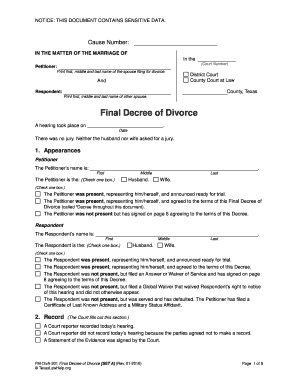
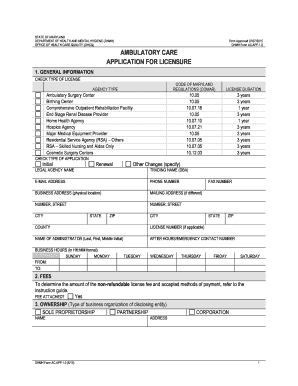
- Government Applications: Tax returns, permits, or licenses can be processed using online forms which streamline bureaucratic procedures.
- Healthcare Registrations: Patients can use forms to register for appointments or update their medical history efficiently.
- Educational Enrolment: Prospective students fill out application forms to apply for universities or scholarships.
- Business Operations: Companies use forms for report generation, employee onboarding, and customer feedback collection.
Who Typically Uses the Form Online
A broad spectrum of users from individuals to businesses relies on online forms for everyday tasks:
- Individuals: Utilizing online forms for personal tax filings, job applications, or service sign-ups.
- Businesses: Streamlining processes via vendor registration, customer feedback, or employee assessments.
- Educational Institutions: Managing student applications and feedback through interactive platforms.
- Healthcare Providers: Processing patient information quickly and efficiently.


Legal Use of the Form Online
While online forms provide convenience, they also have legal considerations:
- Compliance: Forms used for legal purposes must comply with relevant laws such as the ESIGN Act for electronic signatures.
- Confidentiality: Protecting sensitive information is paramount, ensuring data collected via online forms adhere to privacy laws such as HIPAA or GDPR, where applicable.
- Authentication: User identification through OAuth 2.0 or similar protocols ensures secure access to forms, protecting against unauthorized use.
Software Compatibility with Form Online
Online forms interact seamlessly with various software solutions to enhance productivity:
- Document Editors: Platforms like DocHub allow users to edit and sign online forms effortlessly.
- Integration with Cloud Services: Seamless connection with Google Drive or Dropbox enables easy file storage and retrieval.
- Accountancy Software: Tools like TurboTax use online forms for financial reporting and tax submissions, ensuring compliance and accuracy.
Through these insights into the diverse aspects of "form online," users can navigate the digital documentation landscape with confidence, understanding the features and functionalities that optimize their form completion process.