




01. Edit your form online
Type text, add images, blackout confidential details, add comments, highlights and more.

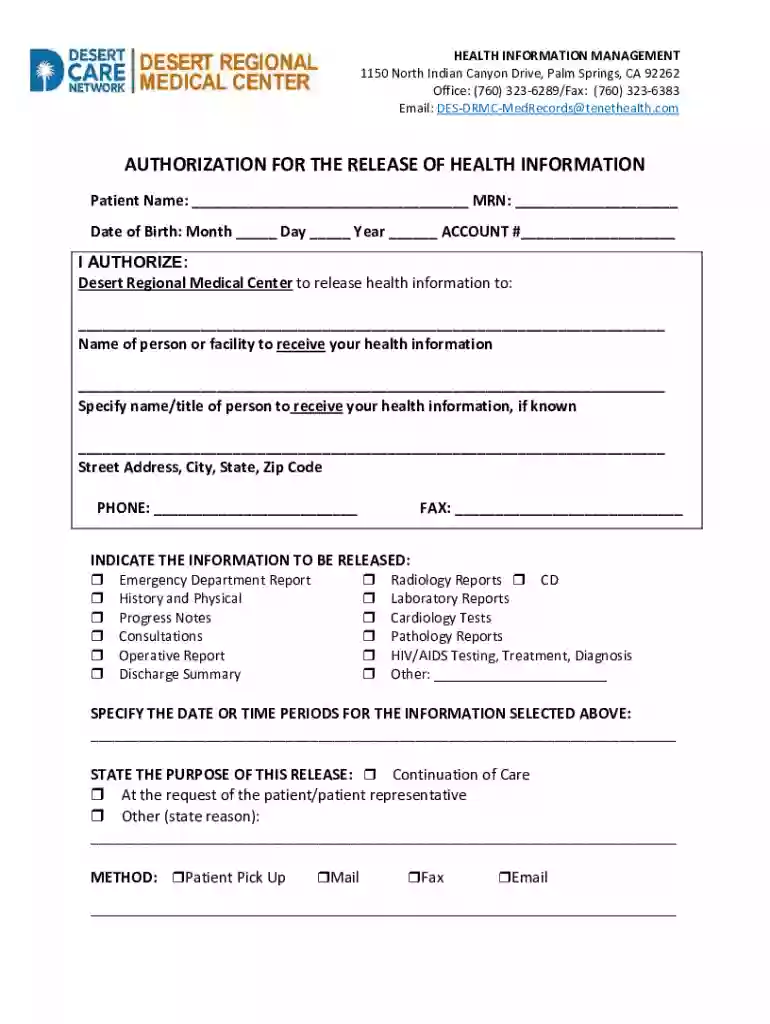
Type text, add images, blackout confidential details, add comments, highlights and more.

Draw your signature, type it, upload its image, or use your mobile device as a signature pad.

Send it via email, link, or fax. You can also download it, export it or print it out.
Online forms, often referred to as digital forms, are electronic versions of traditional paper forms. They are designed to facilitate a variety of tasks, such as collecting data, submitting applications, or signing agreements. Online forms can be integrated into websites or sent via links, allowing users to complete them on any device with internet access.
Online forms streamline data collection by automatically validating entries, saving time and reducing the likelihood of errors. They are used in various domains, including healthcare, finance, and education, to gather user information in an efficient and organized manner.
Accessing online forms is straightforward and can be done through several channels. Users can:
Visit a Website: Many organizations provide links to their forms directly on their websites. Navigating to the appropriate section, such as "Resources" or "Forms," can lead to the download or completion page.
Email Links: Forms can also be shared via email. Recipients simply click the link that directs them to the form's online version.
Cloud-Based Platforms: Services like DocHub provide direct access to create, edit, and complete forms without needing to download software.
Access typically requires a stable internet connection, but some platforms allow offline access with synchronization upon reconnecting to the internet.
Completing an online form involves several sequential steps to ensure accuracy and completeness:
Open the Form: Access the form through the provided link or platform and ensure all fields are visible.
Read Instructions: Carefully review any guidelines or instructions accompanying the form to understand requirements.
Fill Out Required Fields: Enter data into all mandatory fields. Many forms will highlight these fields to ensure they are not overlooked.
Review and Edit: Before submission, review entries for accuracy. Editing tools on platforms like DocHub make it easy to adjust information.
Submit the Form: Click the submit button. Some forms provide a confirmation or error message to indicate successful completion or issues that need addressing.
Save a Copy: It's advisable to save or print a copy of the completed form for personal records.
Using online forms offers numerous advantages:
Convenience: Forms can be accessed and completed from anywhere, without the need for physical documents.
Efficiency: Automatic data validation reduces errors and speeds up processing time.
Eco-Friendly: Eliminates the need for paper and printing, benefitting the environment.
Secure: Platforms often use encryption to protect data during transmission and storage.
Integration: Can integrate into existing workflows, such as with Google Workspace, for seamless data management.
These benefits make online forms a preferred choice in many professional and personal settings.
Online forms cater to a wide demographic, including:
Professionals: In sectors like healthcare, finance, and education, professionals use them for client intake, data collection, and surveys.
Students: Forms are utilized in educational settings for applications, assignments, and feedback.
Businesses: Organizations leverage forms for employee onboarding, customer feedback, and vendor agreements.
Government Agencies: Facilitate citizen applications, registrations, and submissions of required documentation.
Each group benefits from the time-saving and organizational capabilities online forms offer.
Digital forms hold the same legal validity as their paper counterparts when appropriately executed. Legally binding online forms comply with regulations such as ESIGN and UETA in the United States, ensuring signatures and filled forms are recognized in court.
For a digital form to be legally valid, it must be:
Consensual: All parties must agree to conduct the transaction electronically.
Authenticated: Verify the identities of parties through secure authentication methods.
Archived: Keep a record of the signed agreement in a format that is accessible for future reference.
Ensuring compliance with legal standards involves using trusted platforms, like DocHub, offering robust security features.
Several key elements constitute an effective online form:
Field Labels: Clearly indicate what information is required in each input field.
Input Fields: Varied types such as text boxes, check boxes, radio buttons, and drop-down lists, tailored to different data types.
Instructions and Help Text: Provide users with guidance on completing specific sections.
Validation: Immediate feedback on errors or omissions in mandatory fields.
Security Features: Include encryption and authentication protocols to protect user data.
Incorporating these elements ensures forms are user-friendly and secure.
Compliance with regulations is crucial when dealing with online forms, particularly for sensitive information:
Follow Data Protection Laws: Adhere to laws such as GDPR or HIPAA in applicable regions to protect user privacy and data.
Implement Secure Handling: Use SSL encryption for data transmission and secure servers for storage.
Provide Opt-out Options: Allow users to opt-out of data collection or request info deletion when applicable.
Using a compliant platform safeguards against legal repercussions and builds trust with form users.
Online forms are widely used across numerous scenarios, including:
Medical Authorization Forms: Patients authorize the release of health information using secure, fillable digital forms.
Job Applications: Candidates submit applications and resumes online through customizable forms on job portals.
Event Registration: Attendees register for events and submit preferences via interactive forms.
Customer Feedback: Businesses gather customer insights through online surveys.
These examples illustrate the versatility and utility of online forms in diverse sectors.
We've got more versions of the Authorization for Release of Health Information form. Select the right Authorization for Release of Health Information version from the list and start editing it straight away!
At DocHub, your data security is our priority. We follow HIPAA, SOC2, GDPR, and other standards, so you can work on your documents with confidence.


