




Here's how it works



How to use or fill out apartment format pdf with our platform

- Click ‘Get Form’ to open the apartment format PDF in the editor.
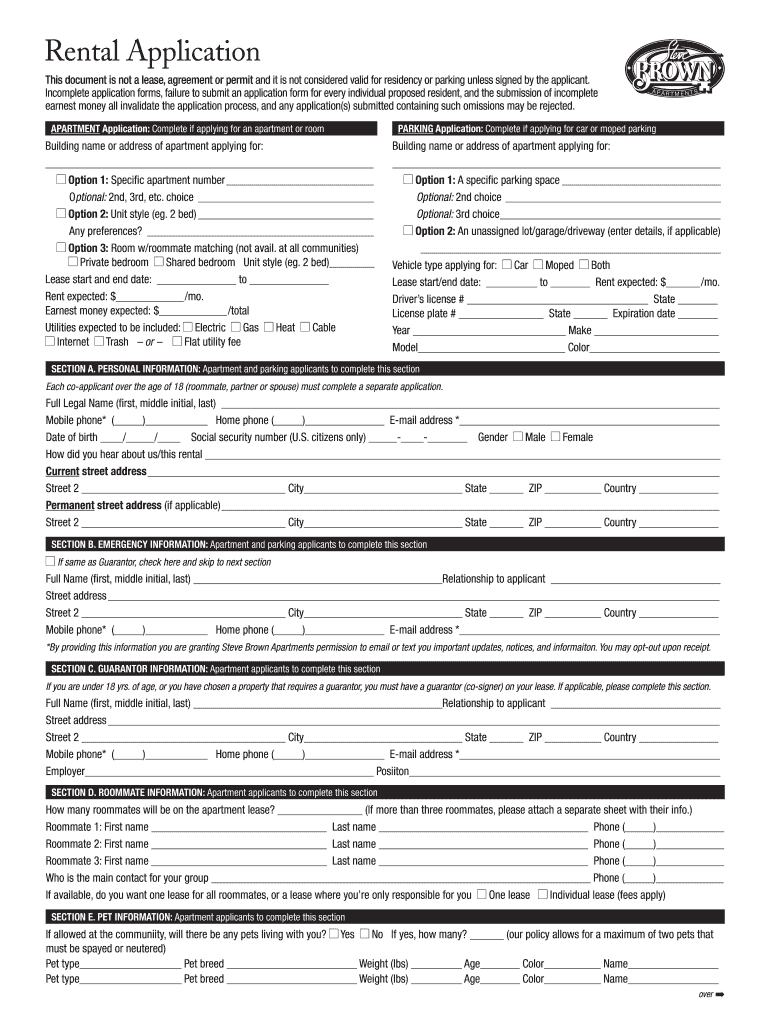
- Begin by filling out the 'Unit Information' section. Specify the address of the premises and select your preferred unit type, whether it's an apartment unit or a private/shared bedroom.
- Next, indicate your financial details such as the approximate monthly installment and earnest money paid. Fill in your preferred occupancy dates and utility charges.
- Proceed to 'Personal Information'. Each co-applicant must complete a separate application. Enter your full name, contact information, and any relevant identification details.
- Complete the 'Emergency Contact Information' and 'Guarantor Information' sections if applicable. Ensure all fields are filled accurately to avoid application rejection.
- Finally, review all entries for completeness before signing at the bottom of the form. Remember that an incomplete application may invalidate your submission.
Start using our platform today for free to streamline your apartment application process!
It's free
Got questions?
Can I sign my apartment format pdf on a mobile?
Of course, you’ll find many different apps for this on the web. Nonetheless, if you need to eSign your apartment format pdf without installing extra software, DocHub is the optimum choice you can make. This robust editor works on mobile devices just as on desktops. Open our editor in any internet browser, register or log in to your account, and start managing your forms.
How do you get apartment format for client pdf for my state?
If you are looking for a state-specific apartment format for client pdf sample, you will find it in our DocHub Forms & Templates catalog. Use the search field, enter your form’s name, and search through the results for your state. You may also filter out irrelevant results while exploring our catalog by groups.
How do you introduce yourself in an apartment?
How do you introduce yourself in an apartment?
How do you write a good apartment application?
Security and compliance
At DocHub, your data security is our priority. We follow HIPAA, SOC2, GDPR, and other standards, so you can work on your documents with confidence.
Learn more


