




Here's how it works

01. Edit your dochub com fillable form online
Type text, add images, blackout confidential details, add comments, highlights and more.

02. Sign it in a few clicks
Draw your signature, type it, upload its image, or use your mobile device as a signature pad.

03. Share your form with others
Send restraining order maryland via email, link, or fax. You can also download it, export it or print it out.
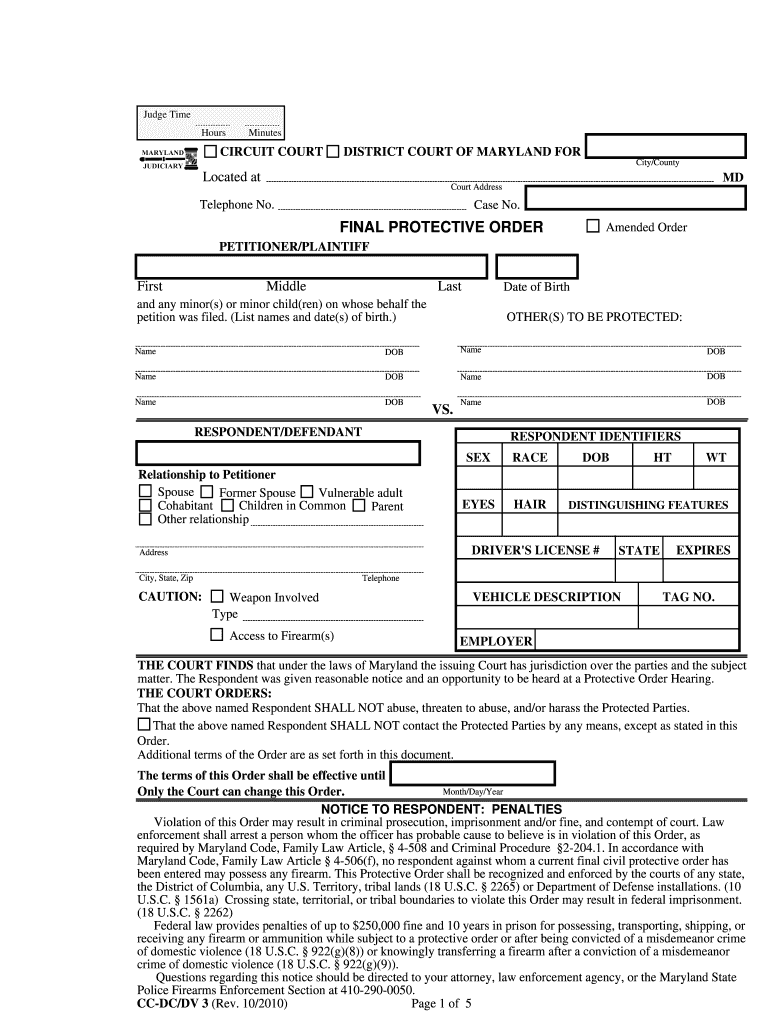
How to use or fill out FINAL PROTECTIVE ORDER - Maryland state court system - courts state md with our platform

- Click ‘Get Form’ to open the FINAL PROTECTIVE ORDER in the editor.
- Begin by filling in your personal information as the Petitioner/Plaintiff, including your first, middle, and last name, along with your date of birth.
- List any minor children on whose behalf the petition is filed, including their names and dates of birth.
- Provide details about the Respondent/Defendant, including their identifiers such as race, sex, and distinguishing features. Ensure you accurately fill in their relationship to you.
- In the section regarding the court's findings, ensure that all relevant details about abuse or threats are clearly documented.
- Review additional terms of the order carefully and fill in any necessary fields related to custody arrangements or visitation rights.
- Once all sections are completed, utilize our platform’s signing feature to electronically sign the document before submission.
Start using our platform today for free to complete your FINAL PROTECTIVE ORDER efficiently!
Fill out FINAL PROTECTIVE ORDER - Maryland state court system - courts state md online
It's free
Security and compliance
At DocHub, your data security is our priority. We follow HIPAA, SOC2, GDPR, and other standards, so you can work on your documents with confidence.
Learn more


