




Here's how it works

01. Edit your civil lawsuit complaint form online
Type text, add images, blackout confidential details, add comments, highlights and more.

02. Sign it in a few clicks
Draw your signature, type it, upload its image, or use your mobile device as a signature pad.

03. Share your form with others
Send civil complaint form via email, link, or fax. You can also download it, export it or print it out.
How to use or fill out Complaint (Civil Action) :: Louisiana - Free Legal Forms with DocHub

- Click ‘Get Form’ to open it in the editor.
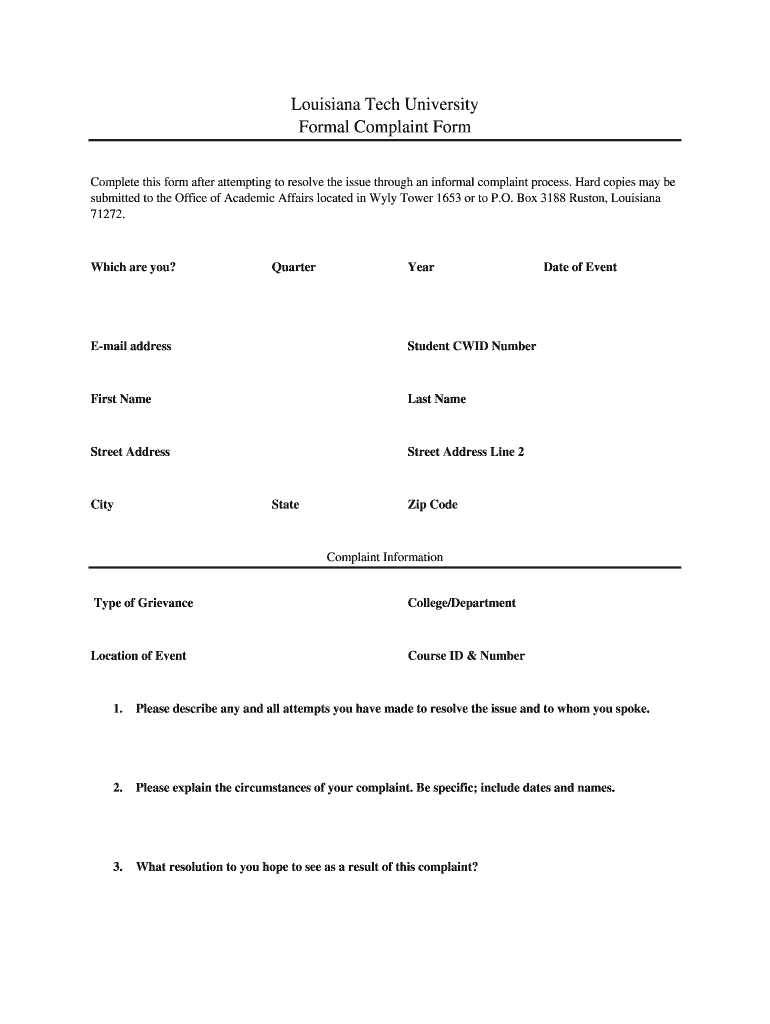
- Begin by filling out your personal information, including your First Name, Last Name, and Student CWID Number. Ensure that your email address is accurate for any follow-up communications.
- Indicate the Quarter and Year of your complaint, along with your Street Address, City, State, and Zip Code. This information helps in identifying your location and context.
- In the 'Complaint Information' section, select the Type of Grievance and specify the College/Department involved. Provide details about the Location of Event and Course ID & Number if applicable.
- Describe all attempts made to resolve the issue in detail. Include names of individuals you spoke with and dates of these interactions.
- Clearly explain the circumstances surrounding your complaint. Be specific to ensure clarity in understanding your situation.
- State what resolution you hope to achieve from this complaint. This helps guide the review process.
- If applicable, mention any other organizations you have filed complaints with regarding this issue, including their outcomes.
- Finally, sign and date the form before submitting it through our platform for processing.
Start using our platform today to easily complete and submit your Complaint (Civil Action) form for free!
Fill out Complaint (Civil Action) :: Louisiana - Free Legal Forms online
It's free
Security and compliance
At DocHub, your data security is our priority. We follow HIPAA, SOC2, GDPR, and other standards, so you can work on your documents with confidence.
Learn more


