




Here's how it works

01. Edit your iowa notice abandoned property sample online
Type text, add images, blackout confidential details, add comments, highlights and more.

02. Sign it in a few clicks
Draw your signature, type it, upload its image, or use your mobile device as a signature pad.

03. Share your form with others
Send ia notice abandoned via email, link, or fax. You can also download it, export it or print it out.
How to use or fill out ia notice abandoned with our platform

- Click ‘Get Form’ to open the ia notice abandoned in the editor.
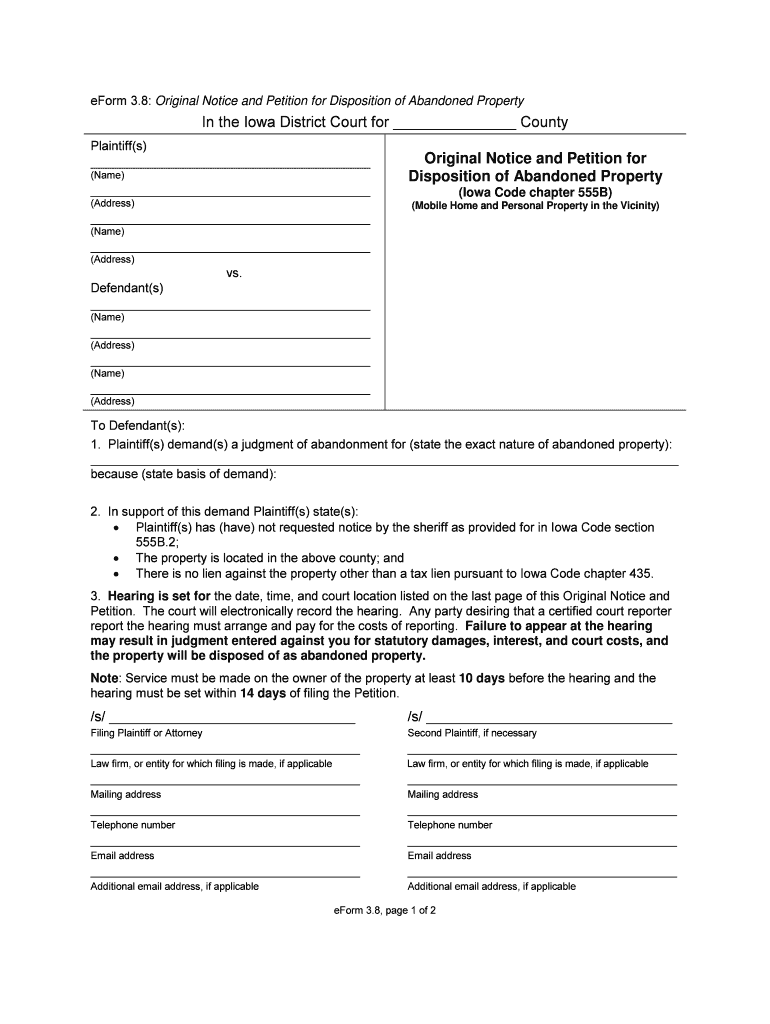
- Begin by filling in the Plaintiff(s) section with your name and address. Ensure accuracy as this information is crucial for legal proceedings.
- In the Defendant(s) section, enter the names and addresses of all defendants involved in the case. This ensures they receive proper notification.
- Clearly state the nature of the abandoned property in the designated field. Be specific to avoid any confusion regarding your claim.
- Provide a basis for your demand in the next field, detailing why you believe the property should be declared abandoned.
- Review all entered information for accuracy before proceeding to finalize your document. Make sure to check dates and court location for hearings.
- Once completed, save your document and utilize our platform’s features to share or print it as needed.
Start using our platform today to easily fill out your ia notice abandoned form for free!
Fill out ia notice abandoned online
It's free
Security and compliance
At DocHub, your data security is our priority. We follow HIPAA, SOC2, GDPR, and other standards, so you can work on your documents with confidence.
Learn more


