




Here's how it works



How to use or fill out NOTICE TO ISA EVENT PARTICIPANTS REQUIRED EMERGENCY CONTACT

- Click ‘Get Form’ to open it in the editor.
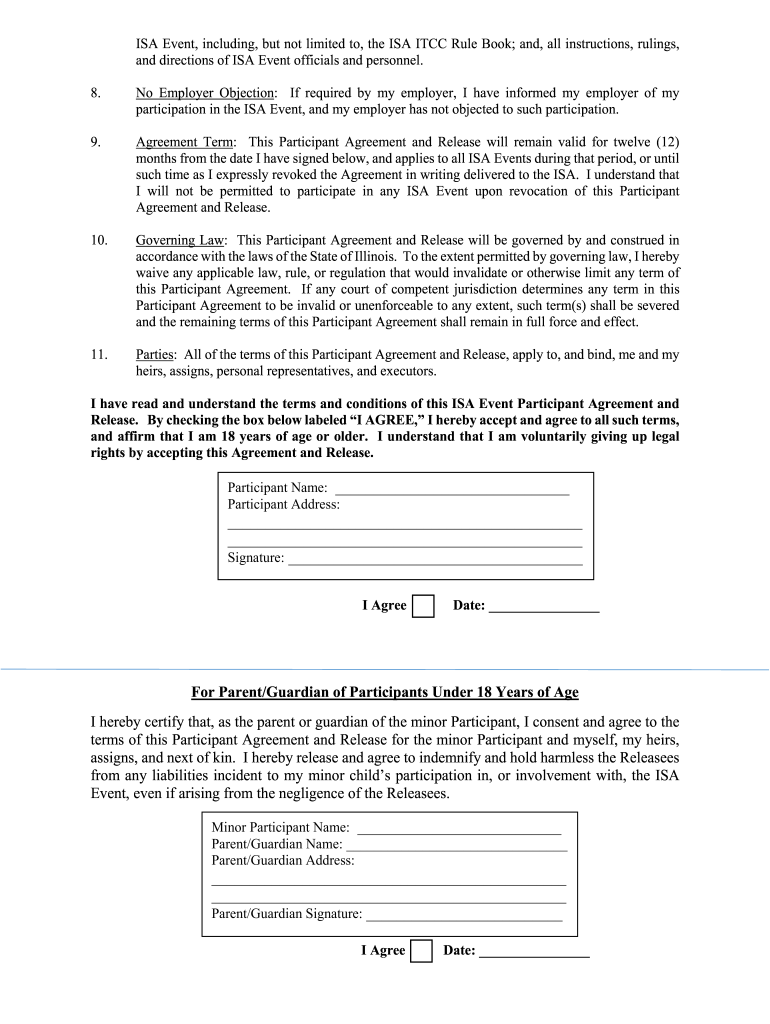
- Begin by entering your name in the designated field. This identifies you as the participant.
- Fill in your address accurately to ensure proper communication regarding the event.
- Sign the document electronically in the signature field, confirming your agreement to the terms outlined.
- Check the box labeled 'I AGREE' to affirm that you understand and accept all terms of participation.
- If applicable, complete the section for a parent or guardian if you are under 18, ensuring their consent is documented.
- Finally, review all entered information for accuracy before submitting your completed form.
Start using our platform today to easily fill out and manage your ISA Event Participant Agreement!
It's free
Got questions?
How do I sign my NOTICE TO ISA EVENT PARTICIPANTS REQUIRED EMERGENCY CONTACT on iOS?
With DocHub, you can rapidly sign your NOTICE TO ISA EVENT PARTICIPANTS REQUIRED EMERGENCY CONTACT or any other paperwork on iOS, even without installing additional applications. You can access your DocHub account from any internet-connected browser and complete and sign your document in any preferred method with just a few clicks.
How do you edit NOTICE TO ISA EVENT PARTICIPANTS REQUIRED EMERGENCY CONTACT from Google Drive?
If you store your papers in Google Drive, there is no need to download your NOTICE TO ISA EVENT PARTICIPANTS REQUIRED EMERGENCY CONTACT on the computer and upload it back to our editor. A much easier way is to install a browser extension developed by DocHub to simplify this flow. The extension allows editing PDFs right in your web browser. Alternatively, you can integrate your DocHub and Gmail accounts for more efficient modifying.
Security and compliance
At DocHub, your data security is our priority. We follow HIPAA, SOC2, GDPR, and other standards, so you can work on your documents with confidence.
Learn more


