




Here's how it works

01. Edit your grambling state university transcript request online
Type text, add images, blackout confidential details, add comments, highlights and more.

02. Sign it in a few clicks
Draw your signature, type it, upload its image, or use your mobile device as a signature pad.

03. Share your form with others
Send grambling transcript request via email, link, or fax. You can also download it, export it or print it out.
How to use or fill out grambling state university transcript request with our platform

- Click ‘Get Form’ to open the Official Transcript Request Form in the editor.
- Begin by filling out your student information. Enter your first name, middle initial (if applicable), maiden name, and last name in the designated fields.
- Provide your Student ID Number, current mailing address, city, state, ZIP code, and telephone number. Ensure all details are accurate for smooth processing.
- Indicate whether you graduated by checking 'Yes' or 'No'. If you graduated, include your date of graduation; if not, specify your last attendance date.
- Fill in the date of request and the number of transcripts you wish to request. Include your email address for any correspondence regarding your request.
- Sign the form electronically using our platform’s signature feature before printing it out.
- Once completed, print the form and mail it to the Registrar's Office or fax it as indicated on the form.
Start using our platform today to easily complete your transcript request!
Fill out grambling state university transcript request online
It's free
It's free
See more grambling state university transcript request versions
We've got more versions of the grambling state university transcript request form. Select the right grambling state university transcript request version from the list and start editing it straight away!
Security and compliance
At DocHub, your data security is our priority. We follow HIPAA, SOC2, GDPR, and other standards, so you can work on your documents with confidence.
Learn more


Related forms

THE CADET NCO and THE TEAM
Chapter 4 discusses the role of Non-Commissioned Officers (NCOs) in the military, emphasizing the importance of professi ...

Lindsay Gallery Membership Renewal
The document is a membership renewal form for The Lindsay Gallery, detailing the process and requirements for renewing m ...

Order Form Oct 11
The document is an order form for STARBASE Academy to request class sets of AeroProps from CAP. It requires details such ...
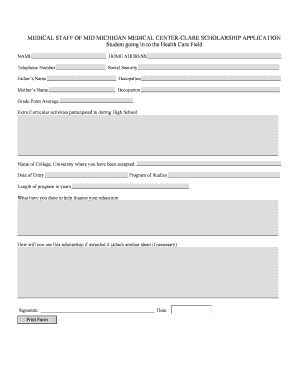
Medical Staff of Mid Michigan Medical Center-Clare Scholarship Application
The document is a scholarship application form for students entering the health care field at Mid Michigan Medical Cente ...

24-Hour Emergency and Travel Assistance Services
The document outlines the 24-hour emergency and travel assistance services provided by Assist-Card Corporation of Americ ...
8 2MB
The document is a student newspaper from Staffordshire University, GK News, covering various topics including the closur ...
ADVANTAGES AND DISADVANTAGES OF LECTURE METHOD
The document discusses the advantages and disadvantages of the lecture method in teaching. Advantages include its effici ...
Use of Criminal Background Checks and Consumer Credit Reports
The document discusses the use of criminal background checks and consumer credit reports in employment decisions, highli ...