




Here's how it works

01. Edit your ole miss scholarships online
Type text, add images, blackout confidential details, add comments, highlights and more.

02. Sign it in a few clicks
Draw your signature, type it, upload its image, or use your mobile device as a signature pad.

03. Share your form with others
Send 1848 scholarship via email, link, or fax. You can also download it, export it or print it out.
How to use or fill out ole miss non resident alumni scholarship with our platform

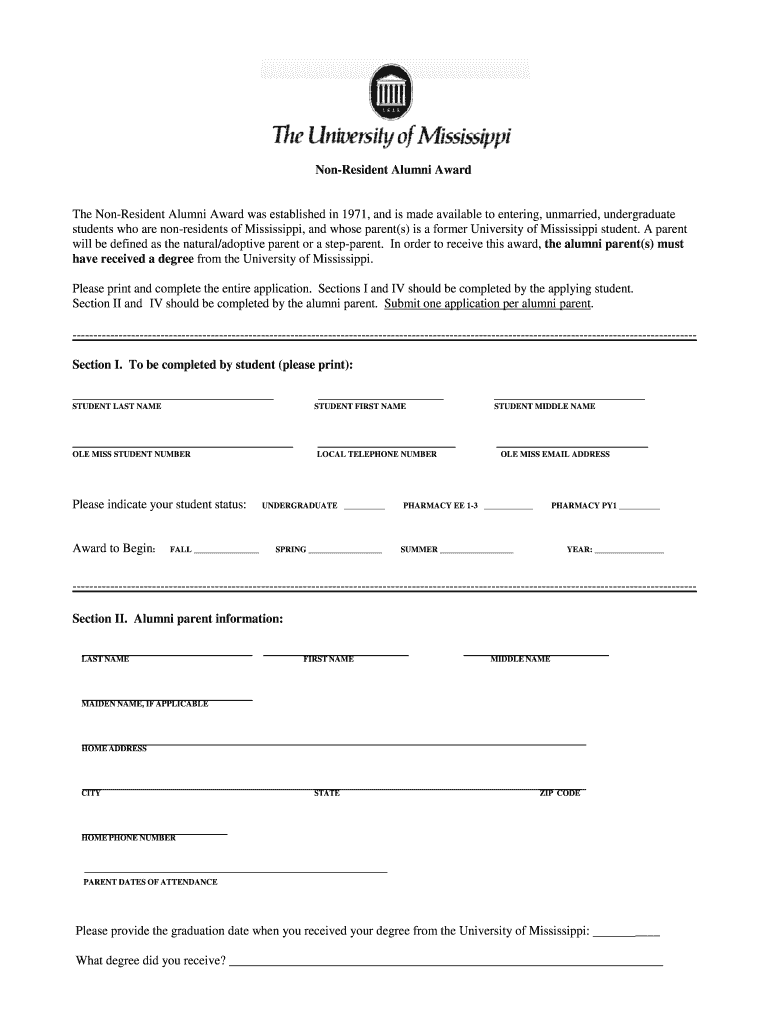
- Click ‘Get Form’ to open the ole miss non resident alumni scholarship application in the editor.
- In Section I, enter your last name, first name, and middle name. Provide your Ole Miss student number and email address. Indicate your student status and the award start term (Fall, Spring, or Summer).
- For Section II, alumni parents should fill in their last name, first name, middle name, maiden name (if applicable), home address, city, state, zip code, home phone number, dates of attendance at Ole Miss, graduation date, and degree received.
- Review Section III for terms and conditions. Ensure you understand the requirements for maintaining the scholarship.
- In Section IV, both the student and parent must sign and date to accept the terms outlined in Section III.
- Once completed, submit your application by following the provided return instructions to ensure it reaches the Office of Financial Aid.
Start filling out your application today using our platform for free!
Fill out ole miss non resident alumni scholarship online
It's free
It's free
See more ole miss non resident alumni scholarship versions
We've got more versions of the ole miss non resident alumni scholarship form. Select the right ole miss non resident alumni scholarship version from the list and start editing it straight away!
Security and compliance
At DocHub, your data security is our priority. We follow HIPAA, SOC2, GDPR, and other standards, so you can work on your documents with confidence.
Learn more


Related forms

Certificate of candidacy for sangguniang kabataan chairman
The document is a Certificate of Candidacy form for the position of Sangguniang Kabataan Chairman in the Philippines. It ...
Form No 556 Federal Energy Regulatory Commission
The document is the Federal Energy Regulatory Commission's Form 556, which is used for the certification of Qualifying F ...
Sistem dokumen pelaut
The document is a Seafarer Registration Form issued by the Marine Department of Malaysia, designed for both local and fo ...
Petition to Change Name of Adult
The document is a final order from the Superior Court of Clayton County, Georgia, granting a petition for a name change ...

Federal Worksheet
The document is a Federal Worksheet for calculating various tax amounts to be reported on a Canadian tax return for the ...

Great Lakes Foot and Ankle CentersBetter Business Bureau
The document is a patient information form for Great Lakes Foot & Ankle Centers, detailing personal, insurance, and medi ...

Wasa vacancies
The document is an application form for employment at the Water and Sewerage Authority, designed for candidates seeking ...

Water and sewerage authority application for employment - WASA
The document is an employment application form for the Water and Sewerage Authority, requiring personal information, ide ...