




Here's how it works

01. Edit your dochub com fillable form online
Type text, add images, blackout confidential details, add comments, highlights and more.

02. Sign it in a few clicks
Draw your signature, type it, upload its image, or use your mobile device as a signature pad.

03. Share your form with others
Send jv 100 via email, link, or fax. You can also download it, export it or print it out.
How to use or fill out jv 100 with our platform

- Click ‘Get Form’ to open the JV-100 in the editor.
- Begin by filling in your details as the attorney or party without an attorney. Include your name, firm name, address, and contact information in the designated fields.
- Next, provide the child's name and case number. This is crucial for identifying the specific juvenile dependency petition.
- In section 1, check the applicable boxes under jurisdictional allegations regarding the child. Ensure you refer to attachment 1a for concise statements of facts.
- Complete sections detailing parental information, including names and addresses of parents or guardians. Indicate their legal status (e.g., biological, presumed) as required.
- If applicable, indicate whether the child is detained and provide details about their current place of detention.
- Finally, review all entries for accuracy before signing at the bottom of the form. You can save or print your completed form directly from our platform.
Start using our platform today to fill out your JV-100 form online for free!
Fill out jv 100 online
It's free
It's free
See more jv 100 versions
We've got more versions of the jv 100 form. Select the right jv 100 version from the list and start editing it straight away!
Security and compliance
At DocHub, your data security is our priority. We follow HIPAA, SOC2, GDPR, and other standards, so you can work on your documents with confidence.
Learn more


Related forms

CERTIFIED NURSE ASSISTANT AND OR HOME HEALTH AIDE
The document is a renewal application form for Certified Nurse Assistants (CNA) and Home Health Aides (HHA) issued by th ...

Scrap sale agreement format india
The document is an Iron Ore Sales Contract between Network Scrap Metal Corporation and Statecorp Holdings Ltd, detailing ...

SECTION 5 TAXES and OTHER FORMS DISTRICTS NEED TO - Michigan
The document is a Grain Dealer Daily Position Report Form used by grain dealers in Michigan to report their transactions ...

REQUEST FOR IOGKF DAN REGISTRATION Place your PHOTO - bKarateb - karate org
The document is a request form for registering a rank in the Central Dan Register of the IOGKF after successful grading. ...

Philgeps sworn statement word file
The document is an Omnibus Sworn Statement required for bidders in the City Government of Naga, Philippines. It includes ...
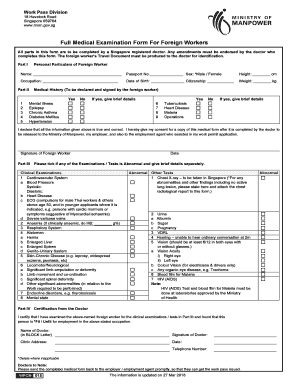
Full medical examination form
The document is a Full Medical Examination Form for Foreign Workers in Singapore, which must be completed by a registere ...
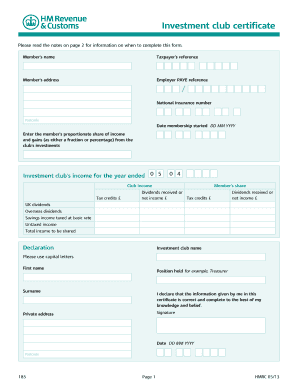
Form 185 hmrc form
The document is an investment club certificate that outlines the necessary information for members to report their share ...

Z143 form
The document is an application form (Z143) for a spouse pension from the Government Employees Pension Fund (GEPF), detai ...