




Here's how it works

01. Edit your masshealth custodial parent form online
Type text, add images, blackout confidential details, add comments, highlights and more.

02. Sign it in a few clicks
Draw your signature, type it, upload its image, or use your mobile device as a signature pad.

03. Share your form with others
Send masshealth non custodial form via email, link, or fax. You can also download it, export it or print it out.
How to use or fill out masshealth non custodial parent form with our platform

- Click ‘Get Form’ to open the masshealth non custodial parent form in the editor.
- Begin by entering the student’s information, including their name and U.S. Social Security number. Ensure accuracy as this is crucial for processing.
- Next, provide the non-custodial parent's details. Indicate whether they are the mother or father, and fill in their name, age, address, and contact information.
- Complete the household information section by detailing family size and any tuition paid for private education. This helps assess financial contributions.
- In the parents' income section, accurately report income from various sources for both 2014 and estimated 2015. Include all relevant financial data.
- Fill out the parents' expenses and assets sections thoroughly to provide a complete picture of financial circumstances.
- Lastly, review all entries for accuracy before signing and dating the form at the bottom. This ensures your application is processed without delays.
Start using our platform today to easily fill out your masshealth non custodial parent form online for free!
Fill out masshealth non custodial parent form online
It's free
It's free
See more masshealth non custodial parent form versions
We've got more versions of the masshealth non custodial parent form form. Select the right masshealth non custodial parent form version from the list and start editing it straight away!
Security and compliance
At DocHub, your data security is our priority. We follow HIPAA, SOC2, GDPR, and other standards, so you can work on your documents with confidence.
Learn more


Related forms
It 370 pdf 2020
The document IT-370-PF is an application form from the New York State Department of Taxation and Finance for partnership ...
Otc 921 2015 form
The document is an application form for the Homestead Exemption in Oklahoma, revised in June 2014. It outlines the requi ...
Section 205 30 - Michigan Legislature - State of Michigan
The document is the 2017 Concessionaire’s Sales Tax Return form issued by the Michigan Department of Treasury. It outlin ...
2008 Kansas retailers sales tax form - ksrevenue
The document is the Kansas Retailers' Sales Tax Return Form ST-36, which provides instructions for retailers on how to f ...
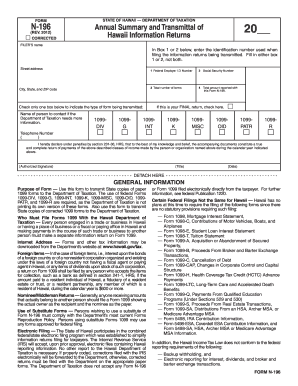
N 196 2012 form
The document is a Form N-196 from the State of Hawaii's Department of Taxation, used for transmitting annual summaries a ...

2018 Individual Income Tax Return - Long Form
The document is the 2018 Individual Income Tax Return Long Form (MO-1040) for residents of Missouri, detailing the neces ...

IAC Software Developer, Revenue Operations SmartRecruiters
The document is a Kentucky Partnership Income and Limited Liability Entity Tax (LLET) return form, detailing the require ...

2017 Business Privilege Tax Return - Radnor Township
The document is a Business Privilege Tax Return form for Radnor Township for the calendar year 2017, detailing the requi ...