POSTMARK OR HAND-DELIVERY DATE - formupack 2026

Get Form
POSTMARK OR HAND-DELIVERY DATE - formupack Preview on Page 1

Here's how it works

01. Edit your form online
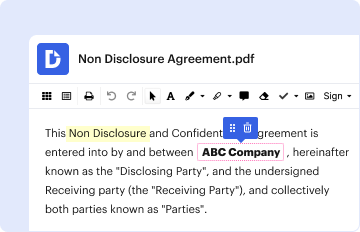
Type text, add images, blackout confidential details, add comments, highlights and more.

02. Sign it in a few clicks
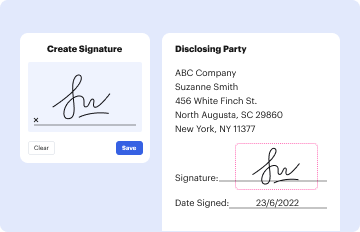
Draw your signature, type it, upload its image, or use your mobile device as a signature pad.

03. Share your form with others
Send it via email, link, or fax. You can also download it, export it or print it out.

How to use or fill out POSTMARK OR HAND-DELIVERY DATE - formupack with our platform

Form edit decoration
9.5
Ease of Setup
DocHub User Ratings on G2
9.0
Ease of Use
DocHub User Ratings on G2
  1. Click ‘Get Form’ to open the POSTMARK OR HAND-DELIVERY DATE - formupack in the editor.
  2. Begin by entering your Certificate Number and FEIN in the designated fields. Ensure accuracy as these are crucial for identification.
  3. Fill in the Applied Period, Name, Address, City/St/ZIP, and Return Due Date. Use black ink if you are filling it out manually.
  4. Locate the POSTMARK OR HAND-DELIVERY DATE section. This is where you will indicate when you are submitting your return.
  5. Complete the Tax Due with Return Calculation section by following the instructions for each schedule provided in the form.
  6. Sign and date the return at the bottom of the form. If applicable, have your preparer sign as well.
  7. Review all entries for accuracy before saving or printing your completed form for submission.

Start using our platform today to streamline your document editing and ensure a hassle-free experience!

See more POSTMARK OR HAND-DELIVERY DATE - formupack versions

We've got more versions of the POSTMARK OR HAND-DELIVERY DATE - formupack form. Select the right POSTMARK OR HAND-DELIVERY DATE - formupack version from the list and start editing it straight away!
Versions Form popularity Fillable & printable
2023 4.3 Satisfied (57 Votes)
2022 4.8 Satisfied (120 Votes)
2019 4.3 Satisfied (99 Votes)
2012 4.3 Satisfied (183 Votes)
be ready to get more

Complete this form in 5 minutes or less

Get form

Got questions?

We have answers to the most popular questions from our customers. If you can't find an answer to your question, please contact us.
Contact us
Postmarks are imprints applied in black ink on the address side of stamped letters, flats, and parcels. A postmark shows the name of the United States Postal Service (USPS) office that accepted custody of the mail, along with the state, the zip code, and the date of mailing.
A postmark shows the name of the United States Postal Service (USPS) office that accepted custody of the mail, along with the state, the zip code, and the date of mailing. The postmark is generally applied, either by machine or by hand, with cancellation bars to indicate that the postage cannot be reused.
Meet the Postmark Deadline If your tax return is postmarked by the filing date deadline, the IRS considers it on time. Take your tax return to your local Post Office location, go to the retail counter, and ask the retail associate to postmark it.

Security and compliance

At DocHub, your data security is our priority. We follow HIPAA, SOC2, GDPR, and other standards, so you can work on your documents with confidence.

Learn more
ccpa2
pci-dss
gdpr-compliance
hipaa
soc-compliance