




01. Edit your jv 295 online
Type text, add images, blackout confidential details, add comments, highlights and more.

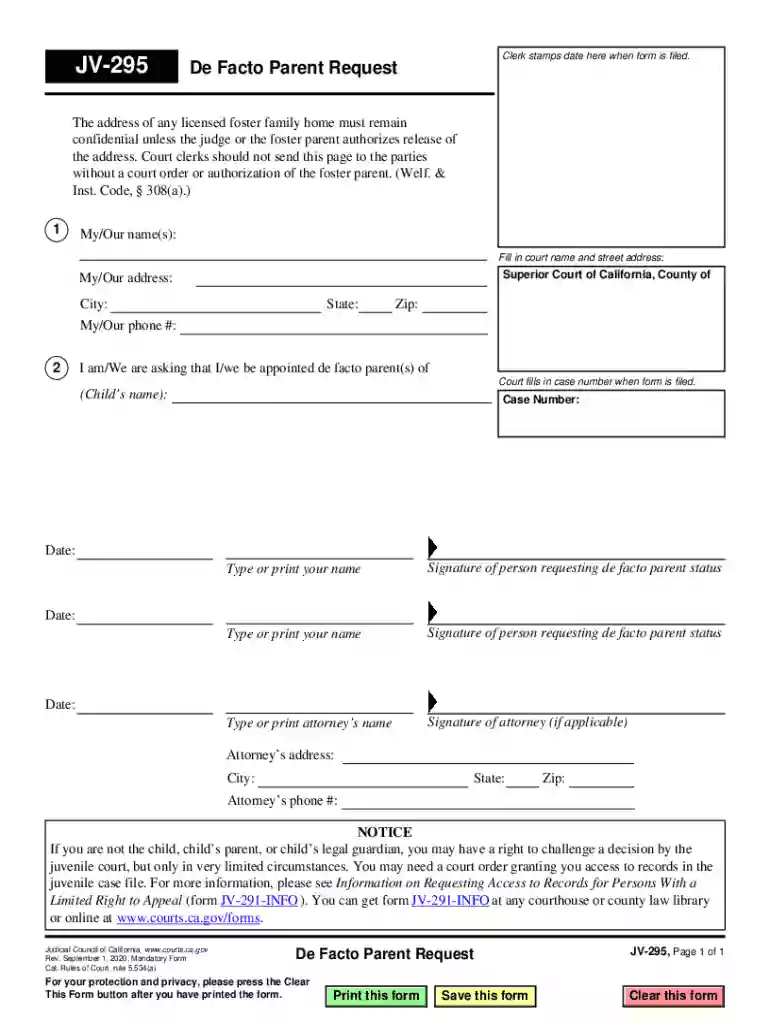
Type text, add images, blackout confidential details, add comments, highlights and more.

Draw your signature, type it, upload its image, or use your mobile device as a signature pad.

Send jv295 via email, link, or fax. You can also download it, export it or print it out.
The JV-295 form plays a pivotal role in the Superior Court of California for those seeking recognition as de facto parents. A de facto parent is an individual who has been providing day-to-day care for a child and has formed a significant emotional bond. The JV-295 form provides the necessary legal framework to request this recognition formally. Highlighting personal details, signatures, and important legal notices, this form is crucial in protecting the rights of those deeply involved in the upbringing of a child, particularly within juvenile court cases.
Using the JV-295 form requires a thorough understanding of its sections and the legal implications of each. To start, you will need to gather all personal information pertaining to both the child and yourself, as this will form the foundation of your request. Ensure you fill out the form clearly, paying close attention to the sections that involve legal notices regarding confidentiality and your rights. These sections are critical as they guide how sensitive information is to be handled and outline your entitlements to challenge decisions made by the court.
Gather Personal Details: Accumulate all relevant personal information, including names, birth dates, and contact details of both the child involved and yourself.
Complete Legal Notices: Follow the instructions for legal sections meticulously, ensuring that you comprehend the legal notices about confidentiality and rights to challenge court decisions.
Provide Evidence of Care: Include any documentation or evidence that supports your role and relationship with the child. This could be photographs, letters, or testimonies from third parties.
Obtain Necessary Signatures: The form requires signatures from all parties involved to validate the information and consent to the process.
Review: Carefully review the completed form to ensure accuracy and completeness before submission.
Typically, individuals who have taken on the responsibilities of a caregiver for a child without formally adopting them might use the JV-295 form. These individuals could be relatives, foster parents, or close family friends who have developed a strong and continuous bond with the child. Their role in the child's life is crucial, and the form allows them to gain legal recognition, enabling them to make decisions in the best interest of the child.


Understanding the terminology used within the JV-295 form is crucial for accuracy:
These terms are key components of the form and impact how applicants interact with legal proceedings.
The JV-295 form serves a legal function by enabling the courts to recognize individuals who have been significantly involved in a child’s upbringing, without having formal parental status. Recognition via this form allows these individuals to participate in legal decisions affecting the child. By submitting the JV-295, caregivers seek a court acknowledgment of their relationship, which can influence decisions related to the child's welfare significantly.
Key elements include:
These components ensure the court receives all necessary information to make an informed decision about the de facto parent status.
To complete the JV-295 form submission, you are required to attach supporting documents that validate your claims and representations:
These documents together substantiate your application, providing a clear picture of your role as a caregiver.
Submitting the JV-295 form can be completed through various channels:
Selecting the most suitable method ensures smooth processing and minimization of delays in the court's recognition process.
We've got more versions of the jv 295 form. Select the right jv 295 version from the list and start editing it straight away!
At DocHub, your data security is our priority. We follow HIPAA, SOC2, GDPR, and other standards, so you can work on your documents with confidence.
Facto Parent Request (JV-295) Ask the court for de facto parent status in a childs dependency case. To learn what a de facto parent is and what rights they
Jun 23, 2026 Wakol Compact Disc was a home entertainment company from Taiwan. It served as the parent company of Hua Ge Records Music Co., Ltd., which was founded in MayRead more
600 Cloyden Rd, Palos Verdes Estates, CA 90274. JV LAX. Final. Westlake. 2. Loyola Logo. Loyola. 20. Feb 19, 2026. Loyola High School. JV LAX.


