




Here's how it works

01. Edit your certificate of destruction online
Type text, add images, blackout confidential details, add comments, highlights and more.

02. Sign it in a few clicks
Draw your signature, type it, upload its image, or use your mobile device as a signature pad.

03. Share your form with others
Send certificate of destruction template via email, link, or fax. You can also download it, export it or print it out.
How to use or fill out the certificate of destruction form with our platform

- Click ‘Get Form’ to open the certificate of destruction form in the editor.
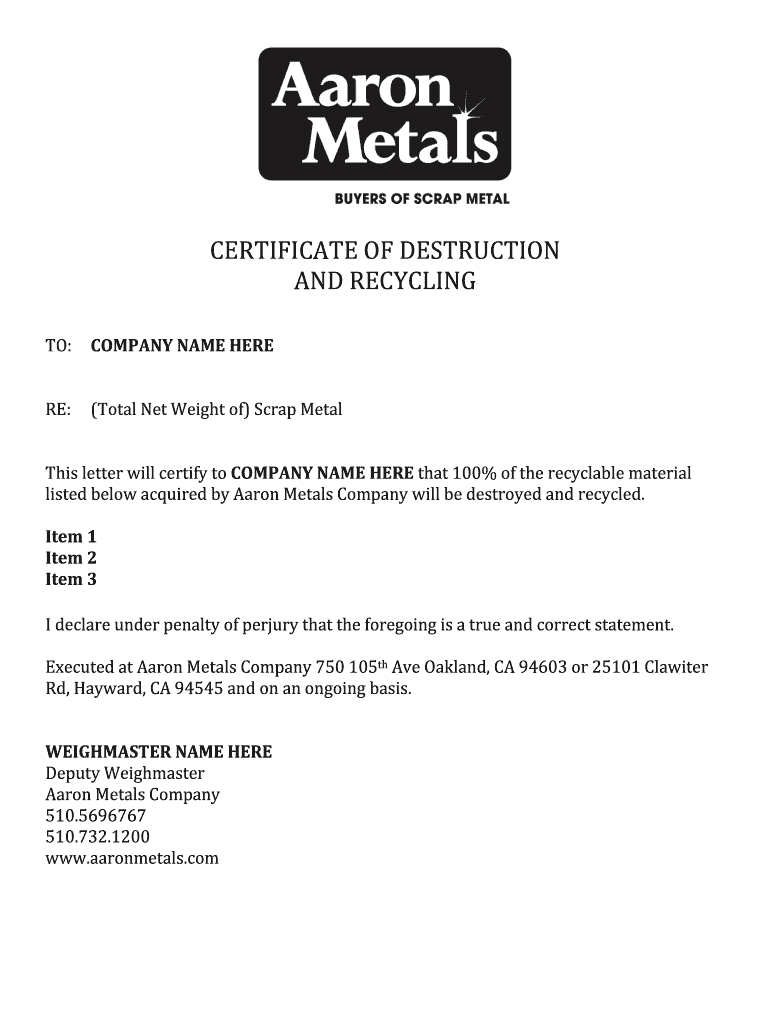
- Begin by entering the 'Company Name' in the designated field at the top of the form. This identifies the recipient of the certificate.
- In the 'RE:' section, specify the total net weight of scrap metal being certified for destruction. Ensure accuracy as this is crucial for record-keeping.
- List each recyclable item in the provided fields (Item 1, Item 2, Item 3). Be detailed and precise to avoid any discrepancies.
- Complete the declaration statement by confirming its truthfulness. This is a legal affirmation, so ensure all information is correct.
- Fill in your name as 'Weighmaster' along with your title and contact information. This adds credibility to your certification.
- Finally, review all entries for accuracy before saving or exporting your completed form. Our platform allows you to easily share or print it directly.
Start using our platform today to effortlessly complete your certificate of destruction form online for free!
Fill out certificate of destruction form online
It's free
Security and compliance
At DocHub, your data security is our priority. We follow HIPAA, SOC2, GDPR, and other standards, so you can work on your documents with confidence.
Learn more


Related forms
Statement of registration sole proprietorship
The document outlines the process for registering a sole proprietorship in British Columbia, including the necessary for ...
RECORD OF IMMUNIZATIONS FOLLOWING A BLOOD AND MARROW TRANSPLANT (BMT)
The document is a record of immunizations for patients following a blood and marrow transplant (BMT), detailing the type ...

Agent application illinois print
The document is a Remittance Agent License Application for the Secretary of State in Illinois. It includes sections for ...

Illinois branch license
The document is an application form for a branch license for Driver Training Schools in Illinois, issued by the Office o ...

Registration thereof illinois
The document outlines the registration and protection of trademarks and servicemarks in Illinois, detailing the definiti ...

Az hydrant city peoria
The document outlines the procedure for requesting a fire hydrant flow test from the City of Peoria Fire Department. It ...
Dc4 711b release confidential
The document is a consent form from the Florida Department of Corrections that authorizes the inspection and release of ...

Tara mtka
The document is a price proposal for training seminars on the significant changes to the 2015 International Energy Conse ...