



Here's how it works



How to use or fill out ir330 2013 form with DocHub

- Click ‘Get Form’ to open the IR330 2013 form in our platform.
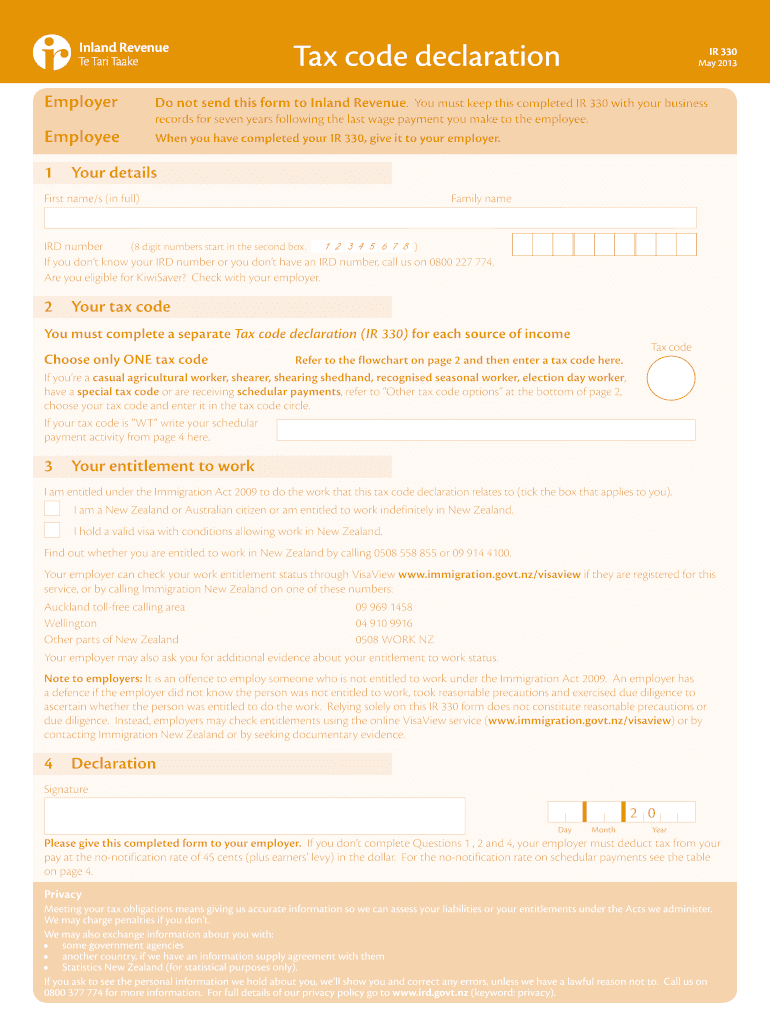
- Begin by filling out your personal details in Section 1. Enter your first name, family name, and IRD number. If you don’t have an IRD number, follow the provided instructions to obtain one.
- In Section 2, select your tax code based on your income source. Refer to the flowchart included in the form for guidance on which tax code applies to you.
- Proceed to Section 3 and confirm your entitlement to work under the Immigration Act by ticking the appropriate box that describes your status.
- Finally, complete Section 4 by signing and dating the form. Ensure all required fields are filled out accurately before submitting it to your employer.
Start using our editor today for free and streamline your document completion process!
It's free
See more ir330 2013 form versions
Got questions?
Can I sign my ir330 2013 form on a mobile?
Of course, you’ll find many different apps for this on the web. Nonetheless, if you need to eSign your ir330 2013 form without installing extra software, DocHub is the optimum choice you can make. This powerful editor works on mobile devices just as on desktops. Open our editor in your preferred internet browser, register or log in to your account, and start managing your paperwork.
How do you fill out ir330 2013 form online?
You may find and edit your ir330 2013 form online by using DocHub. Its straightforward but feature-rich design enables you to begin effective work right after you register your account. Create your account and add your file, then our user interface will guide you through our stress-free form completion experience.
Security and compliance
At DocHub, your data security is our priority. We follow HIPAA, SOC2, GDPR, and other standards, so you can work on your documents with confidence.
Learn more