Here's how it works



How to use or fill out affidavit of heirship illinois with DocHub

- Click ‘Get Form’ to open the affidavit of heirship Illinois in our editor.
- Begin by entering your name and address in the designated fields. This identifies you as the affiant.
- Provide details about the decedent, including their name, date of death, and last known address. This information is crucial for establishing the relationship.
- Answer the questions regarding the decedent's will and estate. Indicate whether a will exists, if it has been probated, and provide relevant details if applicable.
- List surviving relatives, including children and spouses. Fill in their names, addresses, and any pertinent dates such as birth or death.
- Complete any additional questions regarding debts or real estate ownership by providing accurate information based on your knowledge.
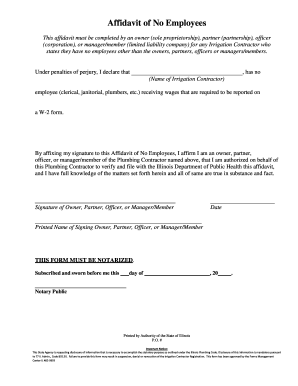
- Finally, sign and date the affidavit at the bottom. Ensure that a notary public witnesses your signature for it to be valid.
Start using our platform today to fill out your affidavit of heirship Illinois quickly and for free!
It's free
Got questions?
How can I create an electronic signature in my affidavit of heirship illinois on Android?
Approving documents on a mobile device is fast, straightforward, and doesn’t require software installation if you have an account with DocHub. Log in from any browser, complete your blank fields with your data, and click on Sign → Create your signature. You can draw your electronic signature just as you usually do on paper, add its picture to your affidavit of heirship illinois, or type in your name and stylize its look. Whatever option you select, your paperwork will be valid.
How do you fill out affidavit of heirship illinois pdf on Android?
It is a no-brainer on a computer or via a mobile device to fill out a affidavit of heirship illinois pdf with DocHub. All you need to do is open any installed internet browser on your smartphone and go to the DocHub website. Once authenticated, add your file and open it in editing mode. Use our toolbar to make your edits and save adjustments. Optionally, keep your document in your files or send it to a recipient on the spot.
Security and compliance
At DocHub, your data security is our priority. We follow HIPAA, SOC2, GDPR, and other standards, so you can work on your documents with confidence.
Learn more