Type text, add images, blackout confidential details, add comments, highlights and more.
02. Sign it in a few clicks
Draw your signature, type it, upload its image, or use your mobile device as a signature pad.
03. Share your form with others
Send iqas assessment via email, link, or fax. You can also download it, export it or print it out.
How to use or fill out iqas form with our platform
Ease of Setup
DocHub User Ratings on G2
Ease of Use
DocHub User Ratings on G2
Click ‘Get Form’ to open the iqas form in the editor.
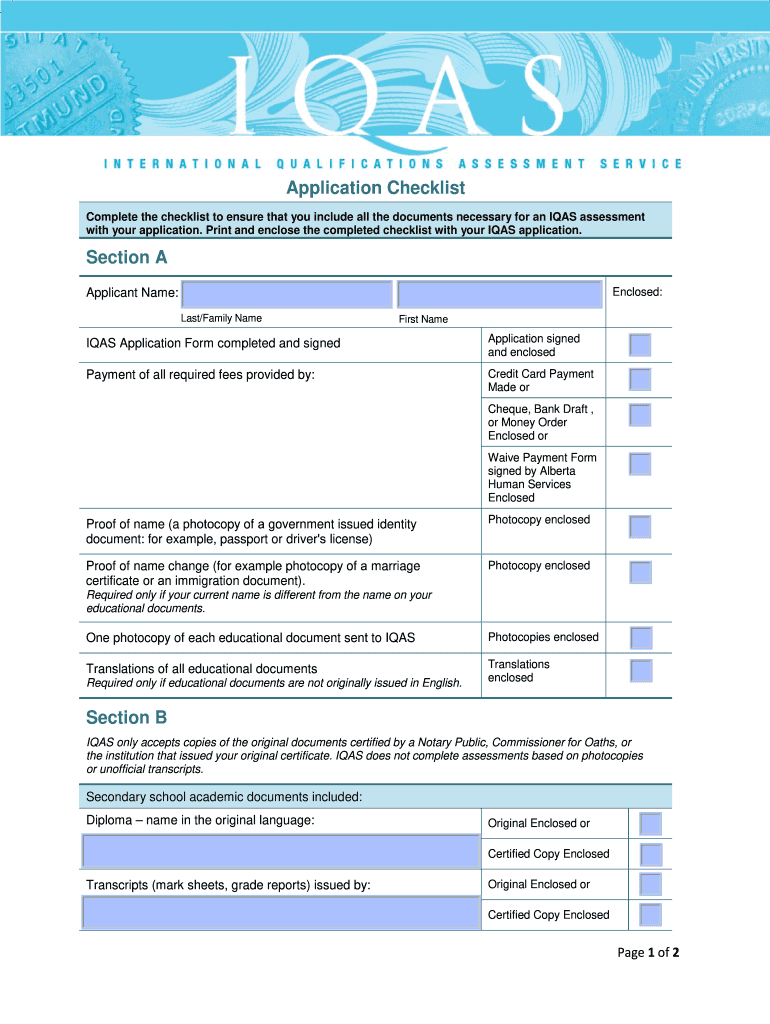
Begin by filling out Section A. Enter your last and first name in the designated fields. Ensure that you have completed and signed the IQAS Application Form, and check the box confirming this.
Indicate your payment method by selecting one of the options: Credit Card Payment, Cheque, Bank Draft, or Waive Payment Form. Attach any necessary documents as indicated.
Provide proof of identity by uploading a photocopy of a government-issued ID, such as a passport or driver's license. If applicable, include proof of any name changes.
Ensure you have included photocopies of all educational documents and their translations if they are not originally issued in English.
Move to Section B and confirm that all secondary and post-secondary academic documents are certified copies. Check each box as you attach the required documents.
Start using our platform today for free to streamline your iqas form completion!
Oct 9, 2024 This document presents the internal quality assurance system (IQAS) for degrees at the Terrassa. School of Industrial, Aerospace andRead more
Home and Community-Based Services (HCBS) : Providers
For Providers. Welcome to the resource page for providers. Here, you will find support and information to help you get someone the support they need.Read more
Cookie consent notice
This site uses cookies to enhance site navigation and personalize your experience.
By using this site you agree to our use of cookies as described in our Privacy Notice.
You can modify your selections by visiting our Cookie and Advertising Notice.