Imm 0008-2025

Get Form
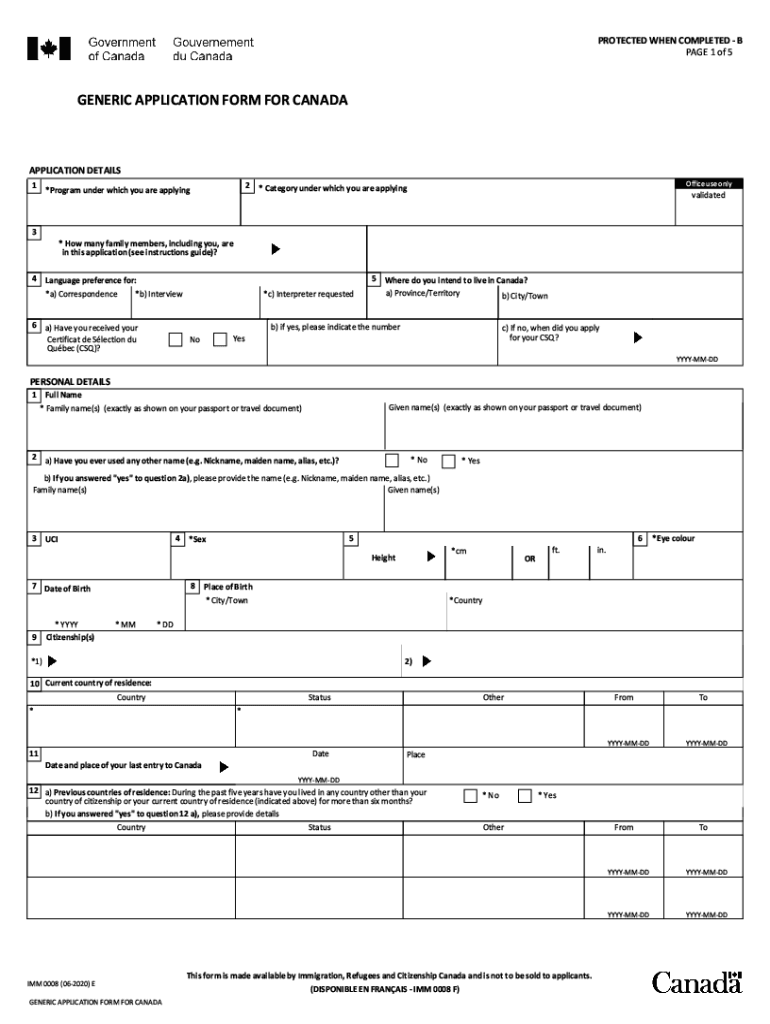
imm 0008 form 2020 pdf Preview on Page 1

Here's how it works

01. Edit your imm 0008 form 2020 pdf online
Type text, add images, blackout confidential details, add comments, highlights and more.
02. Sign it in a few clicks
Draw your signature, type it, upload its image, or use your mobile device as a signature pad.
03. Share your form with others
Send imm 0008 generic application form for canada 2020 pdf download via email, link, or fax. You can also download it, export it or print it out.

How to use or fill out imm 0008 with our platform

Form edit decoration
9.5
Ease of Setup
DocHub User Ratings on G2
9.0
Ease of Use
DocHub User Ratings on G2
  1. Click ‘Get Form’ to open the IMM 0008 in the editor.
  2. Begin by filling out your personal information in Section A, including your name, date of birth, and contact details. Ensure all entries are accurate to avoid processing delays.
  3. In Section B, provide details about your family members who will accompany you. This includes their names, relationships, and dates of birth. Use the editor's features to easily add or remove fields as necessary.
  4. Proceed to Section C where you will outline your immigration history. Be thorough in detailing any previous applications or refusals.
  5. Finally, review all sections for completeness and accuracy before signing the document electronically using our platform’s signature feature.

Start using our platform today for free to streamline your IMM 0008 application process!

See more imm 0008 versions

We've got more versions of the imm 0008 form. Select the right imm 0008 version from the list and start editing it straight away!
Versions Form popularity Fillable & printable
2023 4.8 Satisfied (41 Votes)
2022 4.8 Satisfied (49 Votes)
2020 4.8 Satisfied (229 Votes)
2019 4.4 Satisfied (198 Votes)
2019 4.4 Satisfied (195 Votes)
2018 3.7 Satisfied (31 Votes)
2010 4.4 Satisfied (4658 Votes)
2008 4 Satisfied (48 Votes)
2006 4 Satisfied (57 Votes)
be ready to get more

Complete this form in 5 minutes or less

Get form

Got questions?

We have answers to the most popular questions from our customers. If you can't find an answer to your question, please contact us.
Contact us
What is Canada IMM 0008 Schedule 12? Canada IMM 0008 Schedule 12 is a supplementary form used in the immigration process to gather detailed information about the applicants family members, including their relationship to the applicant, their personal information, and their immigration status.
You are an immediate relative if you are: The spouse of a U.S. citizen; The unmarried child under 21 years of age of a U.S. citizen; or. The parent of a U.S. citizen (if the U.S. citizen is 21 years of age or older).
A spouse, common-law partner or dependent child of a permanent resident or principal applicant. Note: a childs age is usually locked in when we get a complete application.
To clarify, immediate family is defined as spouse, mother, father, son, daughter, mother-in-law, father-in-law, son-in-law, daughter-in-law, granddaughter or grandson. Siblings are not included.
Filling out the IMM 0008 form Please remember that IRCC defines family members as: Spouse or Common-law partner. Your dependants (dependent children) Your dependants dependants (dependent children of your dependent children).

People also ask

IMM 0008 form is a generic application form for Canada to become a Permanent Resident through the family class sponsorship program. If you are applying to become a Canadian Permanent Resident through the family class sponsorship program, you will need to fill out the form.
The principal applicant must fill out the IMM 0008 form.
Download the Canada IMM 0008 form from the official Immigration, Refugees and Citizenship Canada (IRCC) website. Open the form and read the accompanying instructions carefully. Fill out Section A with your personal details, including your name, date of birth, and contact information.

imm 0008 generic application form for canada 2020 pdf