




Here's how it works

01. Edit your community service timesheet online
Type text, add images, blackout confidential details, add comments, highlights and more.

02. Sign it in a few clicks
Draw your signature, type it, upload its image, or use your mobile device as a signature pad.

03. Share your form with others
Send community service time sheet via email, link, or fax. You can also download it, export it or print it out.
How to use or fill out community service timesheet with our platform

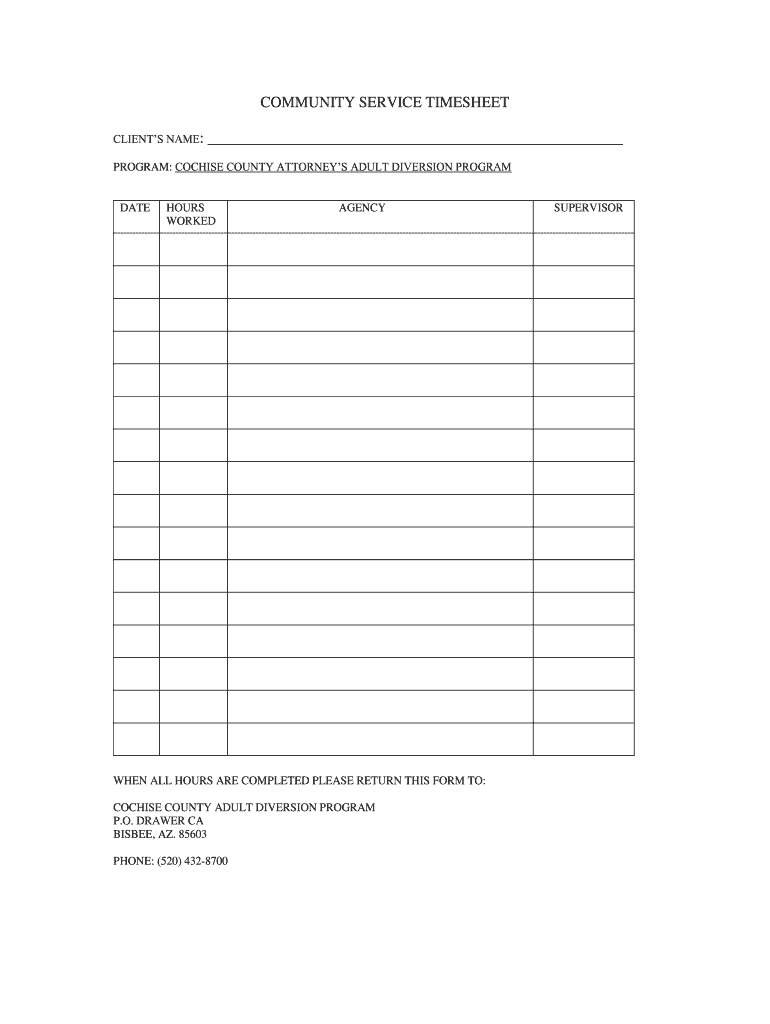
- Click ‘Get Form’ to open the community service timesheet in the editor.
- Begin by entering the client’s name in the designated field at the top of the form. This ensures that all records are accurately attributed.
- Next, specify the program by selecting 'Cochise County Attorney’s Adult Diversion Program' from the dropdown menu or typing it in if required.
- Fill in the date for each entry. This is crucial for tracking when services were rendered.
- Record the total hours worked in the corresponding field. Be sure to double-check your calculations for accuracy.
- Indicate the agency where you completed your community service. This helps maintain a clear record of your contributions.
- Once all hours are completed, save your document and return it to Cochise County Adult Diversion Program at P.O. Drawer CA, Bisbee, AZ 85603.
- If needed, add your supervisor's name in the provided section to finalize your submission.
Start using our platform today to easily fill out and manage your community service timesheet for free!
Fill out community service timesheet online
It's free
Security and compliance
At DocHub, your data security is our priority. We follow HIPAA, SOC2, GDPR, and other standards, so you can work on your documents with confidence.
Learn more


