




Here's how it works



How to use or fill out NEW CLIENT DATA SHEET Taxpayer: SSN - Ace Management Group with our platform

- Click ‘Get Form’ to open the NEW CLIENT DATA SHEET in the editor.
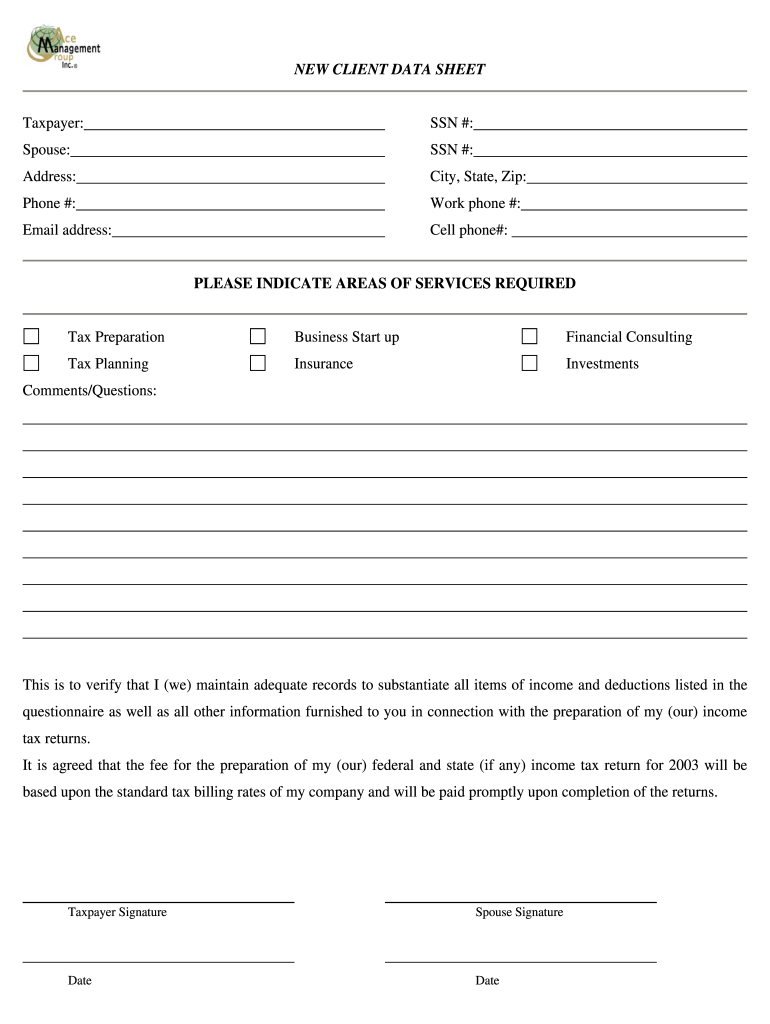
- Begin by entering your personal information in the 'Taxpayer' section, including your name and SSN. Ensure accuracy as this information is crucial for tax processing.
- If applicable, fill in your spouse's details in the 'Spouse' section, including their name and SSN.
- Complete the address fields: 'Address', 'City, State, Zip'. This ensures that all correspondence reaches you without delay.
- Provide your contact information by filling out the 'Phone #', 'Work phone #', 'Email address', and 'Cell phone#' fields. This allows for effective communication regarding your tax matters.
- Indicate the areas of services required by checking the relevant boxes such as Tax Preparation, Business Start-up, Financial Consulting, etc.
- Use the 'Comments/Questions' section to add any additional notes or inquiries you may have regarding your services.
- Finally, ensure both you and your spouse sign and date the form at the bottom to confirm agreement with the terms outlined.
Start using our platform today to easily complete and manage your NEW CLIENT DATA SHEET for free!
It's free
Got questions?
Can I use DocHub to create legal electronic signatures on my tax client intake form template?
Yes, you can utilize DocHub for signing any business and private paperwork, including your tax client intake form template. All eSignatures you generate with our service are legally binding and court-admissible, as DocHub complies with standards required by ESIGN and UETA. Save your accomplished form with a detailed Audit Trail if necessary.
How to fill out tax client intake form online free of charge in 2024?
Using a swift editing system like DocHub, you do not require anything but a web browser and connection to the internet to modify your tax client intake form online swiftly. Add your document or get the relevant form in DocHub’s catalog, open our editor with one click, and finish it digitally. To revise your forms at any time, register a free account with DocHub.
Security and compliance
At DocHub, your data security is our priority. We follow HIPAA, SOC2, GDPR, and other standards, so you can work on your documents with confidence.
Learn more


