Type text, add images, blackout confidential details, add comments, highlights and more.
02. Sign it in a few clicks
Draw your signature, type it, upload its image, or use your mobile device as a signature pad.
03. Share your form with others
Send it via email, link, or fax. You can also download it, export it or print it out.
How to use or fill out application sewer dekalb with our platform
Ease of Setup
DocHub User Ratings on G2
Ease of Use
DocHub User Ratings on G2
Click ‘Get Form’ to open the application sewer dekalb in the editor.
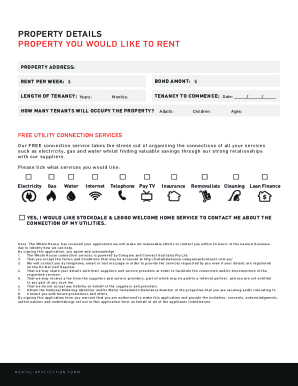
Begin by entering your last name, first name, and middle initial in the designated fields. Ensure all information is printed clearly.
Fill in your service address along with the city, state, and ZIP code. If your billing address differs from the service address, provide that information as well.
Indicate whether you are an owner or renter by checking the appropriate box. If applicable, enter your new account number and closing date/beginning lease date.
Review the acknowledgment section regarding payment responsibilities and ensure you understand the fees associated with service interruptions.
Attach any required documents such as a copy of your settlement statement or lease agreement before submitting the form.
Finally, sign and date the application at the bottom to confirm your understanding and agreement to the terms outlined.
Start filling out your application sewer dekalb today for free using our platform!
Fill out application sewer dekalb online It's free
Application sewer dekalb countyApplication sewer dekalb phone numberApplication sewer dekalb mapDeKalb County Water New Service application onlineDeKalb water and sewer Pay billDeKalb County Water application online loginDeKalb County Water application online pdfDeKalb County Water Service
Security and compliance
At DocHub, your data security is our priority. We follow HIPAA, SOC2, GDPR, and other standards, so you can work on your documents with confidence.
Wisconsin Department of Insurance Licensing Information
Applications can be processed within 24 to 48 hours; however, if your application Sewer back-up/sump discharge or overflow. (HO 04 95). 6.0 CommercialRead more
Provide water and sewer service to 775,000+ DeKalb County residents Produce up to 150 Million Gallons Per Day (MGD) finished water/day Distribute 75 MGD/dayRead more
An Application in GIS for a Sanitary Sewer Overflow
Jul 22, 2014 To help in the emergency response plan in the case of a SSO on this trunk sewer, a solution was needed to integrate the existing GIS system intoRead more
Cookie consent notice
This site uses cookies to enhance site navigation and personalize your experience.
By using this site you agree to our use of cookies as described in our Privacy Notice.
You can modify your selections by visiting our Cookie and Advertising Notice.