




Here's how it works



How to use or fill out Application to Register as a Number Plate Supplier with DocHub

- Click ‘Get Form’ to open the Application to Register as a Number Plate Supplier in our editor.
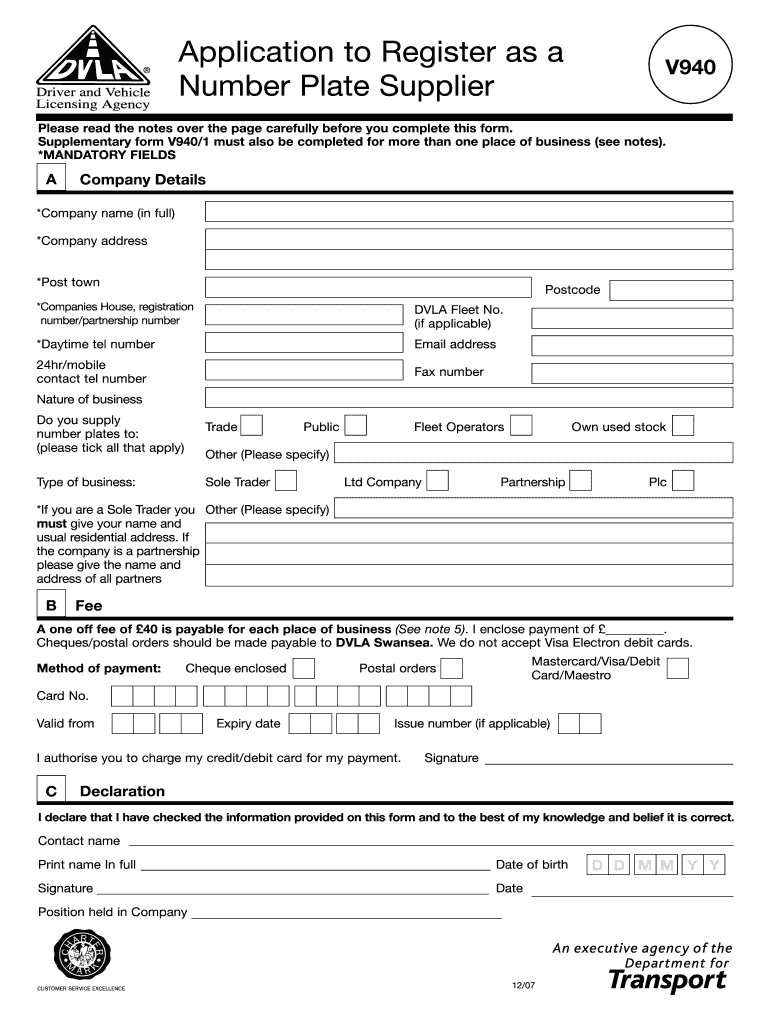
- Begin by filling out Section A, which includes mandatory fields such as your company name, address, and registration number. Ensure all required fields are completed accurately.
- Indicate the nature of your business by ticking the appropriate boxes for trade, public, fleet operators, or other categories. If you are a sole trader, provide your personal name and residential address.
- In Section B, specify the payment method for the £40 fee. You can choose from cheque, credit/debit card (excluding Visa Electron), or postal order. Fill in the necessary card details if applicable.
- Complete the signature section by declaring that all information is correct. Include your printed name, date of birth, and position held in the company before signing.
- Review all sections for accuracy and completeness before submitting your application to DVLA at the provided address.
Start using our platform today to streamline your application process for free!
It's free
See more Application to Register as a Number Plate Supplier versions
Got questions?
Can I use DocHub to generate legal electronic signatures on my v940 form?
Yes, you can utilize DocHub for signing any business and private paperwork, including your v940 form. All eSignatures you create with our tool are legally binding and court-admissible, as DocHub complies with criteria required by ESIGN and UETA. Save your completed document with a detailed Audit Trail if needed.
Can I print my how to become a number plate supplier and complete it on my own?
If you go for analog ways of completing your how to become a number plate supplier, you can easily download your file for printing. Search DocHub’s Forms & Templates catalog to find the exact file template you need and open it for editing or download it on your device in the format of your liking. It is possible to complete your form electronically and place your handwritten signature on it after printing or eSign your file with DocHub.
Security and compliance
At DocHub, your data security is our priority. We follow HIPAA, SOC2, GDPR, and other standards, so you can work on your documents with confidence.
Learn more


