



Here's how it works



How to use or fill out ssa 4164 with our platform

- Click ‘Get Form’ to open the ssa 4164 in the editor.
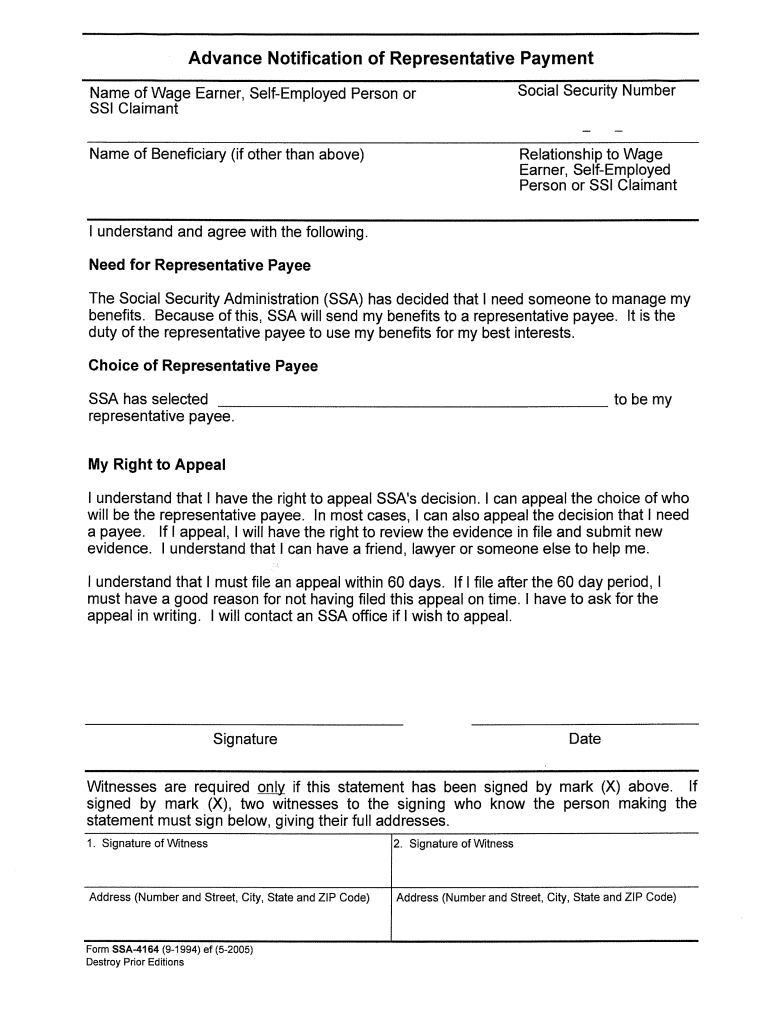
- Begin by entering your personal information in Section 1. This includes your name, Social Security number, and contact details. Ensure accuracy as this information is crucial for processing.
- Move to Section 2, where you will provide details about your disability claim. Clearly describe the nature of your disability and any relevant medical history that supports your claim.
- In Section 3, you will need to list any additional documentation you are submitting. Use our platform’s upload feature to attach these documents directly from your device or Google Drive.
- Finally, review all entered information for completeness and accuracy before signing the form electronically using our editor's signature tool.
Start using our platform today to fill out your ssa 4164 easily and for free!
It's free
Got questions?
Is it safe to sign my ssa 4164 electronically?
You need to use only trustworthy software solutions with strong data protection compliance to sign your paperwork electronically. DocHub is just the type of service you need! It stores data on Amazon Web Servers and complies with all essential security criteria and eSignature laws, so it’s a reliable way to electronically sign your ssa 4164 or other paperwork with this tool.
How to complete and sign ssa form 4164 online?
You may quickly complete, edit, and even eSign your ssa form 4164 utilizing DocHub. Create a new account and begin your free trial. After that, you may upload the file with the form and simply make all the needed edits. No need to print on paper or use a third-party application to sign it, as you can put your electronic signature on your document faster via DocHub.
What is Social Security form SSA 2458?
What is SSA release form?
What is SSA poms?
Security and compliance
At DocHub, your data security is our priority. We follow HIPAA, SOC2, GDPR, and other standards, so you can work on your documents with confidence.
Learn more