Cr 143 2014 form-2026

Get Form
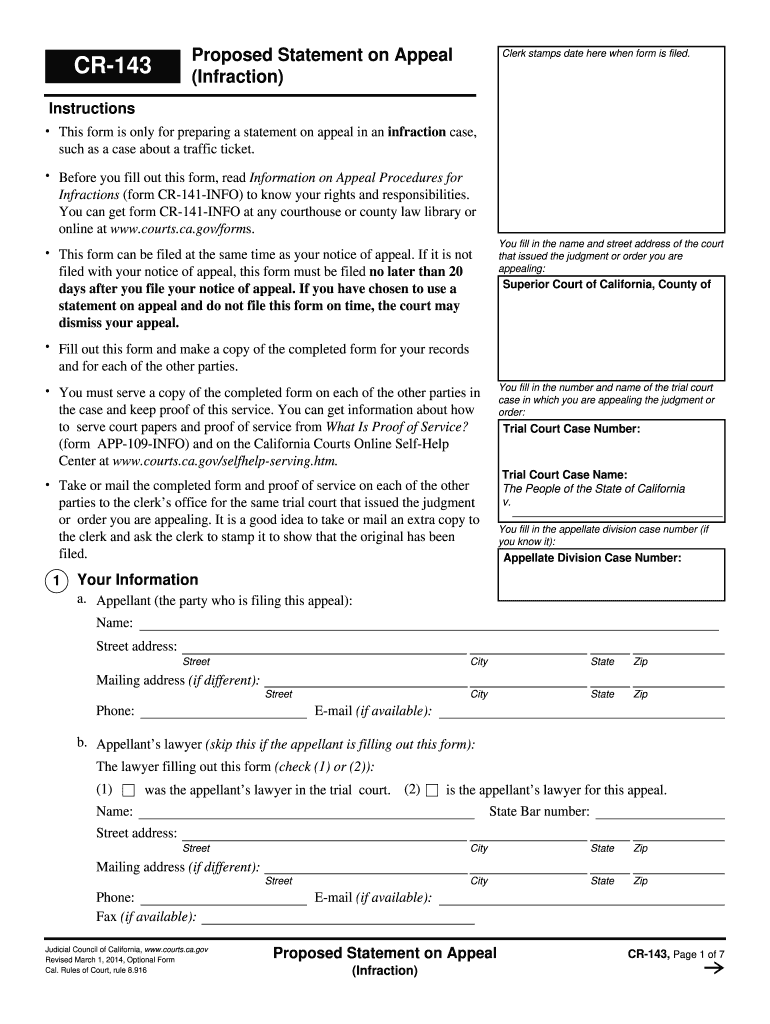
cr 143 2014 form Preview on Page 1

Here's how it works

01. Edit your form online
Type text, add images, blackout confidential details, add comments, highlights and more.
02. Sign it in a few clicks
Draw your signature, type it, upload its image, or use your mobile device as a signature pad.
03. Share your form with others
Send it via email, link, or fax. You can also download it, export it or print it out.

How to use or fill out CR-143 2014 form with our platform

Form edit decoration
9.5
Ease of Setup
DocHub User Ratings on G2
9.0
Ease of Use
DocHub User Ratings on G2
  1. Click ‘Get Form’ to open the CR-143 form in the editor.
  2. Begin by entering the name and street address of the court that issued the judgment you are appealing. This is crucial for proper identification of your case.
  3. Fill in the trial court case number and name, ensuring accuracy as this information links your appeal to the original case.
  4. Provide your personal information as the appellant, including your name, address, phone number, and email. If you have legal representation, include your lawyer's details.
  5. In section three, outline the reasons for your appeal. Clearly describe any legal errors made during the trial that you believe warrant a review.
  6. Complete sections regarding charges against you or your client and summarize any relevant motions made during the trial.
  7. Finally, review all entries for accuracy before saving or printing your completed form. Ensure you serve copies to all parties involved as required.

Start using our platform today to streamline your CR-143 form completion for free!

See more cr 143 2014 form versions

We've got more versions of the cr 143 2014 form form. Select the right cr 143 2014 form version from the list and start editing it straight away!
Versions Form popularity Fillable & printable
2021 4.8 Satisfied (99 Votes)
2017 4.3 Satisfied (49 Votes)
2014 4.4 Satisfied (438 Votes)
2009 4.3 Satisfied (163 Votes)
be ready to get more

Complete this form in 5 minutes or less

Get form

Got questions?

We have answers to the most popular questions from our customers. If you can't find an answer to your question, please contact us.
Contact us

Electronic document signing requires a software solution that complies with data security and eSignature regulations. DocHub is an excellent tool for that, since it meets all the above mentioned requirements. Whatever method you like to sign your cr 143 2014 form in DocHub, your eSignature will be legally binding and court-admissible.

You can find the latest and most relevant version of the cr 143 2014 form in our DocHub forms collection. Browse it by categories or use the search field to get the exact template that fits your situation. You may open this form for editing once you find it.

Security and compliance

At DocHub, your data security is our priority. We follow HIPAA, SOC2, GDPR, and other standards, so you can work on your documents with confidence.

Learn more
ccpa2
pci-dss
gdpr-compliance
hipaa
soc-compliance
be ready to get more

Complete this form in 5 minutes or less

Get form