




Here's how it works

01. Edit your form online
Type text, add images, blackout confidential details, add comments, highlights and more.

02. Sign it in a few clicks
Draw your signature, type it, upload its image, or use your mobile device as a signature pad.

03. Share your form with others
Send it via email, link, or fax. You can also download it, export it or print it out.
How to use or fill out 403 k 1 2015 form with DocHub

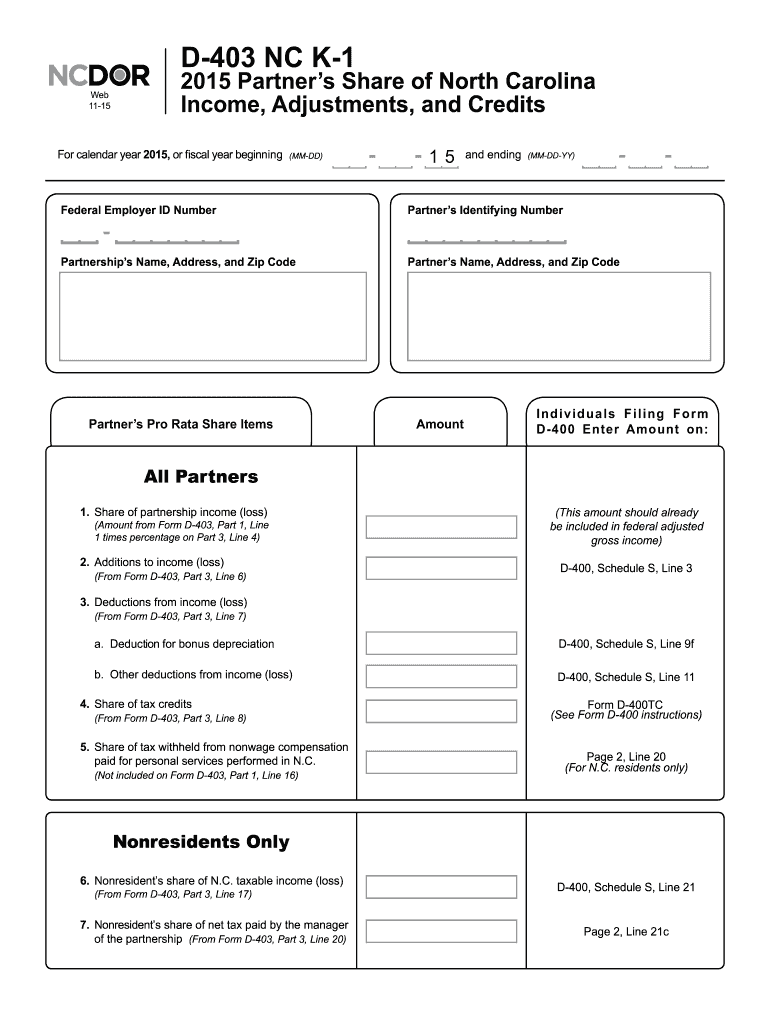
- Click ‘Get Form’ to open the 403 k 1 2015 form in our editor.
- Begin by entering the calendar year or fiscal year dates in the designated fields at the top of the form.
- Fill in the Federal Employer ID Number and both the Partnership’s and Partner’s identifying information, including names, addresses, and zip codes.
- In the 'Partner’s Pro Rata Share Items' section, accurately input amounts for each item listed, such as share of partnership income (loss) and additions to income (loss). Refer to corresponding lines from Form D-403 as needed.
- Complete deductions from income (loss) by filling in bonus depreciation and other deductions as specified. Ensure these figures align with your records.
- For nonresidents, provide details on taxable income (loss) and net tax paid by the partnership manager as required.
Start using our platform today to fill out your forms online for free!
Fill out 403 k 1 2015 form online
It's free
It's free
See more 403 k 1 2015 form versions
We've got more versions of the 403 k 1 2015 form form. Select the right 403 k 1 2015 form version from the list and start editing it straight away!
| Versions | Form popularity | Fillable & printable |
|---|---|---|
| 2025 | 4.2 Satisfied (24 Votes) | |
| 2024 | 4.3 Satisfied (32 Votes) | |
| 2023 | 4.5 Satisfied (46 Votes) | |
| 2022 | 4.8 Satisfied (81 Votes) | |
| 2021 | 4.9 Satisfied (51 Votes) | |
| 2020 | 4.2 Satisfied (46 Votes) | |
| 2019 | 4.3 Satisfied (114 Votes) | |
| 2018 | 4.4 Satisfied (130 Votes) | |
| 2017 | 4.3 Satisfied (112 Votes) | |
| 2016 | 4.4 Satisfied (120 Votes) | |
| 2015 | 4.4 Satisfied (1630 Votes) | |
| 2014 | 4.4 Satisfied (71 Votes) | |
| 2005 | 4.4 Satisfied (581 Votes) |
Security and compliance
At DocHub, your data security is our priority. We follow HIPAA, SOC2, GDPR, and other standards, so you can work on your documents with confidence.
Learn more


