
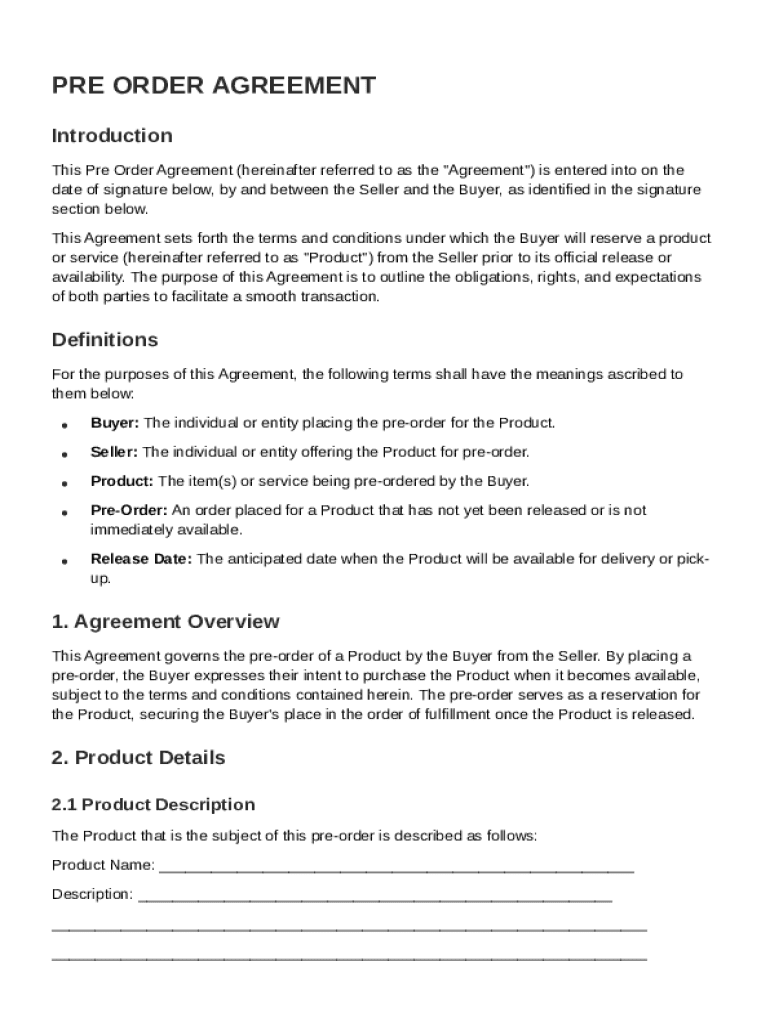







Understanding the Pre-Order Agreement Template
A Pre-Order Agreement Template is a legal document that defines the terms and conditions for a buyer to reserve a product from a seller prior to its official release. This document helps both parties understand their rights and obligations throughout the pre-order process, ensuring transparency and preventing potential disputes.
How to Use the Pre-Order Agreement Template
To utilize the Pre-Order Agreement Template effectively, follow these steps:
-
Review the Template: Carefully read through the template to ensure it covers all necessary terms relevant to your specific transaction, such as payment details, delivery timelines, and cancellation policies.
-
Customize the Details: Fill in specific information such as the buyer's and seller's names, the product details, and any special terms that might apply to your agreement.
-
Seek Legal Advice: For complex agreements, consider consulting with a legal professional to ensure compliance with relevant laws and regulations.
-
Share with All Parties: Distribute the final document to all parties involved for review and confirmation.
-
Secure Signatures: Use DocHub to electronically sign the agreement, ensuring all signatures are legally binding.
Key Elements of the Pre-Order Agreement Template
The Pre-Order Agreement Template includes several essential components:
-
Product Specifications: Details about the product being pre-ordered, including model, size, and other relevant specifics.
-
Payment Terms: Information on the pricing, payment methods, and schedules.
-
Cancellation Policy: Conditions under which either party can cancel the agreement.
-
Delivery Schedule: Expected delivery timelines and conditions affecting these timelines.
-
Liability and Warranty: Limitations of liability and details about warranties, if applicable.
Steps to Complete the Pre-Order Agreement Template
Completing the Pre-Order Agreement Template involves a series of important steps:
-
Gather Required Information: Collect all necessary details such as contact information, product listings, and agreement terms.
-
Input Details into DocHub: Use DocHub to import and edit your template, making use of text and annotation tools for clarity.
-
Define Terms Clearly: Ensure all terms are explicitly stated to avoid ambiguity.
-
Assign Roles and Permissions: If other parties are involved, set appropriate roles for viewing, editing, or signing the document.
-
Final Review and Sign Off: Review the document for completeness and accuracy before all parties sign.
Legal Use of the Pre-Order Agreement Template
The Pre-Order Agreement Template serves as a legally binding document when used correctly. It is governed by the ESIGN Act, which ensures electronic signatures are enforceable. Always ensure the document complies with applicable laws in your jurisdiction to maintain its legality.
Who Typically Uses the Pre-Order Agreement Template
This template is commonly used by:
-
Manufacturers: To secure sales and forecast demand before full-scale production.
-
Retailers: To manage inventory and plan for market launches.
-
Consumers: To ensure they receive priority access to high-demand products.

Examples of Using the Pre-Order Agreement Template
-
Tech Companies: For the latest gadgets and electronics where demand might exceed supply.
-
Automobile Manufacturers: For new car models when public interest is high.
-
Fashion Designers: To manage exclusive releases of new fashion lines.
State-Specific Rules for the Pre-Order Agreement Template
Pre-Order Agreements must comply with state-specific regulations. For example, consumer protection laws may stipulate specific cancellation rights for consumers. Be sure to tailor the template to focus on state laws when applicable, ensuring all legal requirements are met.
Digital vs. Paper Version
Using the digital version of the Pre-Order Agreement Template offers benefits such as:
-
Efficiency: Quick editing and sharing capabilities through platforms like DocHub.
-
Security: Enhanced protection features such as SSL encryption and password protection.
-
Convenience: Accessibility from any location without requiring physical storage space.




