01. Edit your form online
Type text, add images, blackout confidential details, add comments, highlights and more.

Type text, add images, blackout confidential details, add comments, highlights and more.

Draw your signature, type it, upload its image, or use your mobile device as a signature pad.

Send it via email, link, or fax. You can also download it, export it or print it out.
Forms online refer to digital versions of traditional documents that can be completed and submitted via the internet. These forms serve various purposes, from tax filing to application submissions and data collection for surveys. Online forms streamline processes that traditionally required paper submissions, making them more accessible and efficient. Digital forms have become integral to modern workflows, facilitating faster communication, reducing errors, and enhancing data accuracy.
Digital forms are typically accompanied by features such as automated validation and integration with databases. These functionalities help ensure that the information submitted is complete and adheres to specified formats. The flexibility of online forms allows for dynamic adjustments based on user inputs, providing a more interactive experience compared to static paper forms.
To use a form online, start by accessing the platform hosting the form, such as DocHub, where you can easily navigate to the required form. The process generally begins with selecting the form from a list or searching for it using a specific identifier or title. Once located, open the form in the online editor.
Follow these steps to proceed:
Online forms provide tools for editing entries before submission, ensuring all information is accurate and complete. They often include progress indicators or validation messages to guide users through the process.
Completing a form online involves a series of methodical steps to ensure accuracy and compliance:
By adhering to these steps, users ensure that their submissions are thorough and accurate, mitigating the risk of delays or rejections.
Online forms boast several integral elements that enhance user experience and data precision:
These components are designed to facilitate efficient data entry and ensure that forms meet submission standards across different use cases.
Legal compliance when using forms online is crucial, particularly for documents requiring authorization or personal data disclosure. Digital forms must adhere to regulations such as the ESIGN Act in the U.S., which provides legal recognition to electronic signatures and records.
Understanding and following these legal protocols is essential when submitting or handling forms with legal or sensitive content to ensure compliance and safeguard personal information.
There are multiple methods for submitting forms, offering flexibility based on user preference and form type:
Each method has distinct advantages and considerations, with online submissions typically preferred for their speed and convenience.
Online forms are increasingly compatible with various software applications, enhancing versatility and integration capabilities:
Compatibility with diverse software platforms allows users to streamline their workflows and leverage existing digital infrastructure for form management.
Practical applications of online forms span multiple scenarios, catering to a broad range of needs:
These examples illustrate the broad utility of online forms in both personal and professional settings, highlighting their adaptability and convenience.
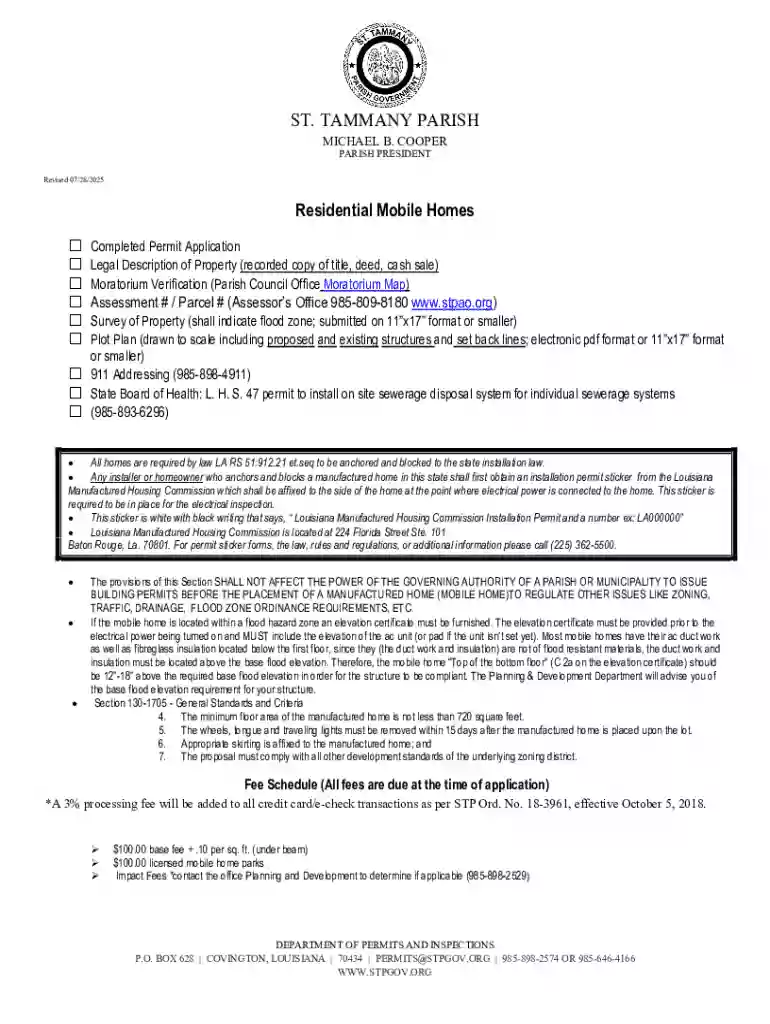
We've got more versions of the St Tammany Parish Residential Mobile Home Permit Application form. Select the right St Tammany Parish Residential Mobile Home Permit Application version from the list and start editing it straight away!
At DocHub, your data security is our priority. We follow HIPAA, SOC2, GDPR, and other standards, so you can work on your documents with confidence.