Definition & Meaning
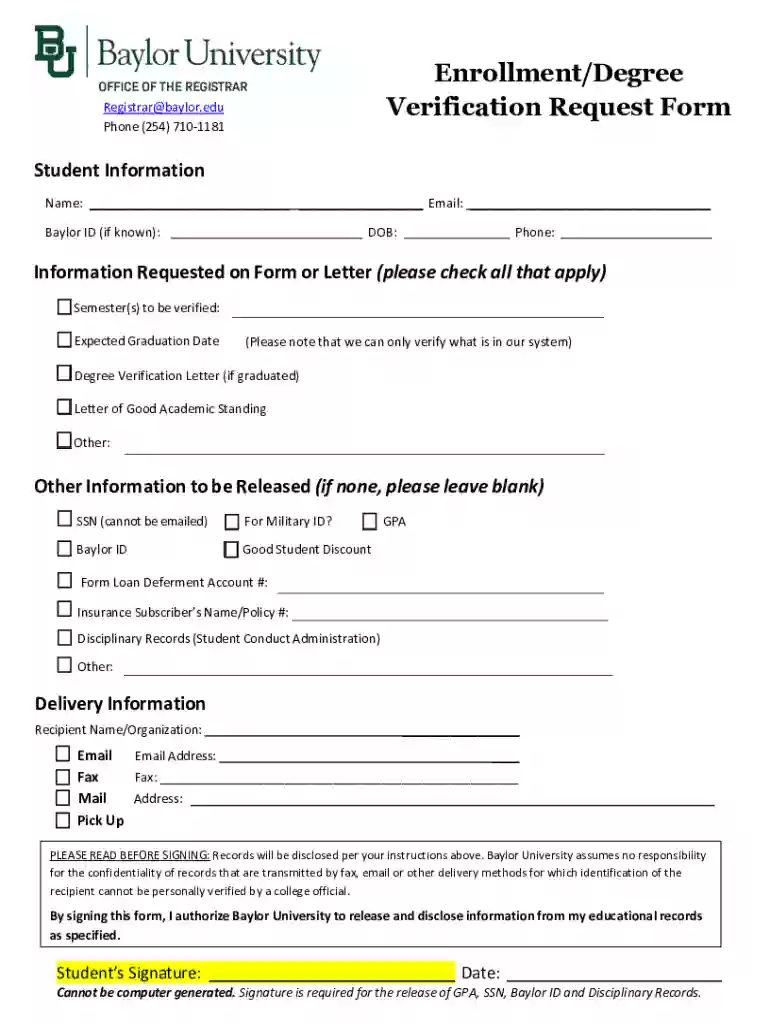
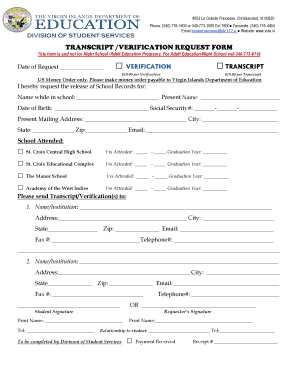
An Enrollment Degree Verification Request Form is a document used primarily by students or alumni to request official confirmation of their academic status. This form serves multiple purposes, including verifying enrollment, confirming degrees received, or proving good academic standing. Institutions like Baylor University offer this form to assist individuals in validating their academic achievements for various stakeholders, such as employers or educational organizations. The form plays a crucial role in providing documented evidence of one's academic history and standing, ensuring authenticity and accuracy.
How to Use the Enrollment Degree Verification Request Form
To utilize this form effectively, follow these steps:
- Download the Form: Obtain the form from the educational institution's official website or administrative office.
- Complete Personal Details: Fill in your personal details accurately, including your full name, student ID, and contact information.
- Specify Information Required: Indicate the specific type of verification needed, such as enrollment status, degree earned, or GPA.
- Provide Signature: For certain types of information, especially sensitive details like GPA, a signature is required to authorize the release.
- Choose Delivery Method: Select how you want the verification delivered – options usually include email, postal mail, or pick-up.
How to Obtain the Enrollment Degree Verification Request Form
To secure this form:
- Online Access: Check the university's website under the registrar or records section for a downloadable version.
- In-Person Request: Visit the university's registrar’s office where you can request a physical copy.
- Via Email: Some institutions provide an email option for students to request and receive the form electronically.
- Third-Party Services: Services like DocHub can facilitate access and completion of such forms online.
Steps to Complete the Enrollment Degree Verification Request Form
The process involves the following steps:
- Gather Required Information: Prepare all necessary details, including specific semesters or academic periods for which verification is needed.
- Fill Out the Form: Use precise and clear language to ensure the form is completed without errors.
- Attach Necessary Documents: If required, attach any supplementary documents, like personal identification or previous transcripts.
- Review and Sign: Double-check all entered information and provide your signature for authorization.
- Submit the Form: Follow the instructions for submission via the chosen delivery method.
Key Elements of the Enrollment Degree Verification Request Form
- Personal Information: Full name, student ID, and contact details.
- Verification Type: Explicit specification of information to be verified (e.g., degree earned).
- Signature: Signature of the student or alumnus for authorization.
- Submission Instructions: Guidelines on how and where to submit the form.
- Fees: Some institutions may charge for processing or delivery, so check this detail.
Who Typically Uses the Enrollment Degree Verification Request Form
This form is primarily used by:
- Students seeking to prove current enrollment for internships or scholarships.
- Alumni verifying degrees for employment applications or further education.
- Employers requiring verification of a candidate’s academic credentials as part of the hiring process.
- Educational Institutions verifying records for incoming transfers or graduate school admissions.
Legal Use of the Enrollment Degree Verification Request Form
The form must comply with privacy laws, such as FERPA in the United States, which protects the privacy of student education records. The signature requirement ensures that the student or alumnus consents to the release of their educational information. This legal context guarantees that verification requests respect the individual's rights and institutional policies regarding data sharing.
Digital vs. Paper Version
Educational institutions offer both digital and paper formats for the Enrollment Degree Verification Request Form, accommodating diverse preferences:
- Digital Version: Easily accessible and fillable online, convenient for quick submissions. Platforms like DocHub enhance this process with seamless editing and signing tools.
- Paper Version: Traditional and accepted by all institutions, suitable for mailing or in-person submissions when electronic access is constrained.
Choosing between formats depends largely on the user's access to technology and personal preference for managing documents. Both options ensure that verification requests are processed accurately and effectively.