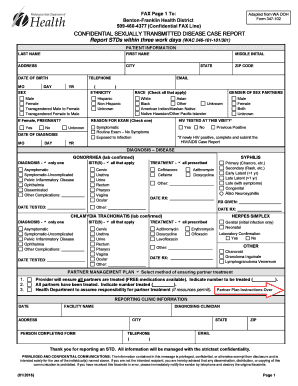
Definition and Meaning of Form Online
The term "form online" refers to digital forms that can be created, edited, and submitted via the internet. Unlike traditional paper forms, online forms allow for a more streamlined and efficient way to gather and process information. They are utilized in various sectors, such as government, finance, education, and healthcare, where they serve a multitude of purposes ranging from applications and surveys to data collection and feedback. The digital format facilitates easy access, reduces errors associated with manual entry, and supports immediate data integration into systems for processing and analysis.
How to Use the Form Online
Using a form online is straightforward and intuitive, thanks to user-centric designs put forth by platforms like DocHub. To begin, access the form via a web browser on any internet-enabled device. Here’s a general process followed for most online forms:
- Open the form link: Access is typically provided via direct URL, email, or a website portal.
- Fill out the fields: Enter required information into fields such as text boxes, drop-down menus, and date pickers. Some forms feature autofill options for convenience.
- Upload necessary documents: If supporting documents are needed, use upload features provided on the form interface.
- Review your information: Double-check all entries for accuracy. Many platforms offer a final review screen before submission.
- Submit and receive confirmation: Once all information is verified, submit the form to receive a confirmation of receipt, often via email.
Steps to Complete the Form Online
Completing an online form requires attention to detail to ensure accuracy and compliance with submission requirements. Here is a step-by-step guide, focusing on a generic online form:
- Read instructions carefully: Before starting, understand any guidelines that accompany the form to avoid mistakes.
- Enter personal information: Required fields typically include name, address, contact details, and identification numbers.
- Provide detailed answers: Depending on the type, forms may ask for detailed responses or documentation.
- Use dropdown menus: Select options from dropdowns for fields like state or country.
- Add electronic signatures: If necessary, sign electronically using an embedded signing tool.
- Verify all entries: Thoroughly check entries to ensure data is complete and error-free.
- Submit the form: Click the submit button and await confirmation of submission, which can often be saved or printed for records.
Key Elements of the Form Online
A well-designed online form includes several key components to facilitate ease of use and data collection efficiency:
- Input Fields: Spaces for text entry, ensuring that users can input necessary data easily.
- Validation Messages: Real-time feedback to correct mistakes before submission.
- Navigation Links: Buttons to move between sections, vital for complex forms with multiple pages.
- Security Features: SSL encryption and other security measures to protect sensitive data.
- Submission Confirmation: A message or email sent after successful submission, confirming receipt and summarizing completed entries.
Software Compatibility for Forms Online
Online forms often integrate with popular software to enhance functionality and user experience:
- DocHub: Provides a comprehensive solution for editing, filling, and signing forms directly from platforms like Google Drive, enhancing accessibility.
- QuickBooks and TurboTax: Enables users, especially in finance and accounting, to import necessary data quickly into forms for tax filing or submission.
- Microsoft Office Suite: Compatible for importing/exporting documents where forms may be part of broader reporting tasks.
- PDF Readers: Essential for viewing and printing completed forms, especially for forms that require attachment or submission in PDF format.
Legal Use of the Form Online
Legal considerations for online forms are paramount to ensure that submissions are binding and compliant:
- Electronic Signatures: Governed by the ESIGN Act in the U.S., electronic signatures on forms are legally recognized, ensuring documents signed online hold the same validity as those signed on paper.
- Data Protection Laws: Compliance with regulations such as the General Data Protection Regulation (GDPR) for users in the EU or California Consumer Privacy Act (CCPA) to protect user data.
- Audit Trails: Important for tracking submissions, ensuring that all entries can be verified post-submission should a legal verification be necessary.
Examples of Using the Form Online
Real-world scenarios showcase the versatility and efficiency of online forms:
- University Enrollment: Students use online forms for course registration, scholarships, and housing applications.
- Job Applications: Candidates submit applications via online forms, streamlining the hiring process for companies.
- Customer Feedback: Businesses collect customer opinions and suggestions through structured online forms, allowing them to refine products and services.
- Event Registrations: Participants sign up for conferences, workshops, and competitions through digital forms, which facilitate swift data collection and management.
By adopting online forms, organizations and individuals alike leverage technology to enhance efficiency in data collection and processing, ensuring accessibility, compliance, and seamless interoperability across digital platforms.