Understanding the Importance of Online Forms
Online forms are digital documents that allow individuals and organizations to collect information quickly and efficiently over the internet. They are integral to a variety of processes, enabling users to input data, submit applications, and perform transactions with ease. These forms can range from simple contact fields to complex applications requiring a multitude of data points. Due to their digital nature, they offer the benefits of accessibility from any location, speed in collection and processing of information, and the ability to automate responses based on inputs.
Steps to Complete an Online Form
Completing an online form typically involves several straightforward steps, which are designed to guide the user through the process efficiently. Here’s a step-by-step guide:
-
Accessing the Form:
- Locate the form on the relevant website or platform. This could be accessed via a direct link provided in an email, a website's form section, or a third-party service.
-
Filling Out the Form Fields:
- Input relevant information into each field. Ensure accuracy by double-checking your entries. Online forms usually highlight required fields with an asterisk (*) and may prevent submission if any are left incomplete.
-
Attachment Uploads:
- Some forms require you to upload supporting documents. Prepare these documents in the accepted file formats (commonly PDF, DOCX, or JPEG). Ensure these files are within any specified size limits.
-
Reviewing the Submission:
- Before submitting, review all filled details to ensure correctness. Many platforms provide an overview of your completed form, allowing a final double-check.
-
Submission Confirmation:
- Once satisfied with the content, submit the form. Look for a confirmation message or email indicating successful submission, which often includes a reference number for future inquiries.
Legal Use of Online Forms
Online forms hold the same legal weight as their paper counterparts when properly executed. It is crucial for users to be aware that:
-
Consent and Agreement: Completing and submitting an online form often signifies consent to the terms and conditions outlined by the form owner, which may include privacy policies and legal agreements.
-
Digital Signatures: Many online forms require a digital or electronic signature for legal binding, which is recognized under various laws such as the ESIGN Act in the United States.
-
Data Protection: Legal use mandates compliance with data protection regulations such as the GDPR or CCPA, ensuring collected information is stored and processed lawfully.
Why Use Online Forms
There are multiple reasons why using online forms is advantageous:
-
Efficiency: They enable the rapid collection and processing of information and facilitate quicker decision-making.
-
Accessibility: Being online, these forms can be accessed anytime, anywhere, eliminating the need for physical presence or handling.
-
Cost-Effectiveness: Reduces the cost associated with printing, postage, and manual processing of paper forms.
-
Automation: Enables automated workflows and data analytics, improving productivity and insight gathering.
Key Elements of an Effective Online Form
Designing an effective online form involves considering several key elements:
-
User-Friendly Design: Simple navigation, clear instructions, and minimal steps prevent user frustration.
-
Responsive Layout: Ensure compatibility across devices, particularly for mobile users, as accessibility on various screens can impact user experience.
-
Validation: Implement real-time validation checks to alert users of errors immediately, improving accuracy and reliability.
-
Security Measures: Protect sensitive information with encryption and other security protocols to build user trust.
State-Specific Rules for Online Forms
Specific legal requirements can vary from state to state:
-
Compliance with Local Regulations: Understanding the local laws related to data protection and electronic signatures is vital for both form creators and users.
-
Jurisdictional Variations: Some states may have different rules around specific types of forms, such as tax documents or legal filings, which impacts how they must be filled and submitted.
Popular Software for Online Form Compatibility
Various platforms support creating and handling online forms:
-
Document Management Systems: Tools such as DocHub facilitate annotation, signing, and sharing documents online.
-
Form Builders: Software like Google Forms, JotForm, and Typeform allows for easy creation and deployment of custom online forms.
-
Integration with Other Applications: Ensure compatibility with applications like TurboTax for tax-related forms or QuickBooks for business financial documents.
Examples of Using Online Forms
Online forms are utilized across various scenarios:
-
Business Applications: For tasks such as collecting customer feedback, processing employment applications, or managing event registrations.
-
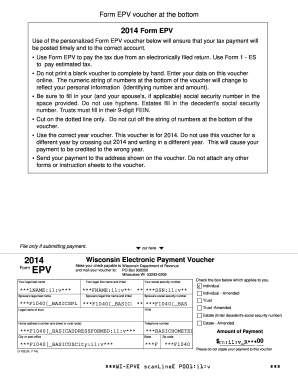
Government Documents: Used widely for government services like applying for benefits, renewing licenses, or filing taxes.
-
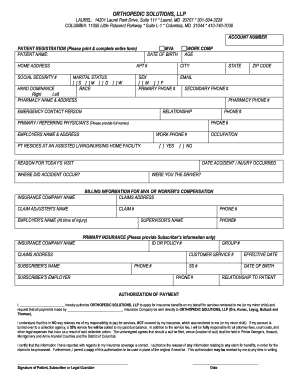
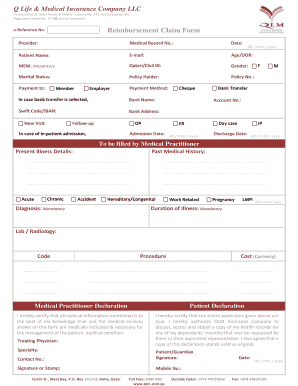
Healthcare Sector: Patient intake forms, consent forms, and insurance claims often utilize online formats to expedite processing.
Through leveraging online forms, organizations and individuals can enhance operational efficiency, ensure legal compliance, and foster an inclusive and accessible environment for data submission and management.