Type text, add images, blackout confidential details, add comments, highlights and more.
02. Sign it in a few clicks
Draw your signature, type it, upload its image, or use your mobile device as a signature pad.
03. Share your form with others
Send va form 21 8951 2 via email, link, or fax. You can also download it, export it or print it out.
How to use or fill out form 21 8951 with our platform
Ease of Setup
DocHub User Ratings on G2
Ease of Use
DocHub User Ratings on G2
Click ‘Get Form’ to open it in the editor.
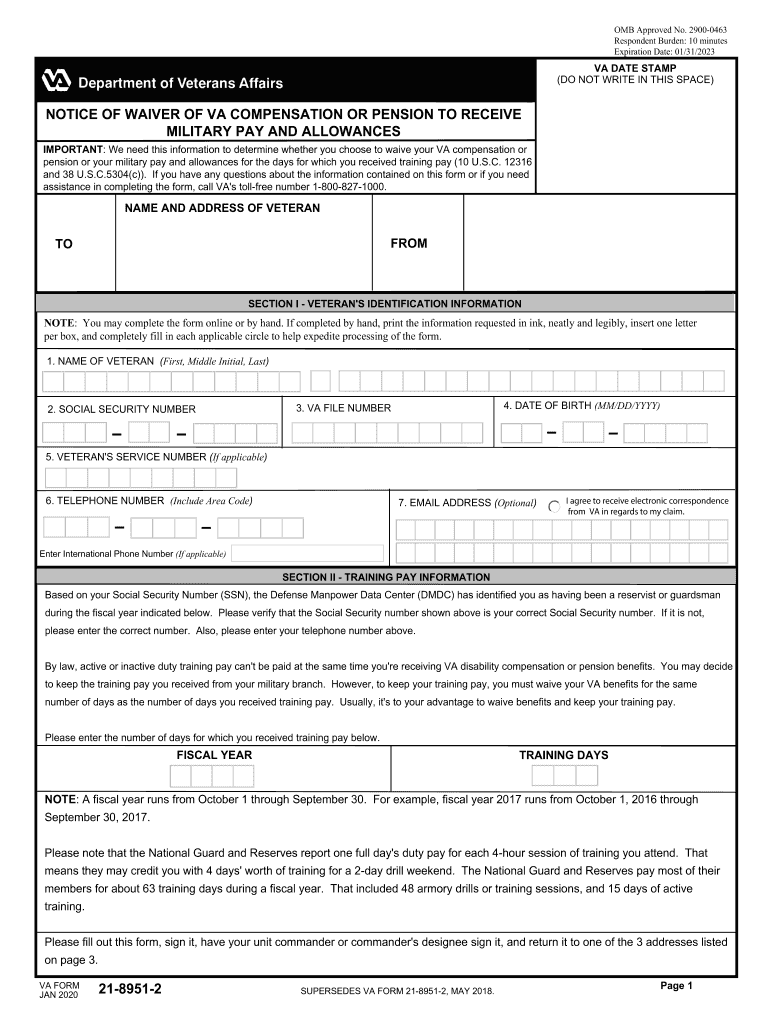
Begin by filling out Section I, which requires your identification information. Enter your name, Social Security number, date of birth, VA file number, and contact details. Ensure all fields are completed accurately.
Proceed to Section II to provide training pay information. Verify your Social Security number and enter the fiscal year along with the number of training days you received pay for.
In Section III, check the appropriate boxes regarding your agreement with the training days and whether you elect to waive VA benefits or military pay. Make sure to enter any corrections if necessary.
Finally, complete Section IV by signing the form and obtaining your unit commander's signature. Ensure that all dates are filled in correctly before submission.
Start using our platform today for free to simplify your form completion process!
How to fill out va form 21 8951 2VA Form 21-8951 explainedVA Form 21-8951-2 exampleVa form 21 8951 onlineVA form 21-8951 redditVA Form 21-4138VA waiver formForm 8951
Security and compliance
At DocHub, your data security is our priority. We follow HIPAA, SOC2, GDPR, and other standards, so you can work on your documents with confidence.
IMPORTANT: We need this information to determine whether you choose to waive your VA compensation or pension or your military pay and allowances for the daysRead more
21-8951-2. Notice of Waiver of VA Compensation or. 03/05. Pension to Receive There are a number of actions pertaining to veterans handled by the Department of.Read more
The System x3250 M4 single-socket 1U rack server is designed for small businesses and first-time server buyers looking for a solution to improve businessRead more
Cookie consent notice
This site uses cookies to enhance site navigation and personalize your experience.
By using this site you agree to our use of cookies as described in our Privacy Notice.
You can modify your selections by visiting our Cookie and Advertising Notice.