
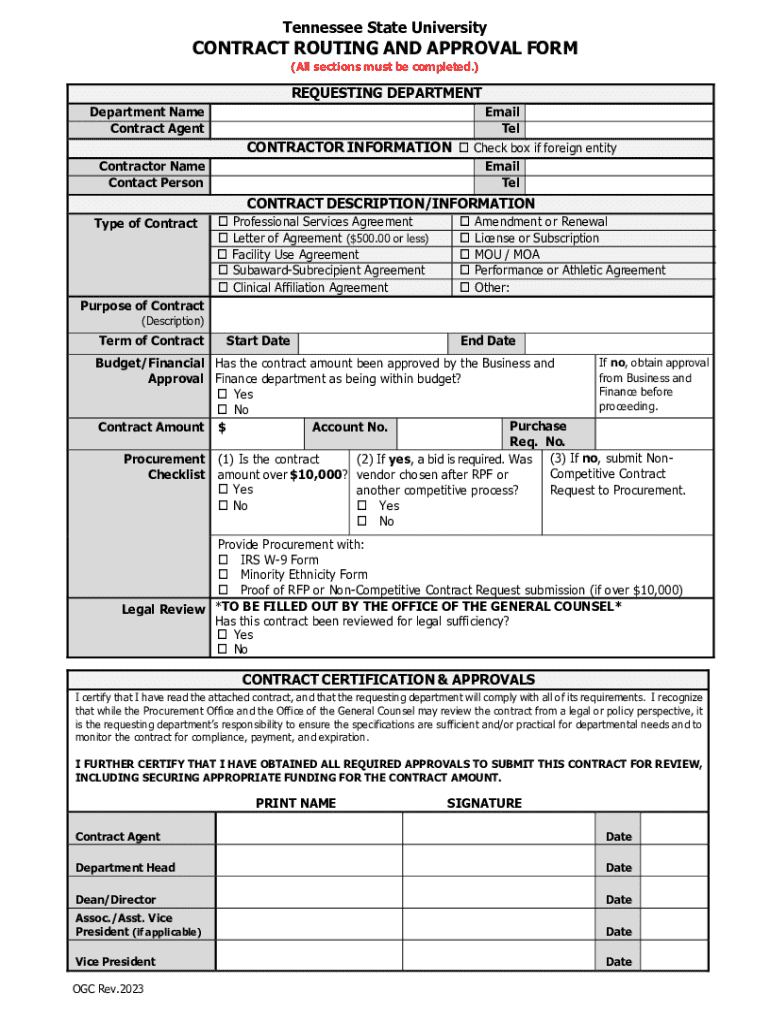







Definition and Meaning of "Form Online"
The term "form online" refers to a digital or electronic version of traditional paper forms, enabling users to fill out, submit, and process forms through an internet-connected device. These forms mimic the functionality of paper counterparts but offer enhanced features, such as ease of access, efficient data collection, and streamlined submission processes. Online forms are prevalent across various sectors, such as government, finance, education, and healthcare, offering a convenient way for users to complete forms without physically visiting offices or mailing documents.
Steps to Complete the Form Online
-
Access the Form: Start by visiting the website hosting the form, such as an official government site or a company's specified URL. Ensure you have a stable internet connection for a seamless process.
-
Fill in Required Fields: Enter your information in the designated fields. Mandatory fields, marked with an asterisk, must be completed before submission. Common fields include name, address, and contact details.
-
Attach Required Documents: Use the upload functionality to attach supporting documents, if required by the form. These could be identification proofs, financial statements, or photographs.
-
Review and Edit Information: Double-check all entered information for accuracy. Most platforms allow users to make necessary edits before proceeding to submission.
-
Submit the Form: Once all sections are complete and reviewed, click the submit button. Some platforms provide a confirmation page or email as proof of submission.
-
Save a Copy: It's advisable to save a digital copy or printout of the completed form and confirmation page for future reference.
How to Obtain the Form Online
Finding forms online typically involves identifying the issuing authority and navigating to their official website. Forms can also be accessed through third-party platforms legally authorized to distribute them. Here's a step-by-step process:
-
Identify the Form Provider: Determine which organization or institution is responsible for the form. This could be a government agency, educational institution, or business entity.
-
Visit the Official Website: Navigate to the entity's official website. Use the search bar to find the form, ensuring you access the most recent version.
-
Check Form Libraries: Many organizations maintain a centralized library of forms. These databases are often categorized by function, department, or requirement for easy access.
-
Download the Form: Once located, download the form directly from the website onto your device. In some cases, forms are not downloadable and must be completed and submitted entirely online.
Why Should You Form Online
Completing forms online offers several advantages compared to traditional methods. Here are a few reasons why many prefer this approach:
-
Convenience and Accessibility: Online forms can be accessed from anywhere at any time, eliminating geographical and time restrictions associated with paper forms.
-
Efficiency: Filling out forms online can drastically reduce processing time, as information is often immediately available to the receiving entity.
-
Cost-Effectiveness: Using online forms can save on printing, postage, and administrative costs associated with physical forms.
-
Environmentally Friendly: Reducing paper usage through digital forms helps in minimizing environmental impact.
Key Elements of the Form Online
Online forms typically comprise several essential components to ensure comprehensive data collection and processing:
-
Form Title and Instructions: Clearly identified at the beginning, aiding users in understanding the form's purpose and providing guidance on completion.
-
Data Entry Fields: Sections for entering personal information, relevant dates, and other necessary data specific to the form's purpose.
-
Validation and Error Messages: Built-in checks that notify users about missing or incorrect information, ensuring data accuracy and completeness before submission.
-
Submission Confirmation: Acknowledgment of form receipt, often accompanied by a reference number or confirmation email.
Software Compatibility with Online Forms
Many online forms are designed to integrate with software applications to maximize functionality and efficiency. Here are common compatibility considerations:
-
Web Browsers: Most forms are accessible via all major browsers, including Chrome, Firefox, Safari, and Edge. It's crucial to ensure that the browser is updated to the latest version for optimal performance.
-
PDF Readers: Some forms provide downloadable PDF versions that require software like Adobe Acrobat Reader for viewing and interaction.
-
Third-Party Tools: Platforms like DocHub enable editing, signing, and sharing of online forms, often directly integrating with cloud services like Google Drive and Dropbox for easy import/export of files.
State-Specific Rules for Form Online
When dealing with government-related forms online, it's crucial to be aware of state-specific regulations and requirements:
-
Varying Requirements: Each state might have distinct prerequisites for certain forms, such as tax forms or business registration documents.
-
Submission Methods: Some states allow exclusively online submissions, while others offer a combination of mail and in-person options.
-
Supplementary Documentation: States might require additional accompanying documents catered to their particular legislative or procedural standards.
Understanding these nuances is essential to ensure compliance and successful submission.
Examples of Using the Form Online
Here are practical scenarios where online forms are effectively utilized:
-
College Applications: Prospective students apply to universities through comprehensive online form portals, submitting personal, educational, and financial details.
-
Job Applications: Candidates submit resumes and cover letters alongside standardized online forms designed to gather applicant information for employers.
-
E-commerce Transactions: Online stores utilize forms for checkout processes, collecting shipping details, and payment preferences from customers.
Thoroughly understanding and utilizing form online systems can drastically improve efficiency, accessibility, and satisfaction across various sectors.




