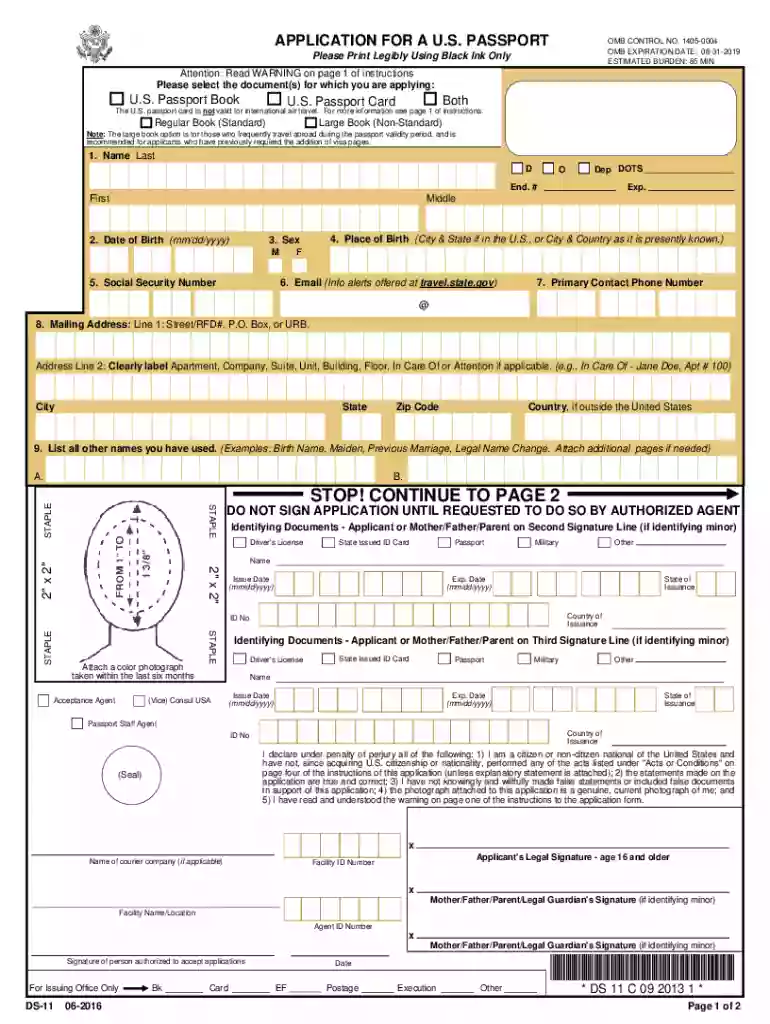
Us passport application 2026

Get Form
ds 11 form Preview on Page 1

Here's how it works

01. Edit your ds 11 form online
Type text, add images, blackout confidential details, add comments, highlights and more.

02. Sign it in a few clicks
Draw your signature, type it, upload its image, or use your mobile device as a signature pad.

03. Share your form with others
Send ds 11 form filler via email, link, or fax. You can also download it, export it or print it out.

How to use or fill out U.S. Passport Application with Our Platform

Form edit decoration
9.5
Ease of Setup
DocHub User Ratings on G2
9.0
Ease of Use
DocHub User Ratings on G2
  1. Click ‘Get Form’ to open the U.S. Passport Application in the editor.
  2. Begin by filling out your personal information, including your name, date of birth, and place of birth. Ensure all details are accurate and match your identification documents.
  3. Provide proof of U.S. citizenship by uploading a certified birth certificate or previous passport. Make sure to include a clear photocopy as required.
  4. Next, enter your Social Security number and contact information. This is crucial for processing your application efficiently.
  5. Attach a recent color photograph that meets passport requirements—2x2 inches in size, taken within the last six months.
  6. Review all sections for completeness and accuracy before submitting the application through an authorized acceptance agent.

Start using our platform today to simplify your U.S. passport application process for free!

See more us passport application versions

We've got more versions of the us passport application form. Select the right us passport application version from the list and start editing it straight away!
Versions Form popularity Fillable & printable
2022 4.3 Satisfied (63 Votes)
2020 4.8 Satisfied (36 Votes)
2016 4.4 Satisfied (522 Votes)
2013 3.9 Satisfied (51 Votes)
2010 4.2 Satisfied (55 Votes)
2008 4.2 Satisfied (66 Votes)
2005 4.4 Satisfied (64 Votes)
2003 3.9 Satisfied (56 Votes)
be ready to get more

Complete this form in 5 minutes or less

Get form

Got questions?

We have answers to the most popular questions from our customers. If you can't find an answer to your question, please contact us.
Contact us
Documents to support Identity such as Drivers Licence, National ID card. Proof of Profession (An introductory letter from the applicants employer that is if the applicant is currently employed or a work ID card that bears applicants name, organisations name and position.
During the Submission you will need the following An eCitizen pre-filled passport application form and three receipts. Original birth certificate and photocopy. Original National ID Card copy. Three Current passport size photos. Recommenders ID Card copy. Consent letter for minors. Old passport for replacement.
You must present one physical, primary ID which includes your photo. We cannot accept digital IDs. If you cannot present one of the primary photo IDs listed above, you should present at least two secondary IDs listed below.
Adult (16 or Older): Renewal Eligible DocumentSubmit your FormPassport Application Fee Passport Book By Mail or Online $130 Passport Card By Mail or Online $30 Passport Book Card By Mail or Online $160

Security and compliance

At DocHub, your data security is our priority. We follow HIPAA, SOC2, GDPR, and other standards, so you can work on your documents with confidence.

Learn more