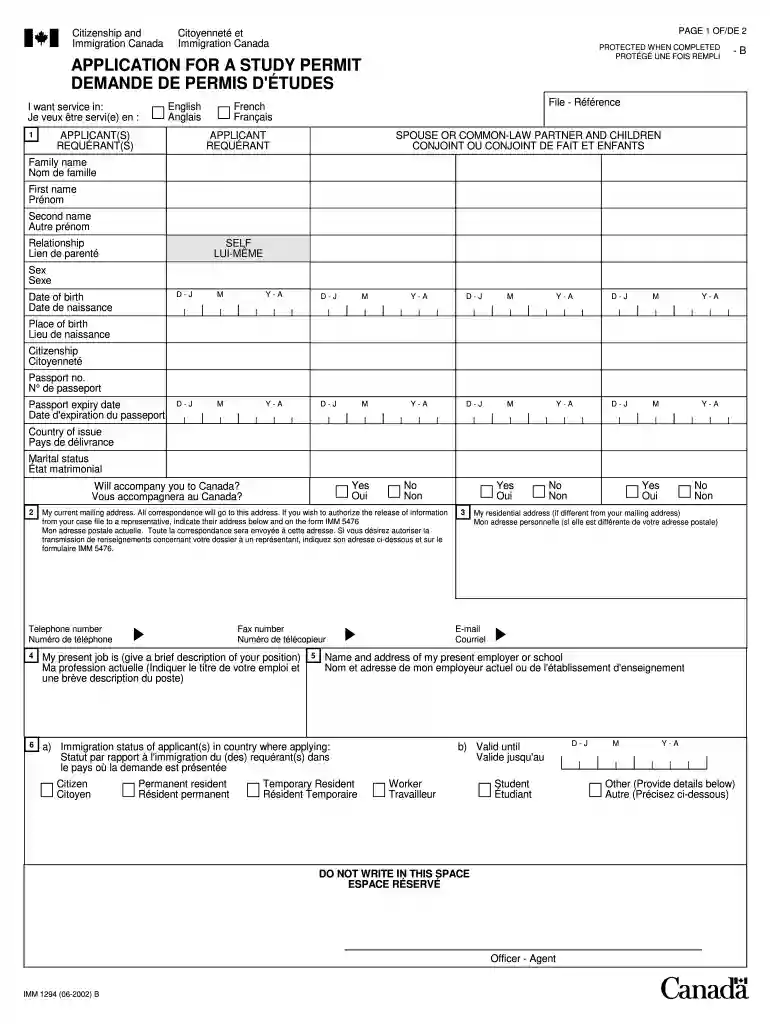
Imm 1294 2002 form-2026

Get Form
imm 1294 Preview on Page 1

Here's how it works

01. Edit your imm 1294 online
Type text, add images, blackout confidential details, add comments, highlights and more.

02. Sign it in a few clicks
Draw your signature, type it, upload its image, or use your mobile device as a signature pad.

03. Share your form with others
Send imm1294 via email, link, or fax. You can also download it, export it or print it out.

How to use or fill out imm 1294 2002 form with our platform

Form edit decoration
9.5
Ease of Setup
DocHub User Ratings on G2
9.0
Ease of Use
DocHub User Ratings on G2
  1. Click ‘Get Form’ to open the imm 1294 2002 form in the editor.
  2. Begin by filling out the applicant's personal information, including family name, first name, and date of birth. Ensure accuracy as this information is crucial for your application.
  3. Next, provide details about your current mailing address and telephone number. This will be used for all correspondence regarding your application.
  4. In the section regarding your educational institution, enter the name and complete address of the school you have been accepted to in Canada. Attach any required documents such as the acceptance letter.
  5. Complete the financial sections by detailing tuition costs and funds available for your stay in Canada. This information is vital for demonstrating your ability to support yourself during your studies.
  6. Finally, review all entries for accuracy before signing and dating the application at the end of the form. This ensures that your submission is complete and truthful.

Start using our platform today to fill out your imm 1294 2002 form easily and for free!

See more imm 1294 2002 form versions

We've got more versions of the imm 1294 2002 form form. Select the right imm 1294 2002 form version from the list and start editing it straight away!
Versions Form popularity Fillable & printable
2023 4.4 Satisfied (42 Votes)
2019 4.8 Satisfied (72 Votes)
2014 4.5 Satisfied (55 Votes)
2010 4.4 Satisfied (263 Votes)
2002 4 Satisfied (29 Votes)
be ready to get more

Complete this form in 5 minutes or less

Get form

Got questions?

We have answers to the most popular questions from our customers. If you can't find an answer to your question, please contact us.
Contact us
Save the form on your computer in a place you can remember. For most Internet browsers, clicking on the link above will automatically download the form. If the form doesnt automatically download, right-click on the link and select Save as.
Downloading and opening PDF files Find the link of the file you want to save (you may need to go back to the previous page to find it). Right-click the link. Select Save target as or Save link as. Choose the location on your computer where you would like to save the file. Select Save.
Yes, you can save your information at any point in the application. Select Save on any page of the Free Application for Federal Student Aid (FAFSA) form. Do not use the save commands built into the browser. Your FAFSA form will also autosave as you progress through the sections.
Application for Temporary Resident Visa (IMM 5257) This form must be completed by each person applying for a Temporary Resident Visa to visit Canada.
To permanently save your application to your computer hard drive or a disk, select the Save Application to File button. Then, click the Save button on the File Download window. Identify a place on your computer to save the application, browse to that location, and click the Save button on the Save As window.

Security and compliance

At DocHub, your data security is our priority. We follow HIPAA, SOC2, GDPR, and other standards, so you can work on your documents with confidence.


Learn more
ccpa2
pci-dss
gdpr-compliance
hipaa
soc-compliance

People also ask

If youre applying for a study permit, you must apply online, whether youre outside of Canada or already in Canada.
UCI (Unique Client Identifier) Type your UCI if known. Otherwise, leave it blank.

Related links