




Here's how it works

01. Edit your dbpr online
Type text, add images, blackout confidential details, add comments, highlights and more.

02. Sign it in a few clicks
Draw your signature, type it, upload its image, or use your mobile device as a signature pad.

03. Share your form with others
Send dbpr license via email, link, or fax. You can also download it, export it or print it out.
How to use or fill out Florida DBPR Certification with our platform

- Click ‘Get Form’ to open the Florida DBPR Certification application in the editor.
- Begin with Section I, selecting your application type: either 'Certification by Exam' or 'Certification by Endorsement'. Ensure you check only one box.
- In Section II, provide your personal information. Fill out all fields completely, including your full legal name as it appears on your Social Security card.
- Proceed to Section III and detail your employment history. Clearly describe each position held, ensuring to include dates and responsibilities.
- In Section IV, list your educational background. If using education for qualification, ensure official transcripts are sent directly from the institution.
- Complete Sections V through VII regarding background information and any necessary explanations for affirmative answers.
- Finally, review all sections for accuracy before signing the affirmation in Section IX and submitting your application.
Start filling out your Florida DBPR Certification today for free using our platform!
Fill out florida dbpr certification online
It's free
It's free
See more florida dbpr certification versions
We've got more versions of the florida dbpr certification form. Select the right florida dbpr certification version from the list and start editing it straight away!
Security and compliance
At DocHub, your data security is our priority. We follow HIPAA, SOC2, GDPR, and other standards, so you can work on your documents with confidence.
Learn more


Related forms
STI Investigation Request Form
The document is an STI Investigation Request Form from the National Virus Reference Laboratory at University College Dub ...

Local Chapter Meeting Attendance Sheet
The document is an attendance sheet for local chapter meetings of the AAPC, requiring details such as chapter name, meet ...

Family practice superbill form
The document is a Superbill Template for Family Practice Management provided by the American Academy of Family Practice ...
TSD Installment Payment Agreement Request GA9465
The document provides instructions for completing Form GA-9465, an Installment Agreement Request for taxpayers who canno ...
Remote Desktop Redirected Printer Doc
The document outlines the 2025 Net Profit Tax (NPT) return for individuals and entities operating in Philadelphia, detai ...

Pennsylvania Dealer Assignment Form MV-27
The document MV-27 is a form used in Pennsylvania for the assignment of vehicle ownership between dealers, specifically ...
Spanish Tax Form 030
The document is a tax declaration form (Modelo 030) issued by the Agencia Tributaria in Spain. It is used for registerin ...
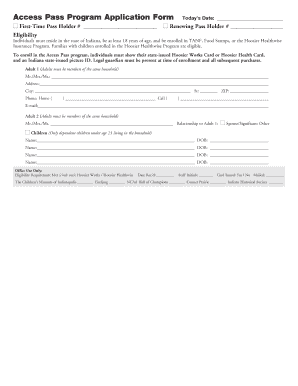
Access Pass Program Application Form
The document is an application form for the Access Pass Program, designed for Indiana residents who are at least 18 year ...