



Here's how it works



How to use or fill out inter railway own request transfer application form 2011 with our platform

- Click ‘Get Form’ to open the inter railway own request transfer application form 2011 in the editor.
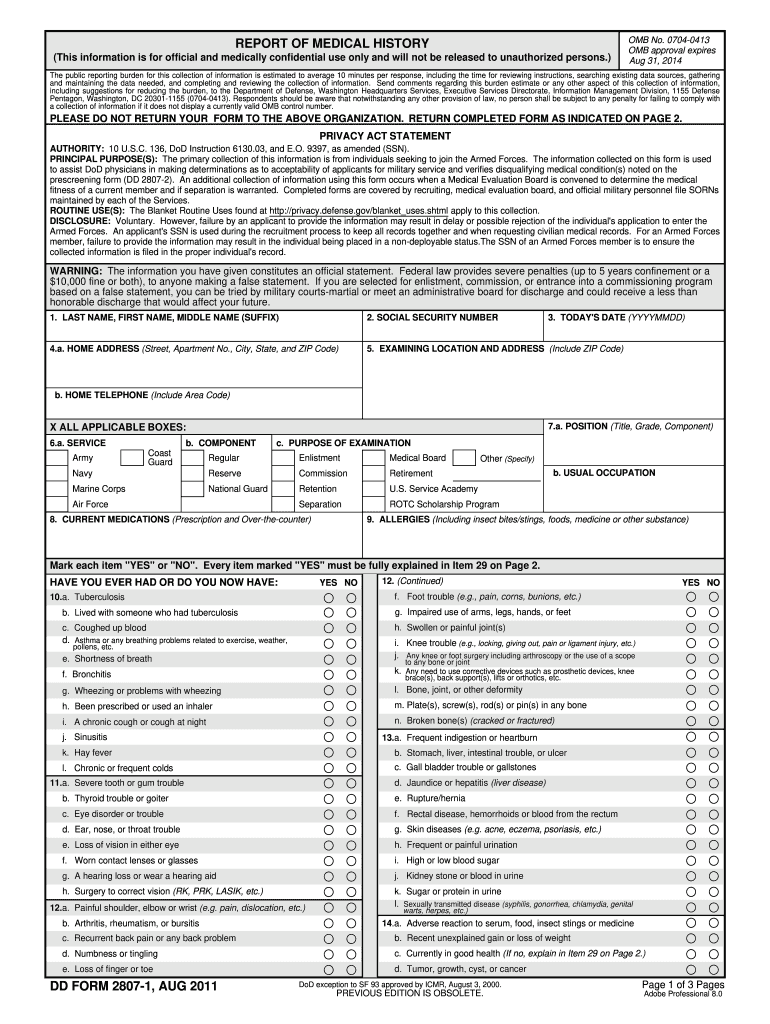
- Begin by entering your personal information in the designated fields, including your last name, first name, and middle name. Ensure accuracy as this information is crucial for processing your request.
- Fill in your social security number and today's date. This helps in identifying your application and maintaining records.
- Provide your home address, including street, apartment number, city, state, and ZIP code. This section is vital for correspondence regarding your transfer request.
- Indicate the examining location and address along with a contact telephone number. This ensures that any follow-up can be conducted smoothly.
- Complete the sections regarding service details and purpose of examination by checking all applicable boxes. This helps streamline the review process.
- List any current medications and allergies accurately to provide a comprehensive medical history.
- Review all entries for completeness and accuracy before submitting the form through our platform for processing.
Start using our platform today to fill out your inter railway own request transfer application form 2011 easily and for free!
It's free
See more inter railway own request transfer application form 2011 versions
Got questions?
Can I use DocHub to generate legal eSignatures on my railway own request transfer form pdf download?
Yes, you can utilize DocHub for signing any business and personal paperwork, including your railway own request transfer form pdf download. All electronic signatures you create with our service are legally binding and court-admissible, as DocHub complies with criteria required by ESIGN and UETA. Save your accomplished paperwork with a detailed Audit Trail if needed.
What browser do I need to edit railway application form pdf online?
If you need to edit your railway application form pdf online quickly, it does not matter what browser you employ. DocHub’s straightforward editing tools are accessible using any internet browser. Just open the appropriate tab within our editor, add your document, and fill it out without stress.
What is the threshold for inter railway request transfer?
What is Section 177 of the Railway Act?
How do I transfer my own request in Hrms?
Security and compliance
At DocHub, your data security is our priority. We follow HIPAA, SOC2, GDPR, and other standards, so you can work on your documents with confidence.
Learn more