




Here's how it works

01. Edit your dochub com fillable form online
Type text, add images, blackout confidential details, add comments, highlights and more.

02. Sign it in a few clicks
Draw your signature, type it, upload its image, or use your mobile device as a signature pad.

03. Share your form with others
Send deferment via email, link, or fax. You can also download it, export it or print it out.
How to use or fill out in school deferment with our platform

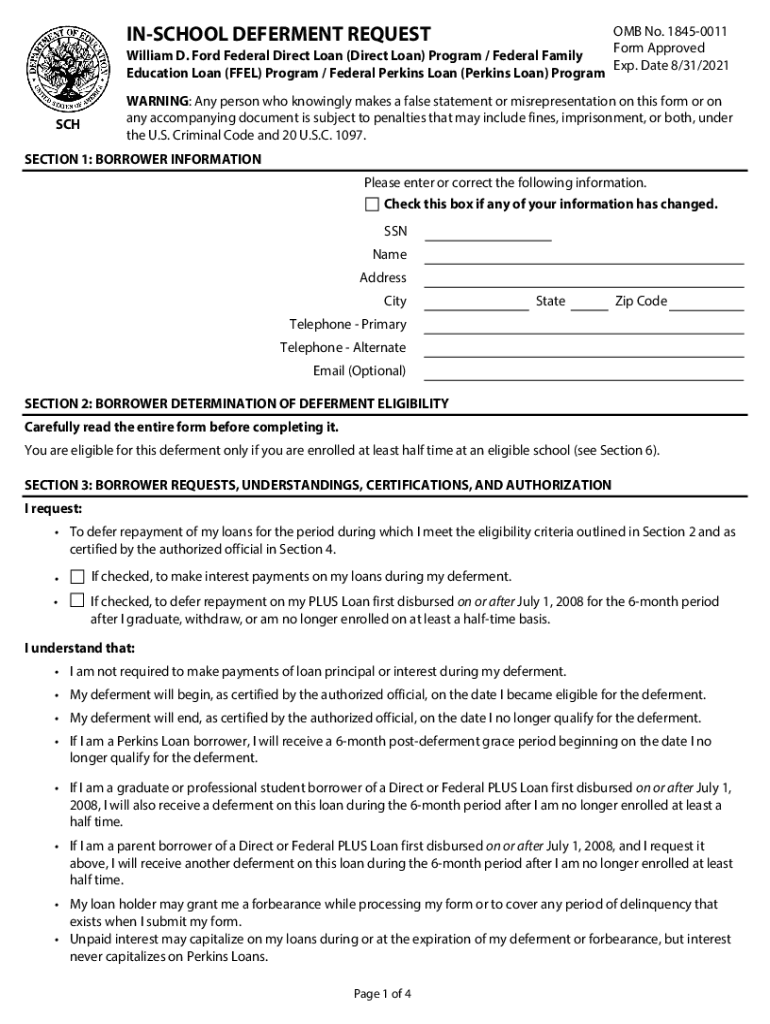
- Click ‘Get Form’ to open the in-school deferment request in the editor.
- Begin with Section 1: Enter your borrower information, including your SSN, name, address, and contact details. Ensure accuracy and check the box if any information has changed.
- In Section 2, confirm your eligibility by ensuring you are enrolled at least half-time at an eligible school. This is crucial for your deferment request.
- Proceed to Section 3: Indicate your requests regarding repayment and certifications. Check the appropriate boxes based on your preferences for interest payments and deferment periods.
- Section 4 requires certification from an authorized official at your school. Ensure this section is completed accurately to validate your enrollment status.
- Review Section 5 for instructions on completing the form correctly, including date formats and submission guidelines.
- Finally, submit the completed form as directed in Section 7, ensuring all required documentation is included.
Start using our platform today to streamline your in-school deferment process for free!
Fill out in school deferment online
It's free
It's free
See more in school deferment versions
We've got more versions of the in school deferment form. Select the right in school deferment version from the list and start editing it straight away!
Security and compliance
At DocHub, your data security is our priority. We follow HIPAA, SOC2, GDPR, and other standards, so you can work on your documents with confidence.
Learn more


Related forms

Taxation in Switzerland
The document provides a comprehensive overview of the Swiss taxation system, detailing the taxation of individuals and c ...
Acute Care Assessment Tool (ACAT)
The document is an Acute Care Assessment Tool (ACAT) used to evaluate a trainee's performance in a clinical setting, spe ...
CA Substitution of Trustee and Full Reconveyance 1
The document is a legal form titled 'Substitution of Trustee and Full Reconveyance' used in California. It outlines the ...
RxAssist - Novo Nordisk Patient Assistance Program - RxAssist

DESIGNATION OF MEDICAL PROVIDERS - BenefitSource
The document designates specific medical providers for treatment of work-related injuries for Visa Inc. It includes cont ...
Telephone Research Verification Standards for Audience-FAX
The document outlines the telephone research verification standards established by the Audit Bureau of Circulations (ABC ...
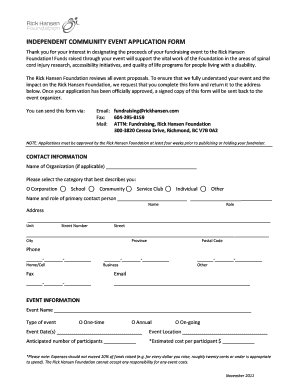
Independent Community Event Application Form
The document is an Independent Community Event Application Form for fundraising events benefiting the Rick Hansen Founda ...