Wi care immunization record 2026

Get Form
childcare immunization form Preview on Page 1

Here's how it works

01. Edit your childcare immunization form online
Type text, add images, blackout confidential details, add comments, highlights and more.
02. Sign it in a few clicks
Draw your signature, type it, upload its image, or use your mobile device as a signature pad.
03. Share your form with others
Send immunization form for daycare via email, link, or fax. You can also download it, export it or print it out.

How to use or fill out wi care immunization record with our platform

Form edit decoration
9.5
Ease of Setup
DocHub User Ratings on G2
9.0
Ease of Use
DocHub User Ratings on G2
  1. Click ‘Get Form’ to open the wi care immunization record in the editor.
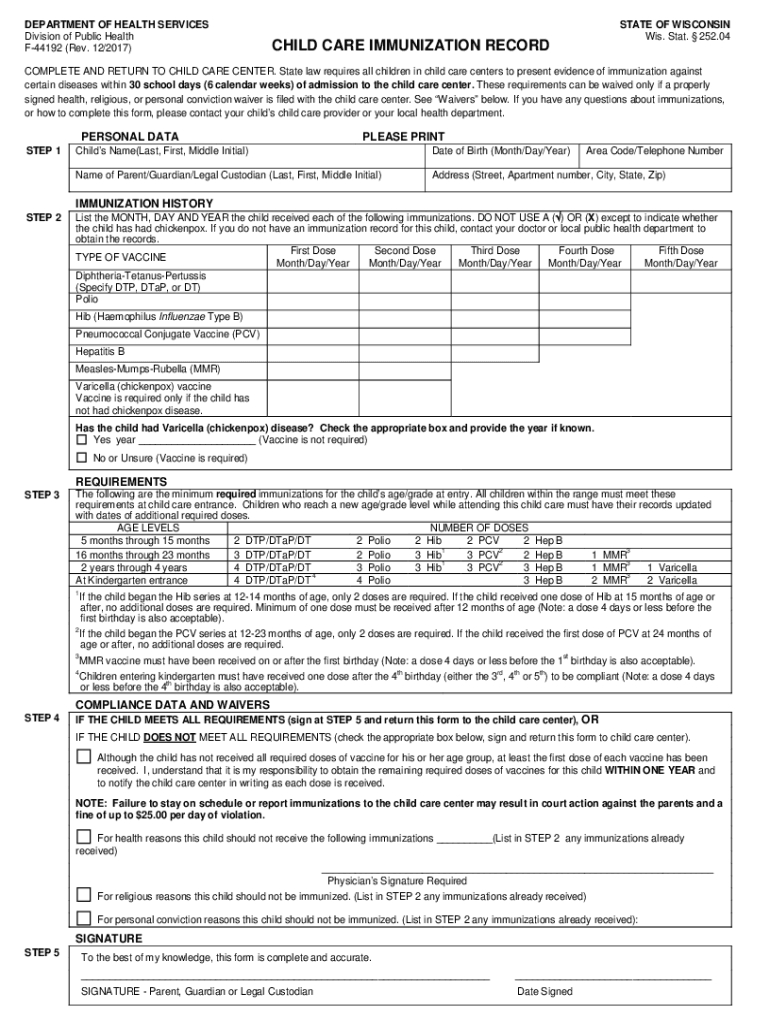
  2. Begin by filling out the Personal Data section. Enter your child's name, date of birth, and contact information. Ensure all details are accurate and clearly printed.
  3. Move to the Immunization History section. For each vaccine listed, input the exact dates your child received them. Use the provided fields for first through fifth doses, ensuring you do not mark with a check or X except for chickenpox.
  4. Review the Requirements section carefully. Check that your child's immunizations meet state requirements based on their age. If any doses are missing, note this in the Compliance Data and Waivers section.
  5. Finally, sign and date the form in the Signature section to confirm its accuracy before submitting it back to your child care center.

Start using our platform today to easily complete your wi care immunization record online for free!

See more wi care immunization record versions

We've got more versions of the wi care immunization record form. Select the right wi care immunization record version from the list and start editing it straight away!
Versions Form popularity Fillable & printable
2020 4.8 Satisfied (210 Votes)
2017 4.4 Satisfied (103 Votes)
2008 4.4 Satisfied (571 Votes)
be ready to get more

Complete this form in 5 minutes or less

Get form

Got questions?

We have answers to the most popular questions from our customers. If you can't find an answer to your question, please contact us.
Contact us
How to Contact Your Jurisdictions IIS contact the IIS in your state or in the state where you or your child received their last shots to see if they have records. contact your immunization provider directly or your local or state immunization program through your states health department.
Go to . Near the bottom of the page, within the Public Immunization Record Access, Click the Public Immunization Record Access link. On the next screen, enter your or your childs first name in the First Name field and last name in the Last Name field.
Go to the Wisconsin Immunization Registry (WIR) website. Once you are in WIR, look for the title Public Immunization Record Access. Inside the box underneath, click on the Public Immunization Record Access link. In the Immunzation Record Search screen, type in the first and last name and birth date of your child.

Security and compliance

At DocHub, your data security is our priority. We follow HIPAA, SOC2, GDPR, and other standards, so you can work on your documents with confidence.

Learn more
ccpa2
pci-dss
gdpr-compliance
hipaa
soc-compliance