




Here's how it works

01. Edit your military packet online
Type text, add images, blackout confidential details, add comments, highlights and more.

02. Sign it in a few clicks
Draw your signature, type it, upload its image, or use your mobile device as a signature pad.

03. Share your form with others
Send military drivers license form via email, link, or fax. You can also download it, export it or print it out.
How to use or fill out Pennsylvania MV Military Form with DocHub

- Click ‘Get Form’ to open the Pennsylvania MV Military Form in our editor.
- Begin by filling out Section A, 'Applicant Information.' Enter your last name, first name, middle name, PA DL/Photo ID number, date of birth, and address details.
- Proceed to Section B, 'Military Information.' Indicate your branch of service and the dates of active service.
- In Section C, 'Vehicle Information,' provide the title number, vehicle identification number (VIN), registration plate number, expiration date, and telephone number.
- If you wish to personalize your registration plate, complete Section D with your choices for letters or numbers. Remember to follow the guidelines for character limits.
- Finally, sign and date in Section E to certify that all information is true and correct. Ensure both applicant and co-applicant signatures are included if applicable.
Start using our platform today to easily fill out your Pennsylvania MV Military Form for free!
Fill out pennsylvania mv military form online
It's free
It's free
See more pennsylvania mv military form versions
We've got more versions of the pennsylvania mv military form form. Select the right pennsylvania mv military form version from the list and start editing it straight away!
Security and compliance
At DocHub, your data security is our priority. We follow HIPAA, SOC2, GDPR, and other standards, so you can work on your documents with confidence.
Learn more


Related forms

Vitality trust forms
The VitalityLife Discretionary Trust is a legal document designed for use with specific VitalityLife insurance plans, al ...

Gloria who might be my best friend comprehension questions pdf
The document is an educational assessment focused on various aspects of language, grammar, and mechanics related to frie ...

COPIAH CREEK WAIVER RELEASE
The document is a Waiver, Release of Liability, and Indemnification Agreement for participants using the Copiah Creek Ca ...
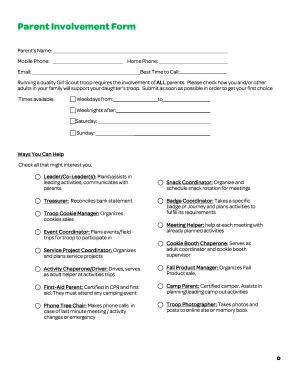
Girl scout parent involvement form
The document is a Parent Involvement Form for a Girl Scout troop, requesting parents to provide their contact informatio ...

Application for a medicare entitlement statement
The document provides instructions for applying for a Medicare Entitlement Statement (MES) online, detailing two methods ...

Motor Finance Proposal Form
The document is a Motor Finance Proposal Form for individuals and businesses, intended for applicants seeking motor fina ...

Publication 5190 (Rev 02-2022)
The document is the International Data Exchange Services (IDES) User Guide, which provides comprehensive instructions fo ...