




Here's how it works

01. Edit your dochub com fillable form online
Type text, add images, blackout confidential details, add comments, highlights and more.

02. Sign it in a few clicks
Draw your signature, type it, upload its image, or use your mobile device as a signature pad.

03. Share your form with others
Send va form 21 4192 via email, link, or fax. You can also download it, export it or print it out.
How to use or fill out VA Form 21-4192 with our platform

- Click ‘Get Form’ to open VA Form 21-4192 in the editor.
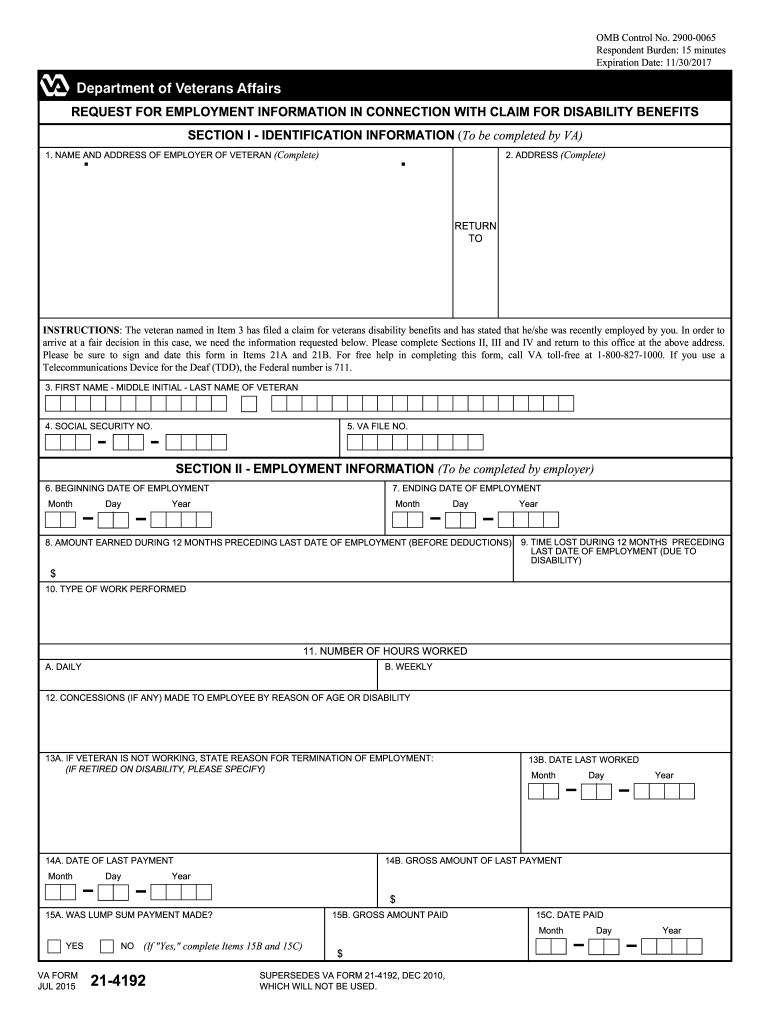
- Begin by filling out Section I, which includes the veteran's name, address, and social security number. Ensure all fields are completed accurately.
- Proceed to Section II for Employment Information. Enter the employer's details, including the beginning and ending dates of employment, amount earned, and type of work performed.
- In Section III, if applicable, indicate the veteran's current duty status and any disabilities that may affect their military duties.
- Complete Section IV regarding benefit entitlement. Provide information on any sick or retirement benefits received as a result of employment.
- Finally, ensure that the employer or supervisor signs and dates the form in Sections 21A and 21B before submitting it.
Start using our platform today to fill out VA Form 21-4192 easily and for free!
Fill out va form 21 4192 online
It's free
It's free
See more va form 21 4192 versions
We've got more versions of the va form 21 4192 form. Select the right va form 21 4192 version from the list and start editing it straight away!
Security and compliance
At DocHub, your data security is our priority. We follow HIPAA, SOC2, GDPR, and other standards, so you can work on your documents with confidence.
Learn more


Related forms

Rubric for data analysis project
The document outlines a project rubric for data management and analysis, categorizing performance into four levels: Novi ...

Standard employment contract for filipino household service workers
The document is a standard employment contract for Filipino household service workers employed in Singapore. It outlines ...

Early Help Assessment Form DOC 875 32 KB
The document is an assessment form for evaluating the needs and circumstances of a child and their family. It includes s ...

Visual artist - kcdhh ky
The document is an application for Studio Artist Venue at DeaFestival in Kentucky, scheduled for July 1, 2006. It outlin ...

New Check List - Louisiana Office of Motor Vehicles
The document is a checklist for submitting an application package for Third Party Examiner Status, detailing required it ...

IN THE COURT OF APPEALS OF MARYLAND No - Maryland state - courts state md
The document is a court opinion from the Maryland Court of Appeals regarding a declaratory judgment action between Gover ...

Tracey v Solesky No 53, September Term 2012 - Maryland Courts - courts state md
The case Tracey v. Solesky establishes a strict liability standard in Maryland for dog attacks involving pit bulls and c ...