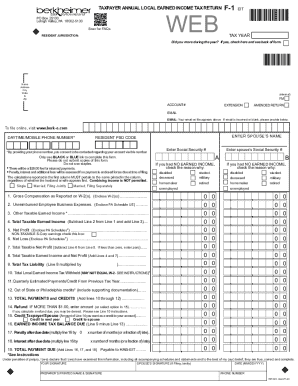
Here's how it works



How to use or fill out tc600 with our platform

- Click ‘Get Form’ to open the tc600 in the editor.
- Begin by entering your property details in the designated fields, including the market value and tentative assessment. Ensure accuracy as this information is crucial for your appeal.
- Proceed to fill out the tax class section. Select the appropriate class based on your property type, which will determine your assessment ratio.
- Attach any necessary documentation that supports your claim, such as recent sales data or appraisal reports. Use our platform's upload feature for convenience.
- Review all entered information carefully. Make sure there are no blank fields and that all required signatures are included before submitting.
- Finally, submit your application through our platform and keep a copy of the confirmation receipt for your records.
Start using our platform today to streamline your tc600 form submission!
It's free
See more tc600 versions
| Versions | Form popularity | Fillable & printable |
|---|---|---|
| 2025 | 4.8 Satisfied (29 Votes) | |
| 2024 | 4.5 Satisfied (46 Votes) | |
| 2023 | 4.6 Satisfied (48 Votes) | |
| 2022 | 4.8 Satisfied (158 Votes) | |
| 2021 | 4.4 Satisfied (101 Votes) | |
| 2020 | 4.4 Satisfied (104 Votes) | |
| 2019 | 3.9 Satisfied (29 Votes) | |
| 2018 | 4.4 Satisfied (189 Votes) | |
| 2012 | 4.3 Satisfied (296 Votes) |
Got questions?
How do I sign my tc600 free of charge?
Most eSignature services require users to have a paid subscription. With DocHub, there are two options for you to add an electronic signature to your tc600 at no cost:
- You can do it during a 7-day trial period;
- You can sign up for a free plan.
The second option, though, has limitations on the number of signatures, sign requests, emails, and forms for adjusting available per month. You can check for full details here.
How do you edit tc600 on iOS?
You can easily edit and complete your tc600 on any iOS gadget. Open an internet browser of your liking, visit the DocHub site, authorize or create a new account, upload your file for editing, and make your desired changes. Our service is mobile-friendly, so using its functions on your phone will be a no-brainer, even on the first try.
Security and compliance
At DocHub, your data security is our priority. We follow HIPAA, SOC2, GDPR, and other standards, so you can work on your documents with confidence.
Learn more


Related forms