



Here's how it works



How to use or fill out Instructions for Alaska Salmon Enhancement Tax Buyers Annual Report

- Click ‘Get Form’ to open it in the editor.
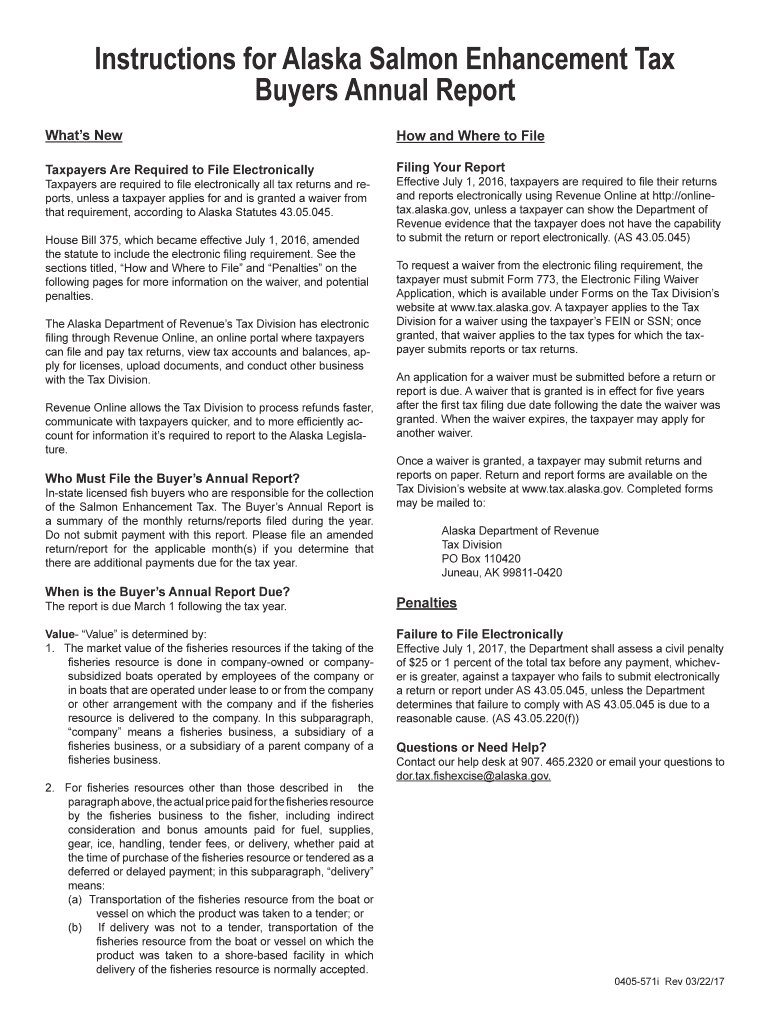
- Begin by reviewing the 'Who Must File' section to confirm your eligibility as an in-state licensed fish buyer responsible for collecting the Salmon Enhancement Tax.
- Fill out the required fields, ensuring you summarize your monthly returns/reports accurately. Remember, do not submit payment with this report.
- Check the due date mentioned in the document. Ensure your report is completed and submitted electronically by March 1 following the tax year.
- If applicable, apply for a waiver from electronic filing using Form 773, which can be found on the Tax Division’s website.
- Review all entries for accuracy before finalizing your submission through our platform.
Start using our platform today to streamline your form completion process for free!
It's free
See more Instructions for Alaska Salmon Enhancement Tax Buyers Annual ... versions
Got questions?
How can I eSign my Instructions for Alaska Salmon Enhancement Tax Buyers Annual ... from Gmail?
With DocHub, it’s pretty simple. The platform offers users an add-on called DocHub for Gmail, which you can find in the Google Workspace Marketplace without being charged. Install it and give it access to your Google account. Open your email with your Instructions for Alaska Salmon Enhancement Tax Buyers Annual ... attached and click on the add-on button in the right-side panel. Log in to your DocHub account, and upload the form to our editor, where you can complete it and sign.
How to complete Instructions for Alaska Salmon Enhancement Tax Buyers Annual ... online free of charge in 2024?
With a swift editing platform like DocHub, you do not need anything but a browser and connection to the internet to modify your Instructions for Alaska Salmon Enhancement Tax Buyers Annual ... online easily. Upload your document or get the appropriate form in DocHub’s catalog, open our editor with one click, and complete it digitally. To edit your forms anytime, register a free profile with DocHub.
Security and compliance
At DocHub, your data security is our priority. We follow HIPAA, SOC2, GDPR, and other standards, so you can work on your documents with confidence.
Learn more