Newyorkdmvforms 2026

Get Form
newyorkdmvforms Preview on Page 1

Here's how it works

01. Edit your form online
Type text, add images, blackout confidential details, add comments, highlights and more.

02. Sign it in a few clicks
Draw your signature, type it, upload its image, or use your mobile device as a signature pad.

03. Share your form with others
Send it via email, link, or fax. You can also download it, export it or print it out.

How to use or fill out newyorkdmvforms with our platform

Form edit decoration
9.5
Ease of Setup
DocHub User Ratings on G2
9.0
Ease of Use
DocHub User Ratings on G2
  1. Click ‘Get Form’ to open the newyorkdmvforms in the editor.
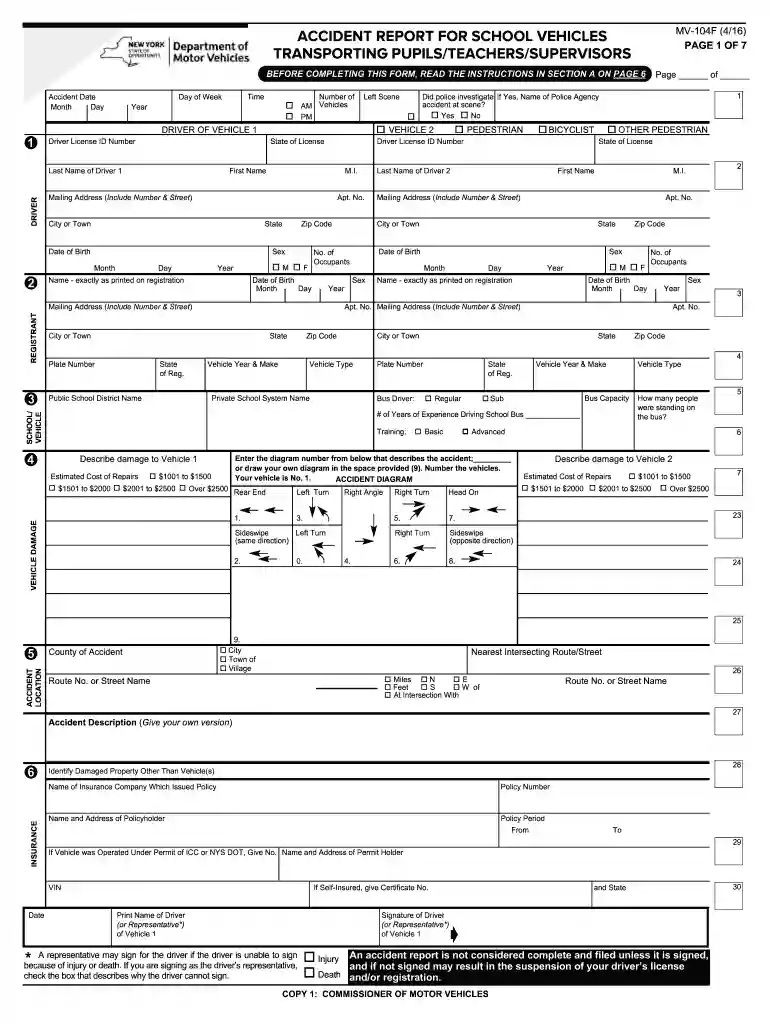
  2. Begin by entering the accident date in the designated fields. Ensure you fill in the month, day, and year accurately.
  3. Complete the registrant section with your name as it appears on registration, along with your mailing address and date of birth.
  4. Fill out driver information for both vehicles involved. Include names, addresses, dates of birth, and license details.
  5. In the vehicle section, specify vehicle types, plate numbers, and school system names if applicable.
  6. Describe any damages to vehicles using the provided diagram or write a brief description in the space allocated.
  7. Finally, ensure all required signatures are completed before submitting your form to avoid delays or penalties.

Start filling out your newyorkdmvforms today for free using our platform!

See more newyorkdmvforms versions

We've got more versions of the newyorkdmvforms form. Select the right newyorkdmvforms version from the list and start editing it straight away!
Versions Form popularity Fillable & printable
2016 4.8 Satisfied (54 Votes)
2007 4 Satisfied (60 Votes)
be ready to get more

Complete this form in 5 minutes or less

Get form

Got questions?

We have answers to the most popular questions from our customers. If you can't find an answer to your question, please contact us.
Contact us

A lot of software applications are available out there for document editing and signing. DocHub is one of the most in-demand online solutions that comply with all security and compliance requirements and ensures your electronically signed documentation is legally enforceable. All you need to try it out is to create an account, add your newyorkdmvforms, provide the necessary details, and click Sign. Generate your electronic signature by typing, drawing it, uploading its image to your form, or scanning a unique QR code.

You need only an internet connection and a browser to fill out your newyorkdmvforms on an iOS phone. Open the DocHub website and authenticate. Then, add your document or select it from the list in your dashboard. Then use our editing instruments to fill out your form and save all your changes. You may also send it to a dedicated recipient right away.

The Drivers License or ID Card Application Also known as the DL 44 form, the application for a California drivers license or identification card is required when you apply for, renew, or replace your drivers license or ID card.
How to fill out Form MV-82? Enter vehicle details: VIN, make, model, year, color, and weight. Choose transaction type: Original, Renewal, Transfer. Fill in owners information: Full legal name, mailing, and physical address. Provide proof of ownership and lienholder information if applicable.
Though the particular documents may vary by state, key items include the following: drivers license, bill of sale, proof of insurance, car title or signed lease agreement, proof of passage of any state-required safety or emissions checks, and vehicle information.
be ready to get more

Complete this form in 5 minutes or less

Get form

People also ask

Use the form Vehicle Registration/Title Application (PDF) (MV-82), available at any motor vehicle office, by request from a DMV Contact Center or by download from the DMV internet site. You must pay the registration and license plate fees, any appropriate sales tax, and the fee for a title certificate of $50.00.
Related Documents MV-82TON: Application for Title (PDF) English. MV-82.1: Instructions for Vehicle Registration/Title Application (PDF) English. MV-82: Vehicle Registration/Title Application (PDF) English.

Related links