




Here's how it works

01. Edit your wa seniors card application online online
Type text, add images, blackout confidential details, add comments, highlights and more.

02. Sign it in a few clicks
Draw your signature, type it, upload its image, or use your mobile device as a signature pad.

03. Share your form with others
Send wa seniors card application via email, link, or fax. You can also download it, export it or print it out.
How to use or fill out seniors card wa with our platform

- Click ‘Get Form’ to open the WA Seniors Card Application and Replacement Card Form in the editor.
- Begin by filling out Part 1: Identification. Ensure you provide legible photocopies of your identification documents that total 100 points, including a photograph. Refer to the acceptable identification list provided in the form.
- Proceed to Part 2: Personal Details. Complete all fields accurately, including your name, date of birth, address, and contact information. If applicable, indicate if you hold any relevant cards from Centrelink or the Department of Veterans’ Affairs.
- In Part 3a: Checklists, confirm that you meet all eligibility requirements and have attached the necessary identification documents. This step is crucial for ensuring your application is complete.
- Finally, sign in Part 3b: Declaration signature to affirm that all information provided is true and correct. Make sure to include the date of your signature.
Start using our platform today for free to streamline your WA Seniors Card application process!
Fill out seniors card wa online
It's free
It's free
See more seniors card wa versions
We've got more versions of the seniors card wa form. Select the right seniors card wa version from the list and start editing it straight away!
| Versions | Form popularity | Fillable & printable |
|---|---|---|
| 2015 | 4.6 Satisfied (34 Votes) |
Security and compliance
At DocHub, your data security is our priority. We follow HIPAA, SOC2, GDPR, and other standards, so you can work on your documents with confidence.
Learn more


Related forms

2019 Summer Camp Volunteer Application
The document is a 2019 Summer Camp Volunteer Application for individuals interested in becoming camp counselors at the S ...


Catalyst declaration template
The document is a comprehensive form for Housing Catalyst participants, detailing the requirements for annual recertific ...

APP TEST
The document is an application form for the ICCC Head Start program for the 2020-2021 year. It requires detailed informa ...
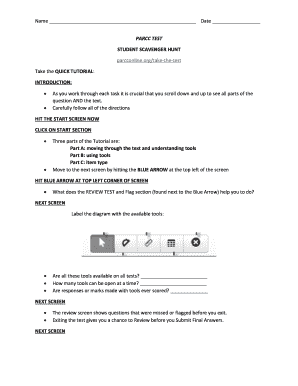
Parcc practice test answers
The document is a tutorial for students preparing to take the PARCC test, outlining essential navigation tools and featu ...

Farnsworth d 15 scoring sheet
The document is a template for the Farnsworth D15 color vision test score sheet, designed to record test results for ind ...

Assignment of insurance claim
The document is a Claim Assignment Form used for reporting and managing insurance claims related to property damage. It ...
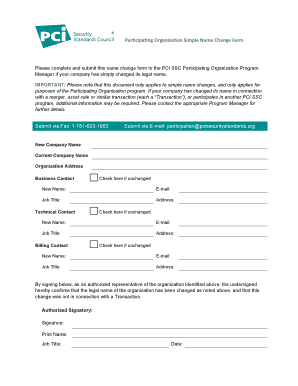
Participating Organization Simple Name Change Form
The document is a name change form for organizations participating in the PCI SSC program, intended for companies that h ...