Type text, add images, blackout confidential details, add comments, highlights and more.
02. Sign it in a few clicks
Draw your signature, type it, upload its image, or use your mobile device as a signature pad.
03. Share your form with others
Send dd 2168 via email, link, or fax. You can also download it, export it or print it out.
How to use or fill out 2168 with our platform
Ease of Setup
DocHub User Ratings on G2
Ease of Use
DocHub User Ratings on G2
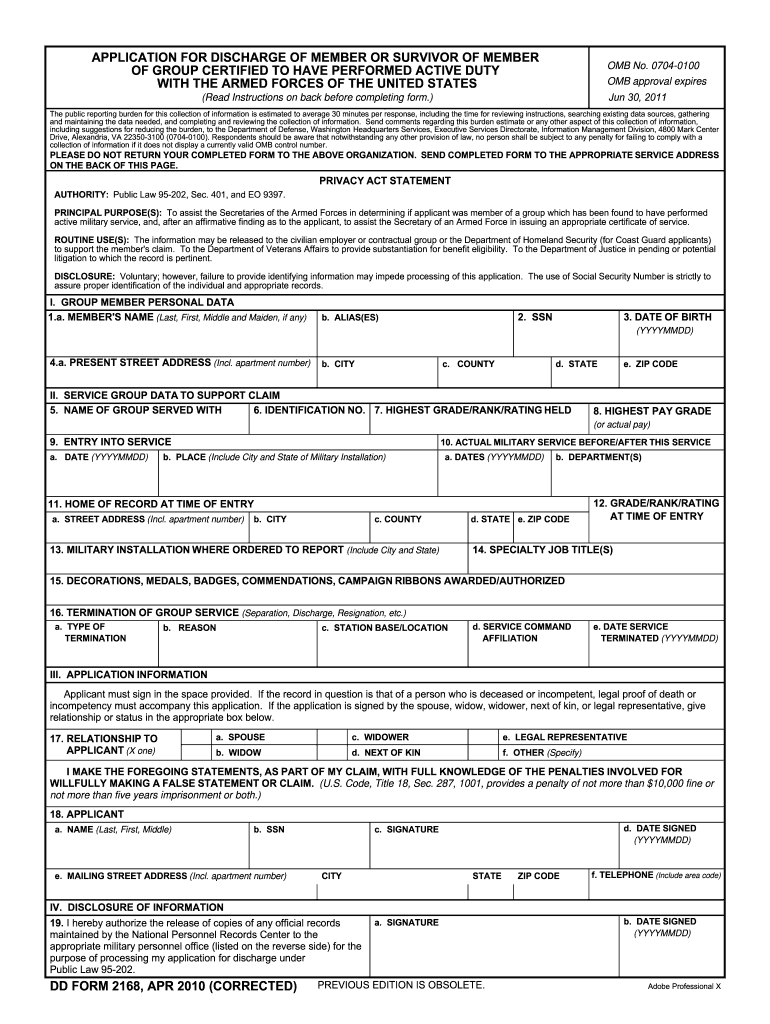
Click ‘Get Form’ to open the 2168 application in the editor.
Begin by filling out Section I, which requires your personal data. Enter your full name, Social Security Number (SSN), and any aliases you may have. Make sure to include your date of birth in the specified format (YYYYMMDD).
Next, provide your current address details including street address, city, county, state, and ZIP code.
Move on to Section II to detail your service group data. Fill in the name of the group you served with, identification number, highest grade/rank/rating held, and other relevant military service information.
In Section III, sign the application where indicated. If applicable, include legal proof of death or incompetency if signing on behalf of someone else.
Finally, review all sections for accuracy before submitting. Attach any necessary supporting documents as outlined in the instructions.
Start using our platform today for free to complete your 2168 application effortlessly!
Gene ResultFABP1 fatty acid binding protein 1 [ (human)]
Mar 3, 2026 This gene encodes the fatty acid binding protein found in liver. Fatty acid binding proteins are a family of small, highly conserved, cytoplasmic proteins.Read more
42 U.S. Code 2168 - Dissemination of unclassified information
The Secretary may prescribe regulations or issue orders under paragraph (1) to prohibit the dissemination of any information described in such paragraph only.Read more
Cookie consent notice
This site uses cookies to enhance site navigation and personalize your experience.
By using this site you agree to our use of cookies as described in our Privacy Notice.
You can modify your selections by visiting our Cookie and Advertising Notice.