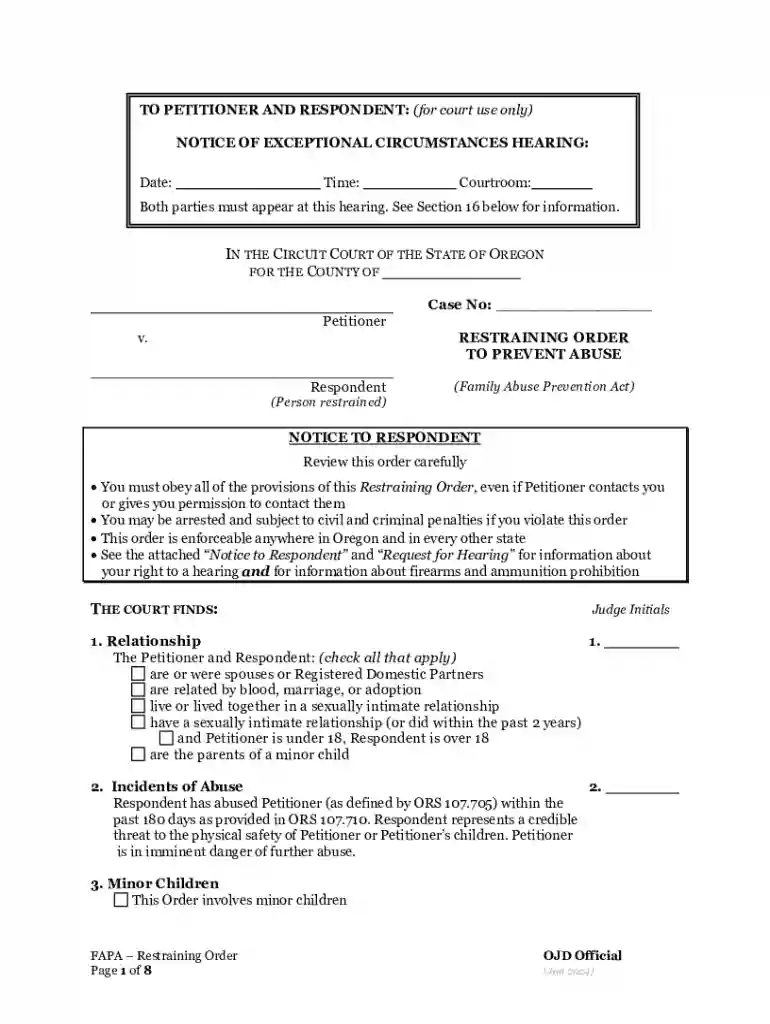
Oregon Restraining Order 2026

Get Form
Oregon Restraining Order Preview on Page 1

Here's how it works

01. Edit your form online
Type text, add images, blackout confidential details, add comments, highlights and more.

02. Sign it in a few clicks
Draw your signature, type it, upload its image, or use your mobile device as a signature pad.

03. Share your form with others
Send it via email, link, or fax. You can also download it, export it or print it out.

Definition and Meaning of "Form Online"

A "form online" refers to any digital document or template accessible through the internet that requires user input. Such forms can be used for various purposes, including applications, registrations, and submissions of information in structured formats. Forms online are designed to be user-friendly, making it easy for individuals or entities to submit necessary information without the need for physical paperwork. They often include fields for text entry, checkboxes, drop-down menus, and digital signature options to accommodate diverse data collection needs.

How to Use the Form Online

Using a form online involves several straightforward steps. First, identify the specific form required for your task or administrative need. Many online platforms, like DocHub, offer easy access to various form templates. To use the form:

  1. Access the Form: Navigate to the form on the website hosting it, such as a government, educational, or service provider website.
  2. Fill Out Required Fields: Enter the necessary information in designated fields. Online forms typically include clear labels to guide you through the process.
  3. Review and Edit: Double-check all entries for accuracy. Many platforms allow you to edit information directly before final submission.
  4. Save Your Progress: Some forms allow the option to save your progress if you cannot complete it in one session.
  5. Submit the Form: Click on the submit button after ensuring all fields are accurately filled. Some platforms provide confirmation upon successful submission.

Steps to Complete the Form Online

Completing a form online is a process that requires attention to detail and order:

  1. Gather Necessary Information: Before starting, make sure you have all required information and documents at hand, as the form will ask for specific data.
  2. Open the Form: Locate and open the form you need to complete from a reliable source.
  3. Fill Out the Form: Begin inputting data into each field, following any provided instructions.
  4. Attach Supporting Documents: Browse and upload required documents if the form demands additional attachments.
  5. Verify Entries: Re-read all entries to make sure there are no mistakes or incomplete sections.
  6. Agree to Terms: Most forms include a section where you must agree to terms and conditions.
  7. Submit Test Run: Some services offer a preview option to see the form’s final look before submission.
  8. Finalize Submission: Click 'Submit' and wait for a confirmation email or notification.

Key Elements of the Form Online

When exploring the key elements of online forms, several components are critical to their structure and function:

  • User Inputs: Fields where users fill in data, such as text boxes, checkboxes, radio buttons, and drop-down menus.
  • Mandatory Fields: Some fields must be filled out to proceed; they're typically marked with an asterisk.
  • Navigation Tools: Options for moving through sections of longer forms, like "Next" and "Previous" buttons.
  • Validation and Error Messages: Built-in checks to ensure information entered is in the correct format.
  • Submission Confirmation: A message or email acknowledging the form's successful submission.

Legal Use of the Form Online

Forms online are used in various legal contexts, often serving as official documents once filled and submitted. This includes applications for licenses, permits, tax filings, and registration for legal entities. They must meet specific legal requirements to ensure validity:

  • Compliance with Laws: Regulations dictate the information required and the format of online forms, such as data protection laws for privacy.
  • Electronic Signatures: Acceptability according to the ESIGN Act, confirming that digital signatures on such forms are legally binding.
  • Audit Trails: Documentation of all actions taken on a form, such as edits and submissions, to maintain a legal record.

State-Specific Rules for the Form Online

While online forms provide convenience, state-specific rules can affect their use:

  • Specific Forms Vary by State: Some forms may differ in content and requirements based on local laws.
  • State-Specific Instructions: Each state may have unique submission guidelines and deadlines.
  • Legal Variations: Certain states impose different regulations on data collection and electronic submissions.

Understanding these nuances ensures that forms are filled out correctly, contextually aligned with state regulations, and legally compliant.

Examples of Using the Form Online

Online forms span multiple industries and uses, influencing various sectors:

  • Job Applications: Candidates apply for jobs by submitting their resumes and information online.
  • Government Services: Citizens submit information for programs like voter registration and public records.
  • Educational Enrollments: Students fill forms for school admissions and scholarship applications digitally.
  • Business Corporations: Companies file incorporation documents or submit compliance reports through online forms.

Software Compatibility

Online forms should be compatible with various software to broaden accessibility and functionality:

  • Multiplatform Access: Compatibility with tools like Adobe Acrobat for PDFs, DocHub for various document formats.
  • Cross-Browser Utility: Forms should work seamlessly on browsers like Chrome, Firefox, and Safari.
  • Integration with Software Systems: Forms can be integrated with HR systems, accounting software, or cloud storage solutions for broader application.
be ready to get more

Complete this form in 5 minutes or less

Get form

Got questions?

We have answers to the most popular questions from our customers. If you can't find an answer to your question, please contact us.
Contact us
How to Create a Request Form Define Your Use Case and Requirements. Start Building Your Form. Add and Customize Form Fields. Personalize the Form Design. Set Up Notifications and Approvals. Publish and Share Your Form. Test and Manage Submissions.
Use docHub eSignature to fill out a PDF form and sign it Sign up for a free docHub account to fill and sign PDFs. Some PDF forms are fillable and some arent.
Online Application Form means the electronic sign-up form which is available on the Companys website (the websites) and which a prospective Client has to complete in order to become the Companys Client.
Electronic forms are online web pages or electronic documents designed to capture, validate, and submit data in forms processing. Electronic forms (eforms) provide a series of fields where data is collected, often using a Web browser.
To convert a PDF to fillable online, upload your document to docHub. docHub online editor instantly converts any PDF document to a fillable format online. You can fill your PDF with our various tools and features. To fill the form with text, choose the Text button and start typing.

Security and compliance

At DocHub, your data security is our priority. We follow HIPAA, SOC2, GDPR, and other standards, so you can work on your documents with confidence.
Learn more
ccpa2
pci-dss
gdpr-compliance
hipaa
soc-compliance
be ready to get more

Complete this form in 5 minutes or less

Get form

People also ask

Online forms are used to achieve the following: Collect customer data as part of sales and marketing processes. Process financial details during checkout, especially on ecommerce stores. Respond to customer support tickets. Request information and signatures in contracts and proposals.
An online form is an electronic application in which data is entered by the person filling it out for recording and further processing via predefined data fields. Such electronic forms can be found, for example, on websites or as attachments in e-mails.

Related links