Type text, add images, blackout confidential details, add comments, highlights and more.
02. Sign it in a few clicks
Draw your signature, type it, upload its image, or use your mobile device as a signature pad.
03. Share your form with others
Send dv 200 via email, link, or fax. You can also download it, export it or print it out.
How to use or fill out California DV Form with DocHub
Ease of Setup
DocHub User Ratings on G2
Ease of Use
DocHub User Ratings on G2
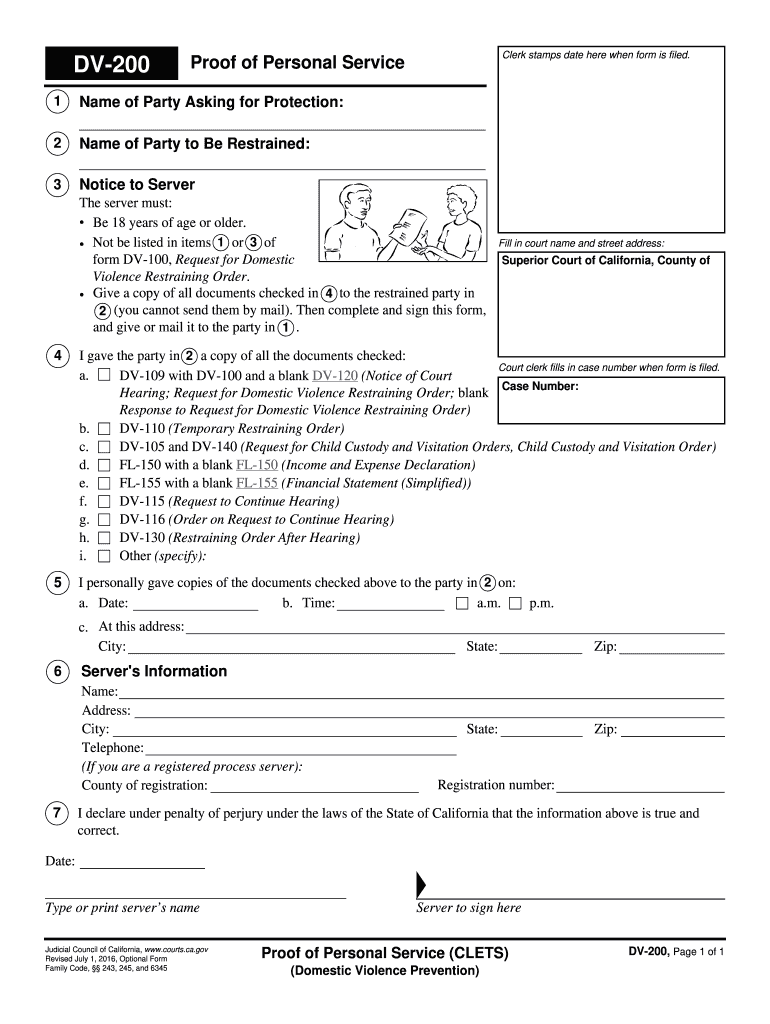
Click ‘Get Form’ to open the California DV form in our editor.
Begin by entering the name of the party asking for protection in section 1. This is crucial for identifying who is seeking assistance.
In section 2, input the name of the party to be restrained. Ensure accuracy as this information is vital for legal proceedings.
Fill in the court name and street address in section 4. This identifies where your case will be filed.
Complete section 5 by providing details about when and where you personally delivered copies of all relevant documents to the restrained party.
In section 6, enter your information as the server, including your name, address, and telephone number. If applicable, include your registration details.
Finally, sign and date the form at the bottom to affirm that all provided information is true and correct.
Start using our platform today to fill out your California DV form easily and for free!
DV-100 form CaliforniaDV 100 fillable formDomestic Violence restraining order forms CaliforniaDV-105 form CaliforniaOnline Restraining Order form CaliforniaDV-100 instructionsDV-120 formDv110 form
Security and compliance
At DocHub, your data security is our priority. We follow HIPAA, SOC2, GDPR, and other standards, so you can work on your documents with confidence.
DV-100 Request for Domestic Violence Restraining Order
Jan 1, 2025 To ask for a domestic violence restraining order, you will need to complete this form and other forms (see page 13 for list of forms). If thisRead more
The Manual is divided into sections stating Medi-Cal program requirements and regulatory/contractual standards to support you in providing high quality andRead more
Cookie consent notice
This site uses cookies to enhance site navigation and personalize your experience.
By using this site you agree to our use of cookies as described in our Privacy Notice.
You can modify your selections by visiting our Cookie and Advertising Notice.