




Here's how it works



How to use or fill out united energy pit application with our platform

- Click ‘Get Form’ to open the united energy pit application in the editor.
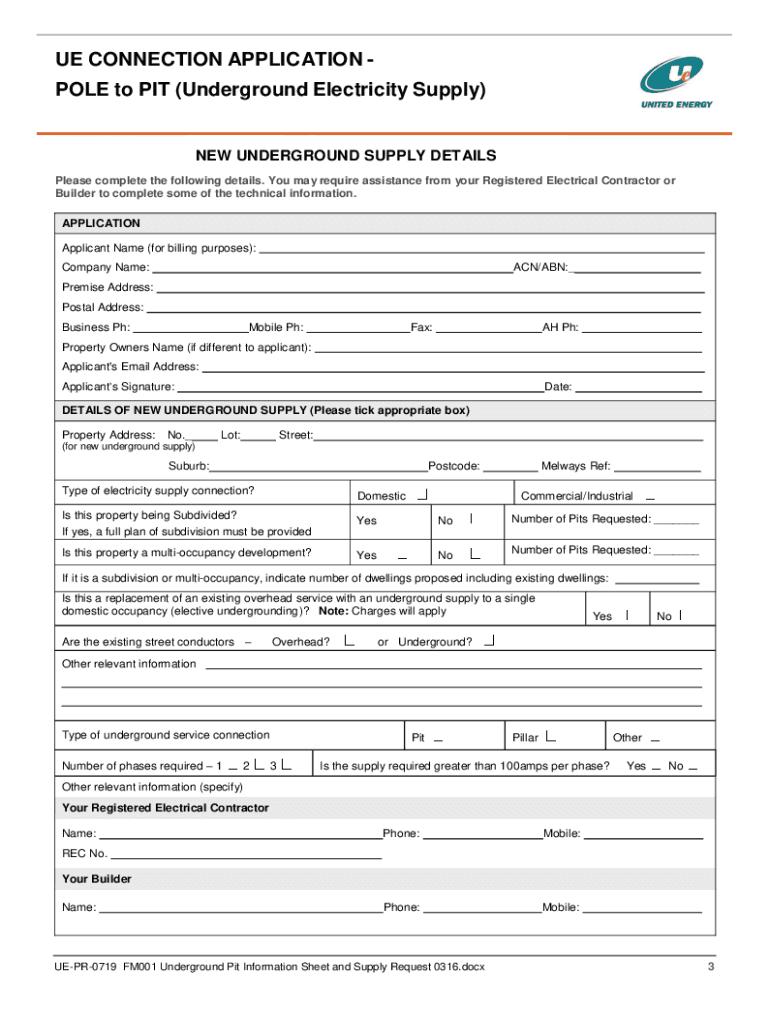
- Begin by filling in your contact details, including your name, company name, and email address. Ensure that all information is clear and legible for effective communication.
- Complete the 'Details of New Underground Supply' section. Specify whether the supply is for domestic or commercial purposes and indicate if the property is being subdivided or is a multi-occupancy development.
- Draw your site sketch directly in the provided space. Include all necessary details such as proposed buildings, street names, and any obstacles that may affect installation.
- Review all sections carefully to ensure accuracy. Incomplete applications may be rejected, so double-check each field before submission.
- Once completed, save your document and submit it via email or postal service as instructed on the form.
Start using our platform today to streamline your application process for free!
It's free
See more united energy pit application versions
Got questions?
Can I use DocHub to generate legal eSignatures on my pit admission?
Yes, you can use DocHub for signing any business and private paperwork, including your pit admission. All electronic signatures you generate with our service are legally binding and court-admissible, as DocHub complies with criteria required by ESIGN and UETA. Save your completed form with a detailed Audit Trail if needed.
How do you get formulario pit for my state?
If you are searching for a state-specific formulario pit sample, you will find it in our DocHub Forms & Templates catalog. Use the search field, key in your form’s name, and search through the results for your state. You may also filter out irrelevant results while searching our catalog by categories.
Security and compliance
At DocHub, your data security is our priority. We follow HIPAA, SOC2, GDPR, and other standards, so you can work on your documents with confidence.
Learn more


Related forms


