




Here's how it works

01. Edit your naccrra login online
Type text, add images, blackout confidential details, add comments, highlights and more.

02. Sign it in a few clicks
Draw your signature, type it, upload its image, or use your mobile device as a signature pad.

03. Share your form with others
Send naccrra via email, link, or fax. You can also download it, export it or print it out.
How to use or fill out naccrra with our platform

- Click ‘Get Form’ to open the naccrra application in the editor.
- Begin by entering your name as the Parent/Military Sponsor at the top of the form. Ensure all details are accurate.
- Select one of the five blocks under Operation Military Child Care (OMCC) that applies to your situation, checking the appropriate box.
- Fill out Section A with your household information, including contact details for yourself and any legal guardians if applicable.
- In Section B, provide information about your child care provider, including their name and address. If you have a second provider, fill in those details as well.
- List the names and birth dates of children who will be cared for through military subsidy programs in the designated area.
- Review and check all boxes in the Parent/Legal Guardian Certification section to confirm your understanding and agreement before signing and dating the form.
Start filling out your naccrra application today for free using our platform!
Fill out naccrra online
It's free
It's free
See more naccrra versions
We've got more versions of the naccrra form. Select the right naccrra version from the list and start editing it straight away!
| Versions | Form popularity | Fillable & printable |
|---|---|---|
| 2011 | 4.9 Satisfied (501 Votes) |
Security and compliance
At DocHub, your data security is our priority. We follow HIPAA, SOC2, GDPR, and other standards, so you can work on your documents with confidence.
Learn more


Related forms

Short Form Order NEW YORK SUPREME COURT - QUEENS COUNTY Present : HONORABLE PATRICIA P - courts stat
Short Form Order NEW YORK SUPREME COURT - QUEENS COUNTY Present : HONORABLE PATRICIA P - courts stat
The document is a short form order from the New York Supreme Court, Queens County, regarding a motion by defendant Mario ...

Medicaid Estate Recovery Program Worksheet Form 1575
The document is a Medicaid Estate Recovery Program Worksheet from the Texas Department of Aging and Disability Services, ...

Cedar properties
The document is a Co-Signer Agreement from CEDAR Properties, outlining the requirements and responsibilities of a co-sig ...

Health alaska dphVitalStatsAlaska Marriage Certificate Request Form
The document is a Marriage License Application for residents of Alaska, detailing the application process, requirements, ...

Transient Application - West Liberty University - westliberty
The document is a Transient Application form for West Liberty University, allowing students to apply for courses at othe ...

Vanguard Advisor's Alpha - The Vanguard Group
The document is a Bank Transfer Service Form (BTSF) for adding U.S. bank account information to a Vanguard account, enab ...
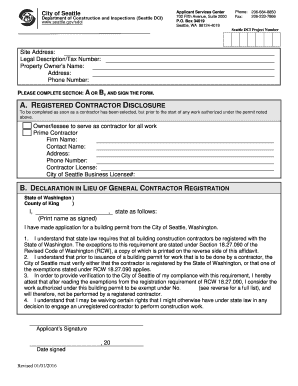
Sdci contractor disclosure form
The document outlines the requirements and procedures for obtaining a building permit from the City of Seattle's Departm ...

Property Management Supplemental bApplicationb - Kinsale Insurance
The document is a Property Management Supplement application for Kinsale Insurance Company, detailing the information re ...