Type text, add images, blackout confidential details, add comments, highlights and more.
02. Sign it in a few clicks
Draw your signature, type it, upload its image, or use your mobile device as a signature pad.
03. Share your form with others
Send myphoneguardian boost mobile via email, link, or fax. You can also download it, export it or print it out.
How to use or fill out myphoneguardian with our platform
Ease of Setup
DocHub User Ratings on G2
Ease of Use
DocHub User Ratings on G2
Click ‘Get Form’ to open the myphoneguardian document in the editor.
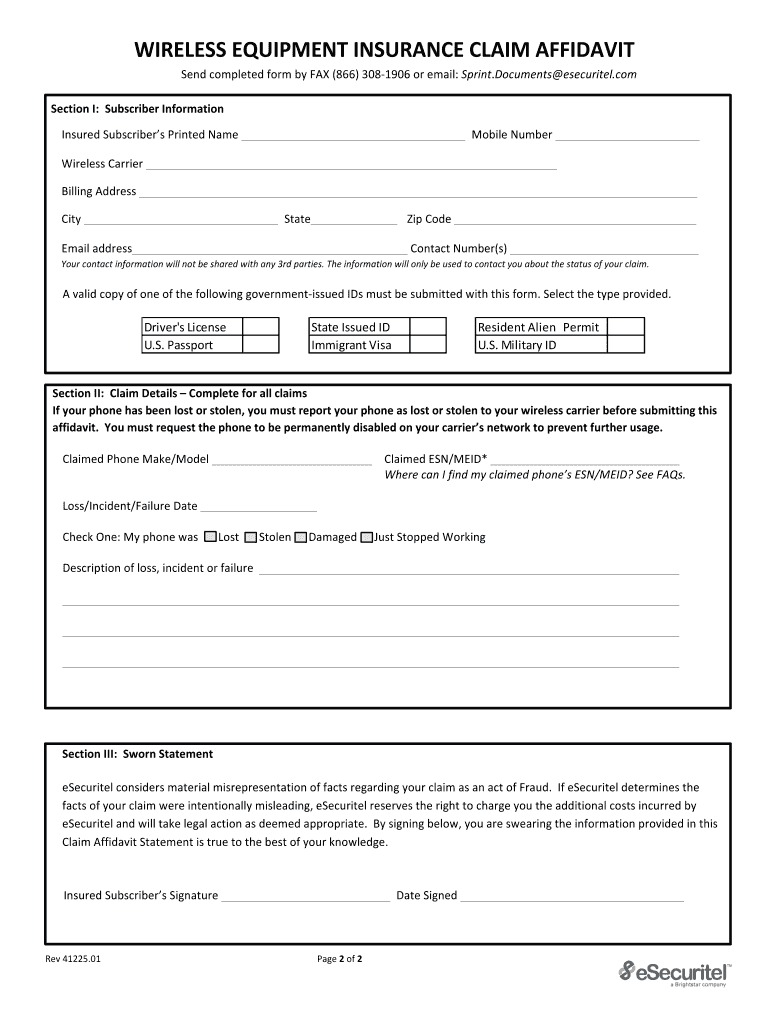
Begin with Section I: Subscriber Information. Fill in the Insured Subscriber’s Printed Name, Mobile Number, Wireless Carrier, Billing Address, City, State, Zip Code, Email Address, and Contact Number(s). Ensure all information is accurate as it will be used for claim status updates.
In Section II: Claim Details, provide details about your claimed phone including Make/Model and ESN/MEID. If you are unsure where to find your ESN/MEID, refer to the FAQs section for guidance.
Indicate the Loss/Incident/Failure Date and check the appropriate box for whether your phone was Lost, Stolen, Damaged, or Just Stopped Working. Provide a detailed description of the incident in the space provided.
Finally, complete Section III: Sworn Statement by signing and dating the form to confirm that all information is true to the best of your knowledge.
Start filling out your myphoneguardian form today using our platform for free!
Call Boost Customer Care at (833) 502-6678 immediately if you realize your device is lost or stolen. We can take measures to protect your active account balance. If you report your device as lost or stolen, youll have 60 days to get a replacement.
What is the phone number for Myphoneguardian?
You can file a claim by visiting or by calling (844) 834-5583.
What number is 833 502-6678?
Boost Mobile Customer Care: For general questions, contact Boost Customer Care at (833) 502-6678. Available everyday from 8 a.m. - midnight ET.
How to claim insurance with T-mobile?
Online claim in your T-Mobile Account Log in to your T-Mobile account using a web browser. Select Account and choose the line youre filing a claim on. Select File a claim or File damage claim or Report lost or stolen. Once you confirm the selection, youll be redirected to the claims website at mytmoclaim.com.
myphoneguardian com boost
Myphoneguardian customer serviceMyphoneguardian claimMyphoneguardian phone numberMyphoneguardian com loginMyphoneguardian reviewsMyphoneguardian com Boost MobileMy phone Guardian claim onlineBoost Mobile insurance claim
Security and compliance
At DocHub, your data security is our priority. We follow HIPAA, SOC2, GDPR, and other standards, so you can work on your documents with confidence.
Visit myphoneguardian.com/boostmobile 24 hours a day, 7 days a week to file a claim with likewize device protection (see provider information in brochure).Read more
Cookie consent notice
This site uses cookies to enhance site navigation and personalize your experience.
By using this site you agree to our use of cookies as described in our Privacy Notice.
You can modify your selections by visiting our Cookie and Advertising Notice.